
Magnatude opened this issue on Jul 31, 2009 · 6 posts
Magnatude posted Fri, 31 July 2009 at 10:27 PM
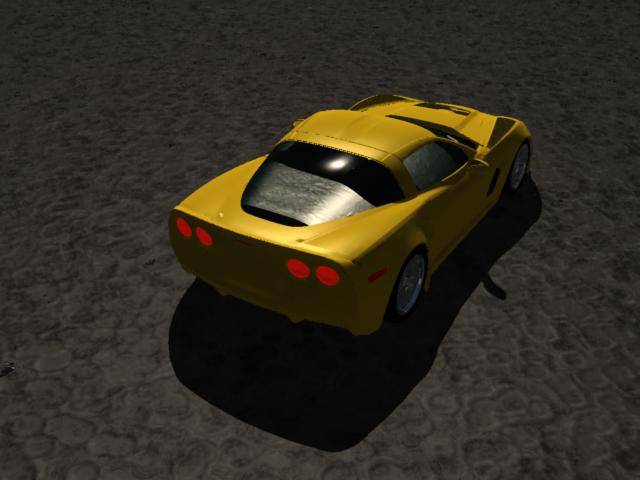
Does anyone have a setting, I need the glass to not distort the faces of those occupying the seats.
Any help is appreciated...
Here's a shot to cheer you up... the new C6RS.
Carrara 7 Pro, Anime Studio Pro 8, Hexagon 2.5, Zbrush 4.6, trueSpace 7.6, and Corel Draw X3. Manga Studio 4EX, Open Canvas 5, WACOM Cintiq 12WX User

MarkBremmer posted Fri, 31 July 2009 at 10:37 PM
For vehicles, I always turn off Refraction.
Magnatude posted Fri, 31 July 2009 at 10:43 PM
Thanks Mark, I had a hunch you had some advice. I'll do that....
Carrara 7 Pro, Anime Studio Pro 8, Hexagon 2.5, Zbrush 4.6, trueSpace 7.6, and Corel Draw X3. Manga Studio 4EX, Open Canvas 5, WACOM Cintiq 12WX User

Plutom posted Sat, 01 August 2009 at 2:20 PM
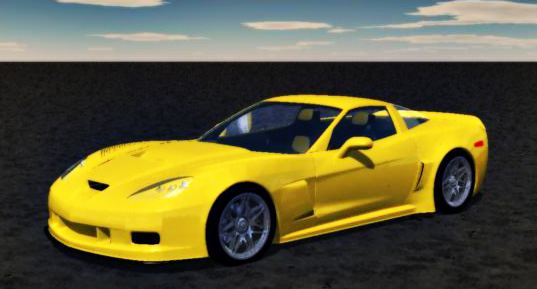
Hi Mag, your model looks great--was it done in Carrara or Hexagon?---Jan
Magnatude posted Sat, 01 August 2009 at 2:52 PM
Carrara 7 Pro, Anime Studio Pro 8, Hexagon 2.5, Zbrush 4.6, trueSpace 7.6, and Corel Draw X3. Manga Studio 4EX, Open Canvas 5, WACOM Cintiq 12WX User

pauljs75 posted Mon, 10 August 2009 at 6:46 PM
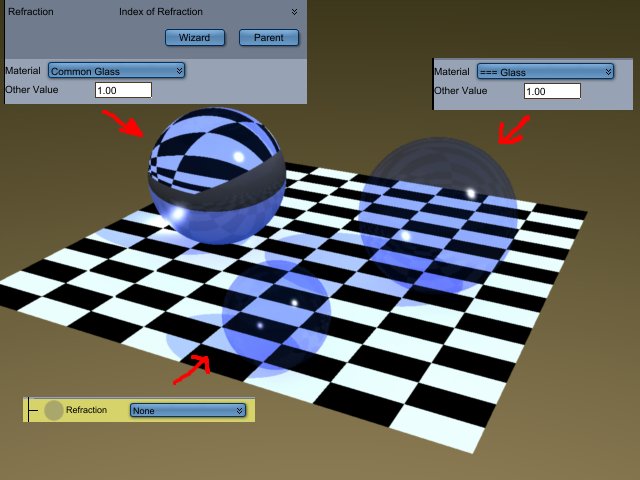
Another option is to use the "=== Glass" instead of "Common Glass" in the refraction channel. (I wonder if that translates to "Window Glass" in the original French version? Seems to be what it's good for.) The difference between that and the top level shader refraction setting of none is pretty subtle though. (You have to look closely at the fresnel that affects transparancy and reflection and perhaps the caustic if it's enabled.) The quick render I made demonstrates the difference, starting out with Carrara's "Blue, Clear" and changing only the refraction setting.
Your friendly neighborhood Wings3D nut.
Also feel free to browse my freebies at ShareCG.
There might be something worth downloading.