
Thelby opened this issue on Nov 22, 2008 · 8 posts
Thelby posted Sat, 22 November 2008 at 11:02 AM
Does anyone know of a Good Tut for modeling a wicker basket???
I would rather
be Politically Incorrect,
Then have Politically
Correct-Incorrectness!!!

MarkBremmer posted Sat, 22 November 2008 at 1:57 PM
The easiest route is to fake it with a texture map - there are some great wicker shader tools from Digital Carvers Guild, Shoestring Shaders and Inagoni.
To actually model a basket, the Vertex modeler is probably the best choice. (although you could do it with the Spline modeler, you'd probably want to draw the paths outside in program in Illustrator) The horizontal weave is created by creating a circle of about 40 points. Then select every other point until 20 are selected and uniformly scale them down so that they all pull inward a ways. Next, sweep a "thread" of your choice along the path and then smooth/SDS the resulting shape. This will become your horizontal weave that you can replicate, rotate and scale to make the walls of your basket.
Then it's just a matter off creating the vertical threads to match your walls and duplicating and rotating copies to creating the vertical threads.
Just let me know if you need a visual.
Mark
Thelby posted Sat, 22 November 2008 at 3:02 PM
Mark a Visual would be great if you have the time.
Thanks SO Much.
Mark a.k.a. Thelby
I would rather
be Politically Incorrect,
Then have Politically
Correct-Incorrectness!!!
MarkBremmer posted Sat, 22 November 2008 at 6:37 PM
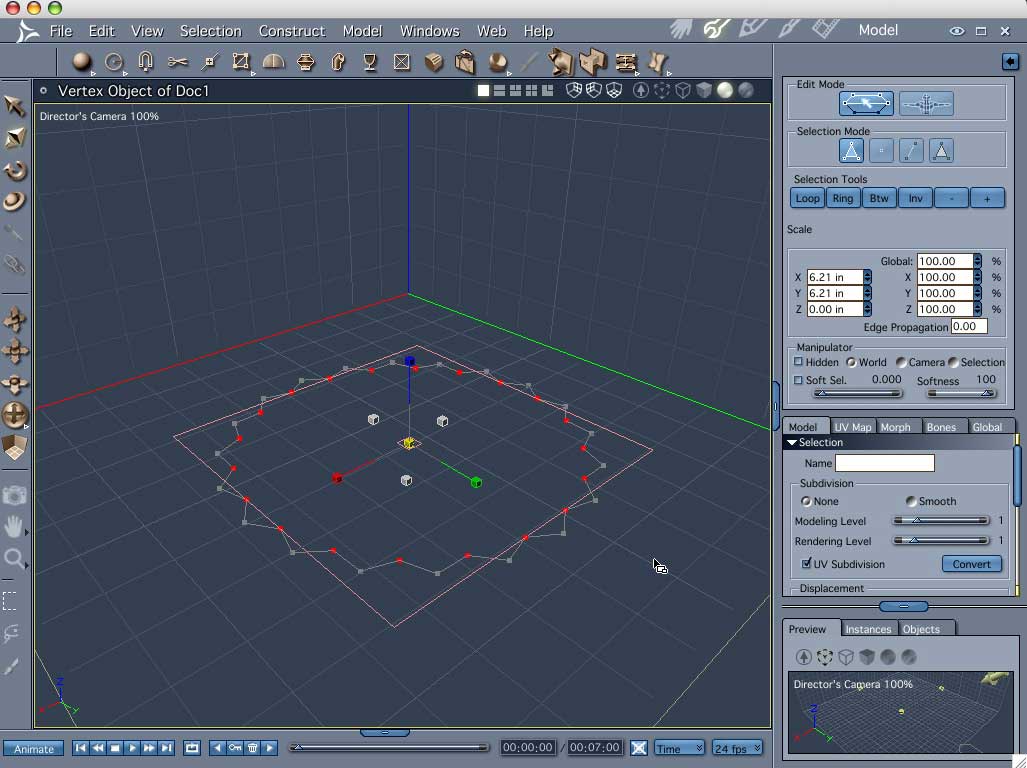
MarkBremmer posted Sat, 22 November 2008 at 6:38 PM
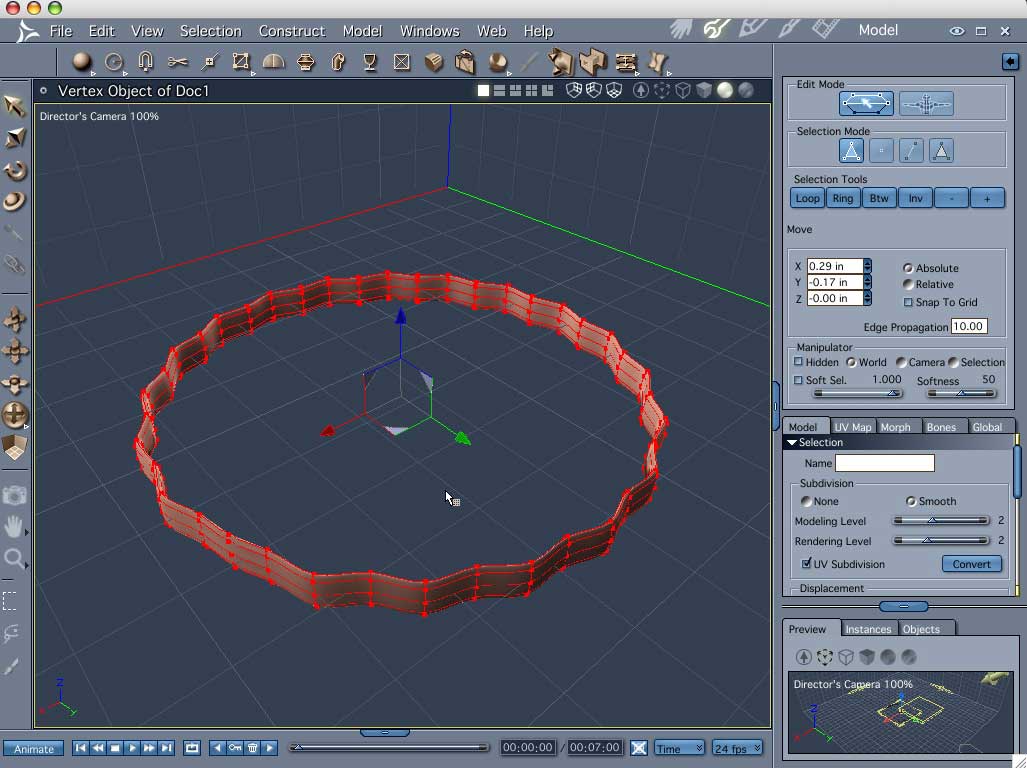
MarkBremmer posted Sat, 22 November 2008 at 6:42 PM
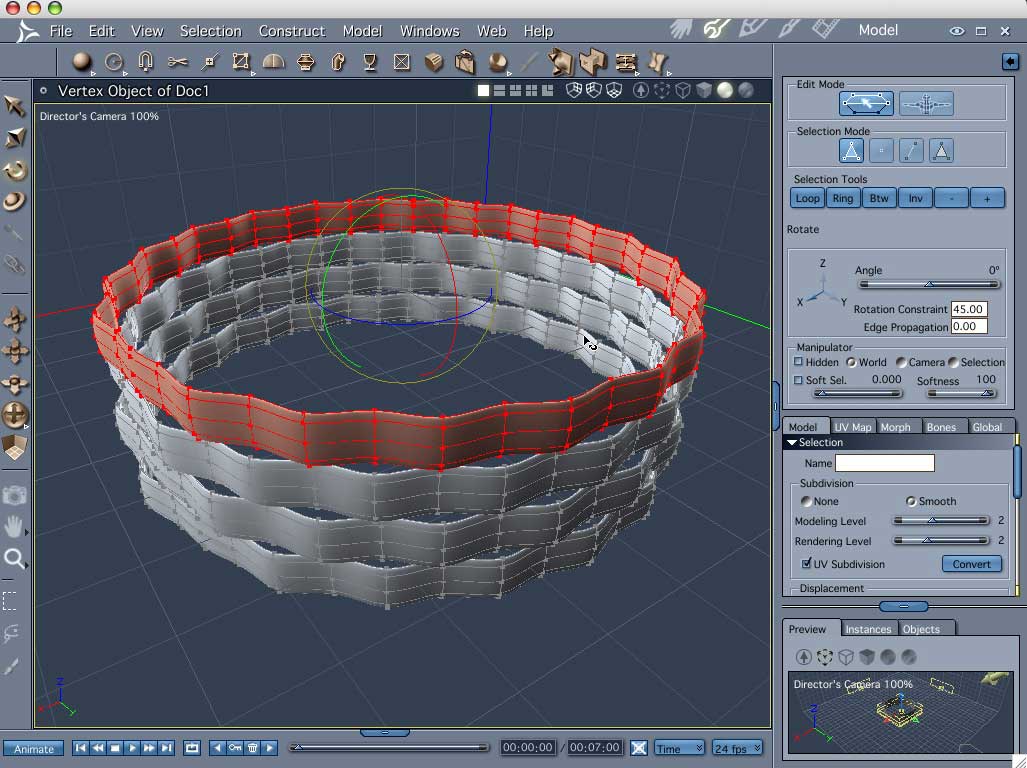
For the bottom, you'd simply repeat the same method as for the sides but instead of scaling every other point in, you'd just pull them up a ways. (of course the profile would need to be rotated 90 degrees as compared to the sides.
Just let me know if you need more info.
Mark
Thelby posted Sat, 22 November 2008 at 10:51 PM
Ah Ha, I see what you are saying now. I tried it with a sphere cuting the top 40% away and picking everyother point and it didn't work even though I did end up with a very nice glass bowl. This looks very nice and will give me some nice time to work on it. As a beginning modeler I can see what I want, I just can't always see how to arrive at the finished product.
Thanks So Much Mark. I'll post a product in a few days in this thread!!!
I would rather
be Politically Incorrect,
Then have Politically
Correct-Incorrectness!!!

bwtr posted Mon, 24 November 2008 at 12:13 AM
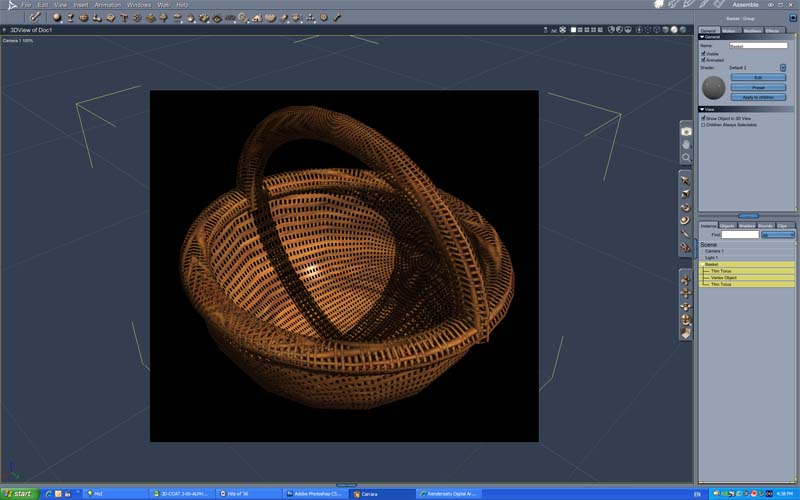
Brian
bwtr