
DocMatter opened this issue on Oct 11, 2008 · 13 posts
DocMatter posted Sat, 11 October 2008 at 9:17 AM
I'm trying to create some water in a pool that is relatively still except for some ripples that eminate from a figure standing in it.
What's the best way of doing this?
Thanks!

GKDantas posted Sat, 11 October 2008 at 9:30 AM
The easy way is using the DCG plugin Terrain Tool:
http://www.digitalcarversguild.com/plugin.php?ProductId=19
I used it in one of my image and works great:
http://www.renderosity.com/mod/gallery/index.php?image_id=1585262
Follow me at euQfiz Digital
Sueposer posted Sat, 11 October 2008 at 10:06 AM
Another way is to use a location in your ground terrain where there is a depression in it. Then place a flat plane over the depression, but below the surface level of the rest of the terrain. You can give it ripples and a water shader.
The DCG plugin that GKDantas mentions is highly recommended, if you have the $.

sparrownightmare posted Sat, 11 October 2008 at 10:58 AM
I usually just do up a quick ripple displacement map in Paint Shop Pro and apply it to a flat terrain. I hear the DCG plug ins are great. Unfortunately, they are out of my budget limits. I wish they cost less. I could really use anything goos..

bwtr posted Sat, 11 October 2008 at 4:48 PM
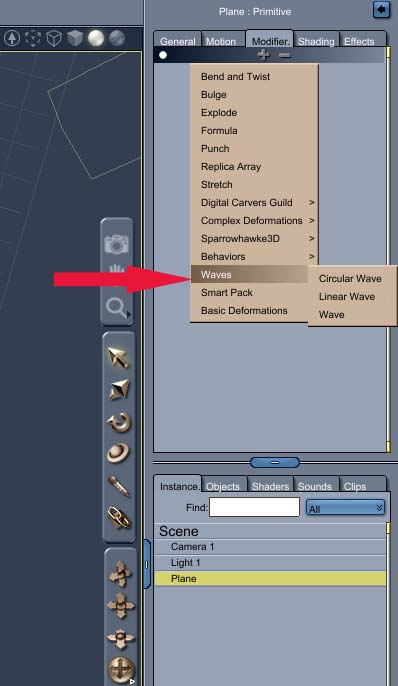
Brian
bwtr
DocMatter posted Sun, 12 October 2008 at 12:42 PM
Thanks all! It looks like I have to look under my couch for some extra change to get that very cool plugin!
(The other methods sounded great, too... but I'm too lazy! ;) )
DocMatter posted Sun, 12 October 2008 at 2:03 PM
Okay... stupid question #1----
I've downloaded the evaluation version of the Terrain Tool and installed it in the 'Extensions' directory like it says I should, but when I open Carrara, I can't find it anywhere. It's not under modifiers, or anywhere else I look.
Sueposer posted Sun, 12 October 2008 at 2:37 PM
Try opening a shader in the texture room and within the usual list of options for procedural shaders, you will see that terrain tools shows as one of the options there.
DocMatter posted Sun, 12 October 2008 at 3:59 PM
Nope. Still nothin' !
DocMatter posted Sun, 12 October 2008 at 4:06 PM
Oops! There it is! Thanks!
DocMatter posted Sun, 12 October 2008 at 5:19 PM
Okay, I found it, but I have no idea how to use it. I found the tutorials for 'Surf' and 'beach', but nothing for 'Intersect'.
I applied the 'intersect' to the color node and played with the settings for an hour, but get nothing at all near what I'm looking for.
Any suggestions would be greatly appreciated.
bwtr posted Sun, 12 October 2008 at 11:21 PM
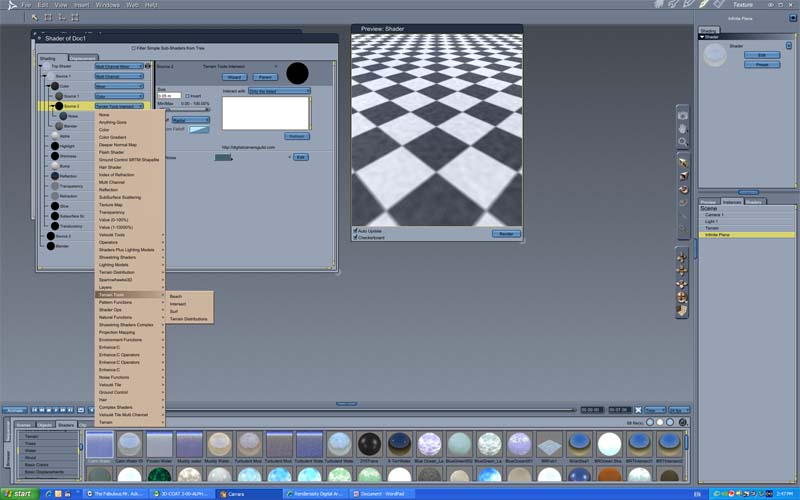
http://www.digitalcarversguild.com/plugin.php?ProductId=19
Brian
bwtr

Patrick_210 posted Wed, 15 October 2008 at 7:17 AM
