
sparrownightmare opened this issue on Jun 21, 2008 · 11 posts
sparrownightmare posted Sat, 21 June 2008 at 11:38 AM

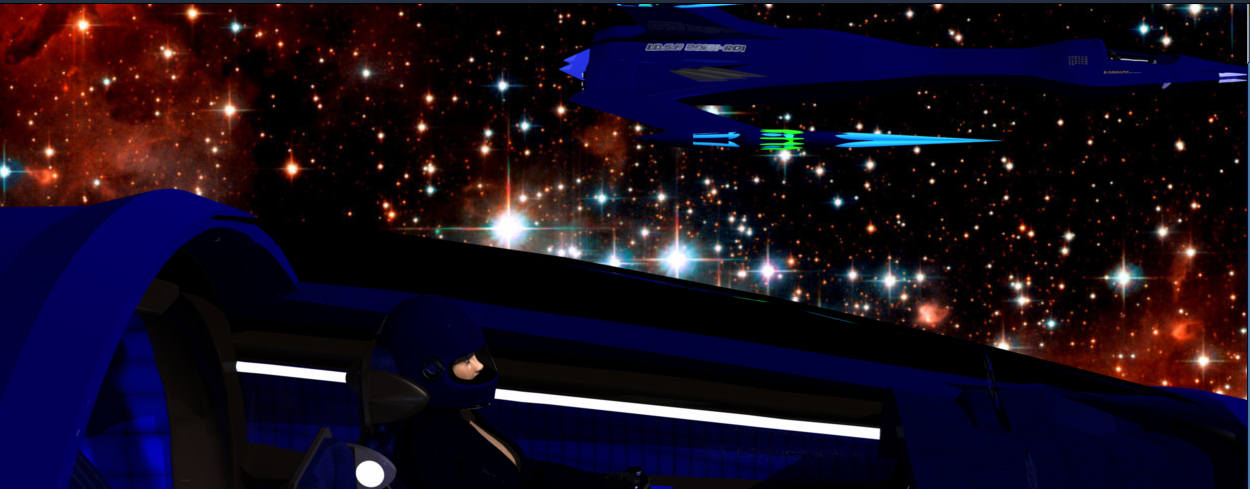
I decided to take some time off from my new Victorian Hotel project and do a fun model to put up in the marketplace. A lot of folks had asked about the model of my Raptor Starfighter, so I did an very very detailed model of it. The problem I am having is when I try to get a side on view render of the pilot in the cockpit, I get this weird artifacting problem. I just can't get it to smooth out. Has anyone seen this before? Any suggestions. I will include an image which shows the problem.
Sparrownightmare
To see the problem clearly click the image link to bring up the full sized view of it. It is most noticable on the left side of the image.

GKDantas posted Sat, 21 June 2008 at 12:42 PM
Are you using some image for reflexion or something? Can you show your shder tree?
Follow me at euQfiz Digital
sparrownightmare posted Sat, 21 June 2008 at 1:17 PM
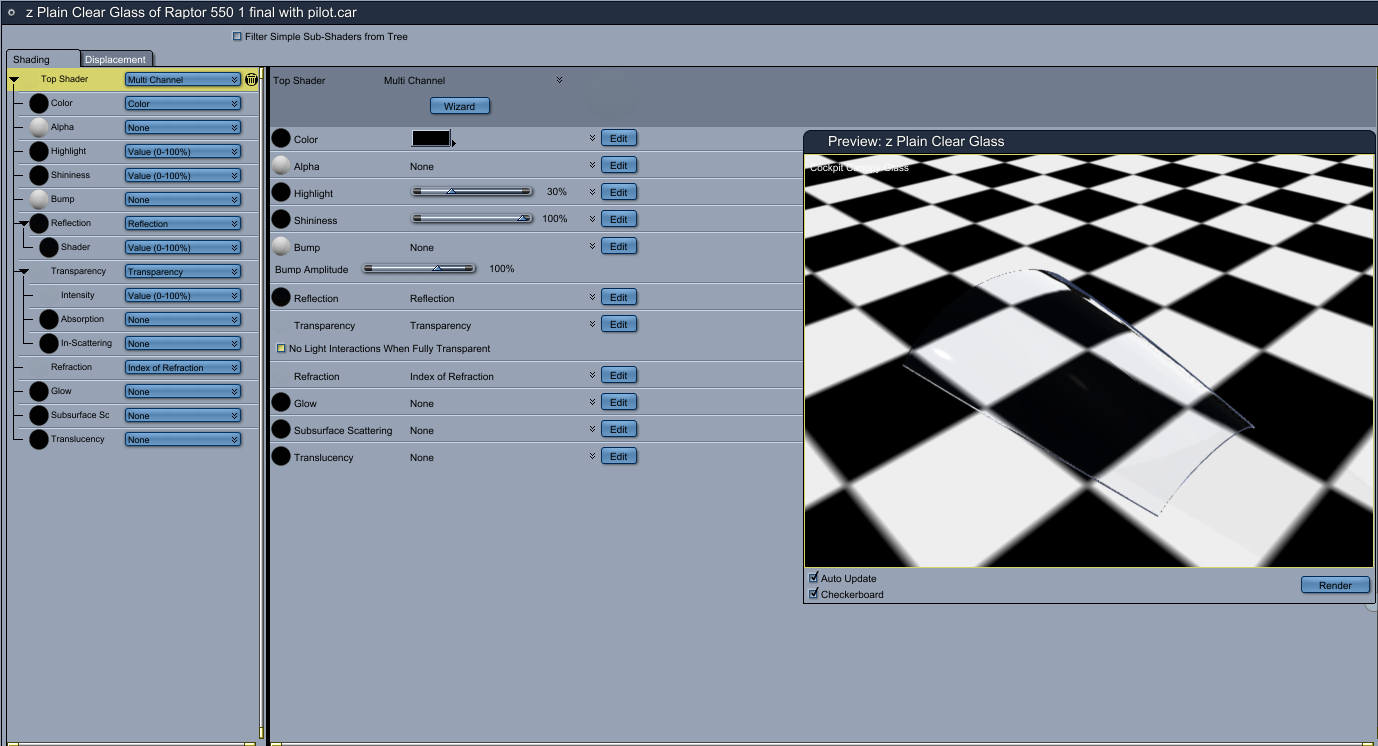
GKDantas posted Sat, 21 June 2008 at 5:49 PM
Really strange... I dont know what to say onlky if this continues report as a bug to Daz:
http://forum.daz3d.com/bugs/main_page.php
Follow me at euQfiz Digital
sparrownightmare posted Sat, 21 June 2008 at 5:53 PM
I set up 2 distant lights to add a bit of luminance to the glass, and I removed the background bitmap. I seem to either have way too much reflection or if I set it low, I get a pitch black interior of the cockpit, even though I have three light sources inside the cockpit. It's really weird. I'll play with it a bit more and if I can't figure it out, I'll contact DAZ.
sparrownightmare posted Sun, 22 June 2008 at 7:31 AM
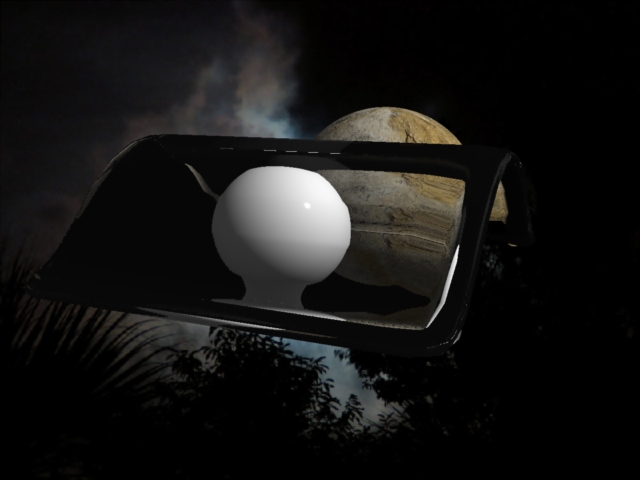
Okay, I got the canopy so you can see into the cockpit, but you can't see through it and out the other side.I have switched to using the stock Carrara clear glass shader, which got me this far.
sparrownightmare posted Sun, 22 June 2008 at 8:23 AM
GKDantas posted Sun, 22 June 2008 at 9:56 AM
Follow me at euQfiz Digital
sparrownightmare posted Sun, 22 June 2008 at 10:46 AM
Well. I always set the max ray depth to between 8 and 10 depending on how patient I am feeling with renders. In this case, it is set to 8. The object isn't a vertex object, just a simple spline object. I normally try to use only spline objects for items I am selling for two reasons. First, they make it easier for a buyer to modify the model if he wants to, and second, the vertex room gives me a migraine.. :) I think we may have found a bug. Whether or not it is a new one, only DAZ knows. I am going to try and remake the object and see if it works any better. The thing is that I have done this before and never had this issue. Weird.

evinrude posted Mon, 23 June 2008 at 4:02 AM
I believe the problem may have something to do with an aritifact stemming from the automatic Index of Refraction settings. That shader category to me always seemed quite arbitary, and the results, unrealistic. In your refraction setting, try installing and playing around with one of the value shaders instead. It may yield better results.
Or you can install one of the plastic shaders and tweak it until you get something like a Plexiglas effect.

LostinSpaceman posted Mon, 23 June 2008 at 9:59 PM
That is weird.