
ominousplay opened this issue on Mar 13, 2008 · 8 posts
ominousplay posted Thu, 13 March 2008 at 12:52 PM
Never Give Up!

MarkBremmer posted Thu, 13 March 2008 at 3:35 PM
You can always add a gradient or a texture map to the Alpha channel to pull this off.

pauljs75 posted Thu, 13 March 2008 at 4:31 PM
SparrowHawke3D's MipMapper plugin might be useful for this kind of thing too. He makes some good stuff.
http://www.sparrowhawke3d.com/MipMapperPage.html
Your friendly neighborhood Wings3D nut.
Also feel free to browse my freebies at ShareCG.
There might be something worth downloading.

GKDantas posted Thu, 13 March 2008 at 7:50 PM

Patrick_210 posted Thu, 13 March 2008 at 11:28 PM
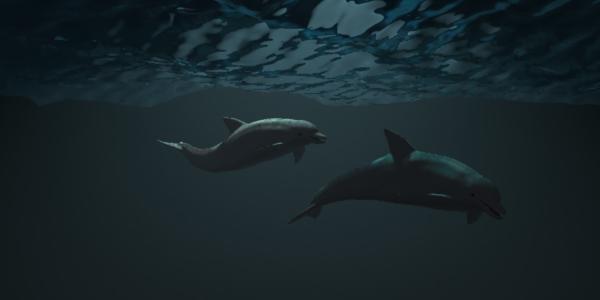
If you change the scale of the ocean object and its parameters, you can get a very large object with the same wave size you have in your scene. Then you could fade it away with the under water haze.
GKDantas posted Fri, 14 March 2008 at 7:40 AM
You can replicate the ocean too, its a good way to dont touch in parameters and get a large ocean surface... then next do what Patrck said: use haze
Follow me at euQfiz Digital
ominousplay posted Fri, 14 March 2008 at 10:51 AM
Thank you everyone - I'll give the replication a try.
Never Give Up!
Patrick_210 posted Wed, 19 March 2008 at 10:38 AM
I don't see how replication will work, you will probably have seams. My suggestion will work for sure. It's easy to make a large ocean object.