
Chrisdmd opened this issue on Mar 06, 2008 · 12 posts
Chrisdmd posted Thu, 06 March 2008 at 11:41 PM
Hi all,
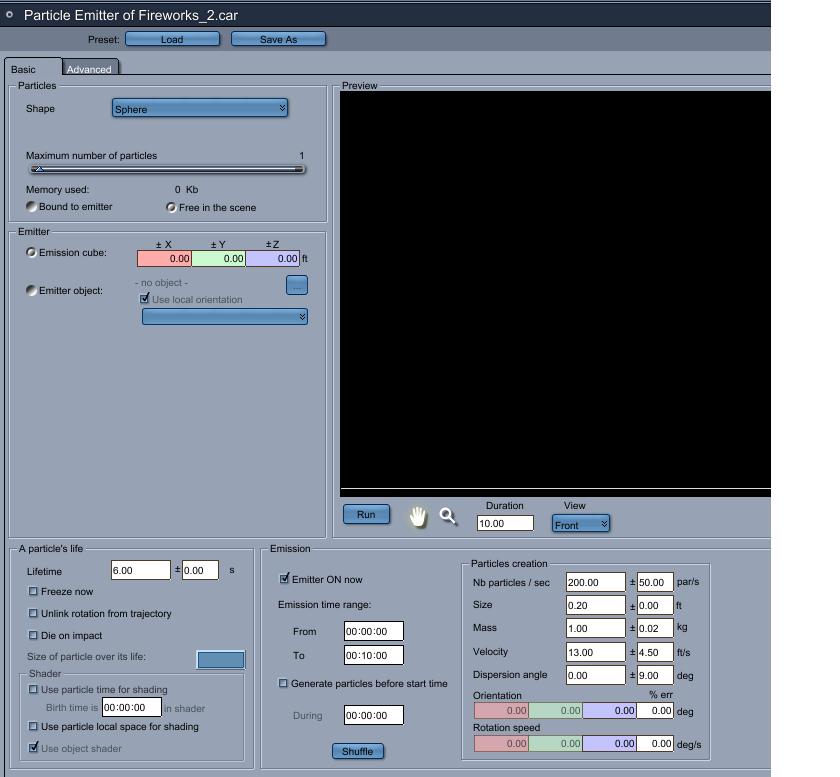
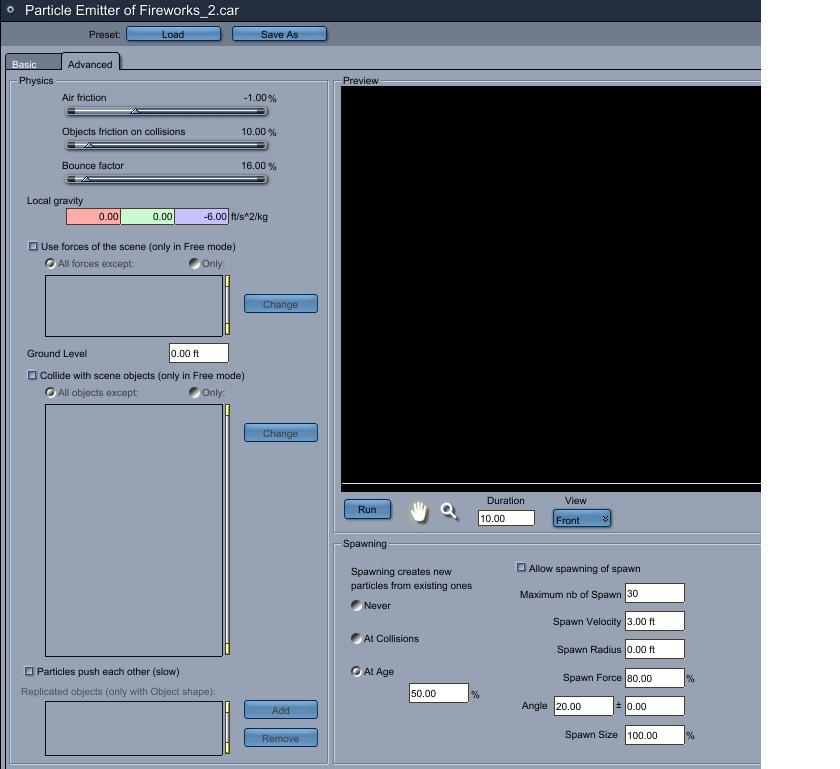
I am trying to create a firework display. I have particle emitter set to one and the animation is 7 secs long. At about 50% of the animation the particle reaches maximum height. It is then I want it to spawn more particles. So in the advanced tab settings I have spawning set to age and at 50%. I have to spawn # set to 30. When I run the animation there is no spawning at all. Is there something wrong with the particle spawning or is it me?
Thanks

MarkBremmer posted Fri, 07 March 2008 at 5:18 AM
I'm sure it's just the settings. Can you post a screen shot of what you've got?
Chrisdmd posted Fri, 07 March 2008 at 11:26 AM
Chrisdmd posted Fri, 07 March 2008 at 11:26 AM
Chrisdmd posted Fri, 07 March 2008 at 11:27 AM
Chrisdmd posted Fri, 07 March 2008 at 11:28 AM
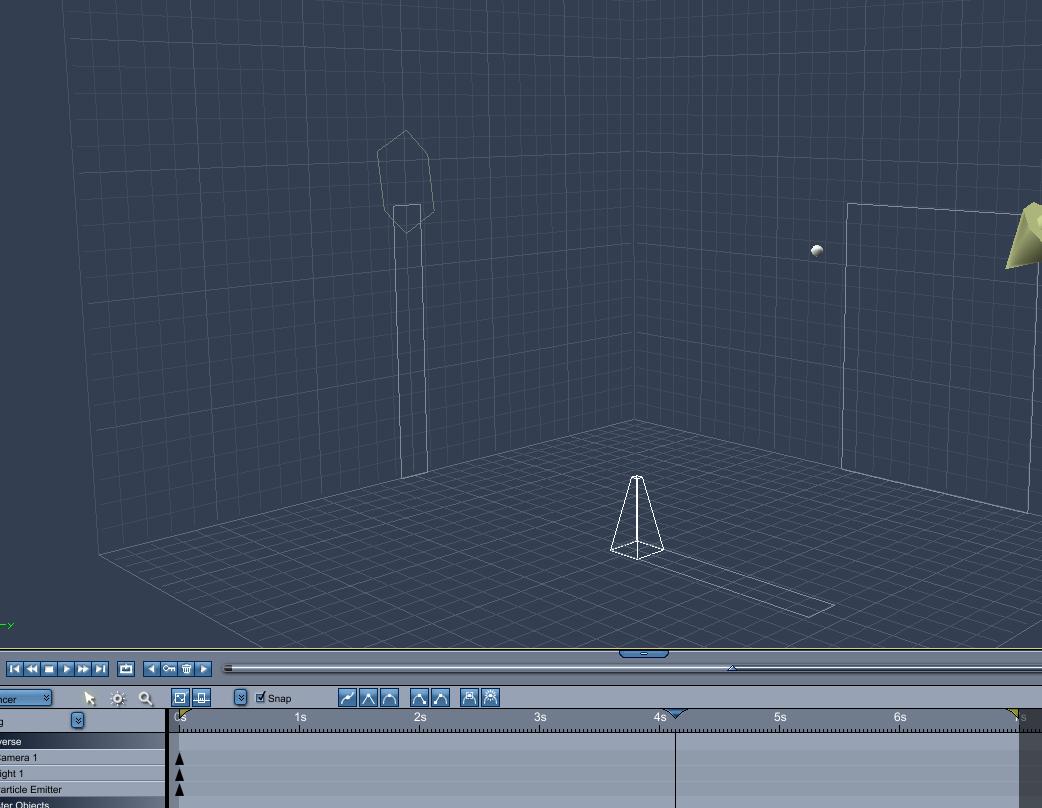
The particle I made white to be easily seen. Thanks for looking at screenshots Mark!
Chris
MarkBremmer posted Fri, 07 March 2008 at 12:05 PM
Hi Chris,
It looks like the problem is in the first tab. The maximum number of particles is set to 1. This will prevent more than one from existing at the same time.
If you are trying to have a single item going up and then exploding into a shower of sparks, you'll actually need to animate a single item with that motion. However, you can designate it to be the particle emitter itself and then make it disappear with a little animation sleight of hand.
Mark
Chrisdmd posted Fri, 07 March 2008 at 12:48 PM
OK so if I am understanding you correctly I should animate something else in the motiuon of the firework going up and when I want it to explode have the particle emitter emit (explode)?
Not sure what u mean by "you can designate it to be the particle emitter itself and then make it disappear with a little animation sleight of hand." Do u mean attach a particle emitter to this object?
Thanks
MarkBremmer posted Fri, 07 March 2008 at 1:14 PM
You are understanding correctly.
On the first Tab in the Emitter box, you can check the box for Emitter Object. This will allow you to target an object in your scene to be the emitter.
Mark
Chrisdmd posted Fri, 07 March 2008 at 6:05 PM
Thanks Mark! When I am done I will try to post the result.

pauljs75 posted Sun, 09 March 2008 at 7:20 PM
Attached Link: http://www.youtube.com/watch?v=lRT7RUQmLQs
I thought a bit about how to make a firework after reading this thread. This little bit consists of no more than the Carrara "Sunset" (for scenery - optional), a bulb-light, and two particle emitters timed just right. By no means perfect, but then again it took over an hour to render it the first time on the old compy I've got. With a bit more value tweaking and perhaps applying some time based shaders to the particles, I think it could be made a lot more convincing.If you need more specifics, I probably wouldn't have a problem emailing the .car file.
Your friendly neighborhood Wings3D nut.
Also feel free to browse my freebies at ShareCG.
There might be something worth downloading.
Chrisdmd posted Sun, 09 March 2008 at 8:20 PM
Wow...very nice. That is just the thing I am looking for. If you wouldn't mind sending me the .car file I could then pick it apart and see how u did it. Great job and thank you so much for helping. You can send the file to Chrisdmd@aol.com.
Thanks