
infinity10 opened this issue on Feb 18, 2008 · 15 posts
infinity10 posted Mon, 18 February 2008 at 2:20 AM
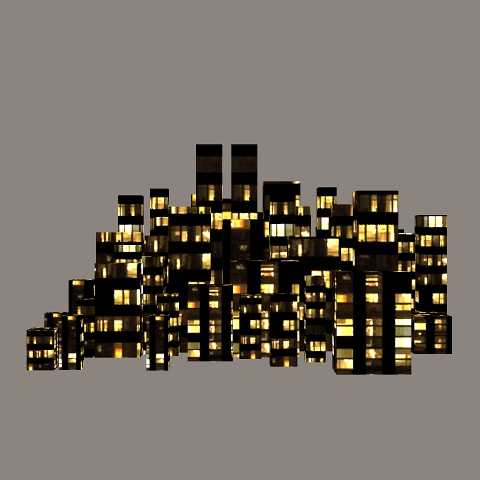
I have some preliminary renders using 3DS and OBJ cityscapes imported into Poser 7. My main observation is that the result depends very much on how Material Zones are set up ( or not set up ) in the mesh. If there is just one material zone, no matter how complex the mesh is, the applied texture just won't work.
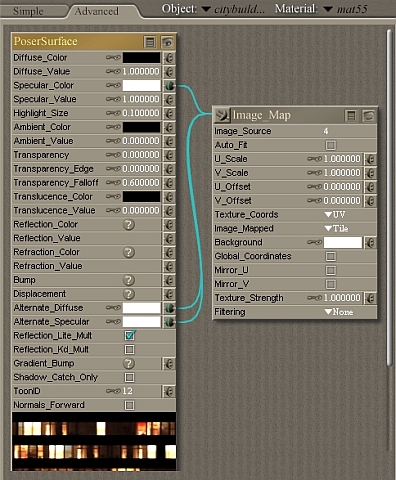
Also, my basic "formula" for using JCD's City Nights Mats in Poser is very simple, and no doubt others will improve on it. I will show screen captures of my settings.
The first render shows the most acceptable result - using KidAcE's 3DS format CityBuildings imported into Poser.
Eternal Hobbyist
infinity10 posted Mon, 18 February 2008 at 2:27 AM
Eternal Hobbyist
infinity10 posted Mon, 18 February 2008 at 2:30 AM
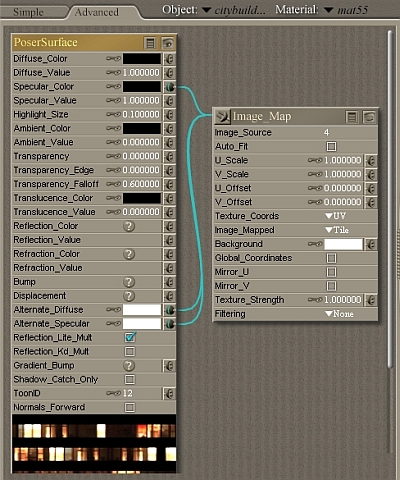
Basically, you can see how the preview of the material changes slightly, when you switch between black and white for the specular colour setting.
Eternal Hobbyist
infinity10 posted Mon, 18 February 2008 at 2:33 AM
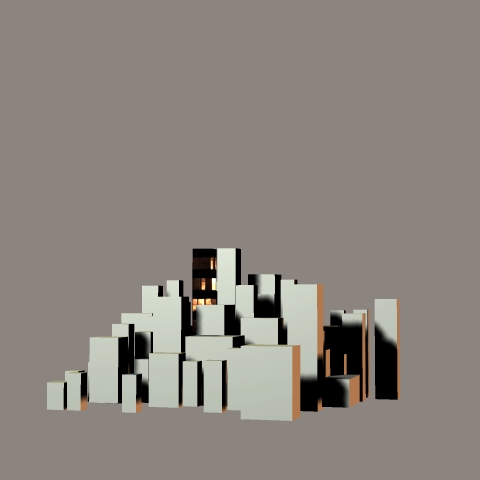
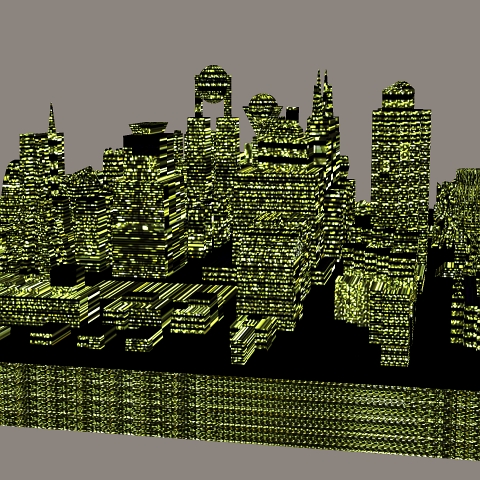
KidAcE's 3DS mesh had 55 material zones ! And that's GREAT for adding variety and proper effect to the final render. Coupled with JCD's 5 different Cty Night textures, and a little sweat randomly applying the various textures to various material zones, the result is what I was looking for.
This render shows a partial Material setting, during the WIP phase of applying materials. You can see that I can apply textures to individual faces of the blocks.
Eternal Hobbyist
infinity10 posted Mon, 18 February 2008 at 2:36 AM
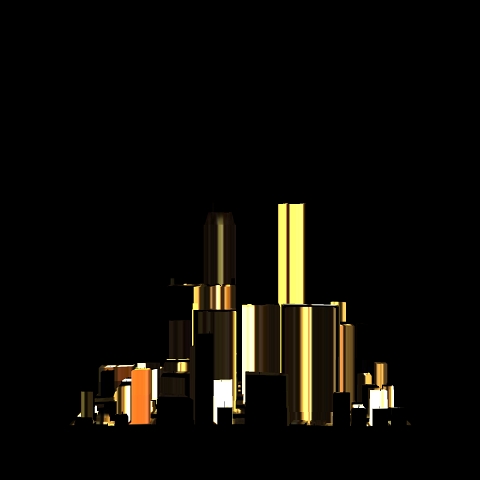
When an imported cityscape mesh has just the one material zone, no matter how complicated the "topology" of the cityscape, it's not going to render the way it should.
Eternal Hobbyist
infinity10 posted Mon, 18 February 2008 at 2:36 AM
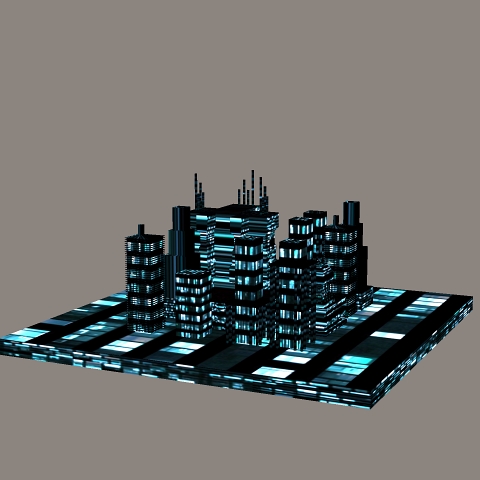
I can't apply any more than one texture because there's only one material zone for this OBJ cityscape mesh imported into Poser.
I COULD go and create more material zones manually inside of Poser with the Grouping Tool, but that's a lot of work, and I may not be able to reach some of the inner faces of the buildings.
Eternal Hobbyist
infinity10 posted Mon, 18 February 2008 at 2:39 AM
Eternal Hobbyist
infinity10 posted Mon, 18 February 2008 at 2:41 AM
Eternal Hobbyist
infinity10 posted Mon, 18 February 2008 at 2:55 AM
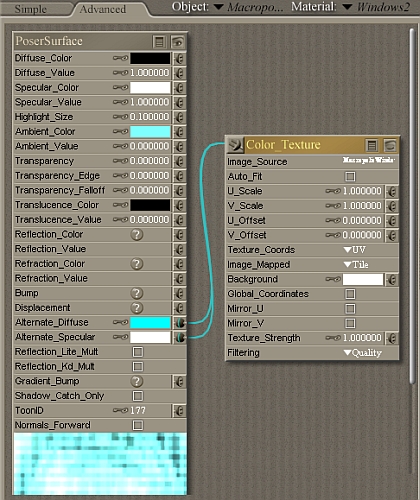
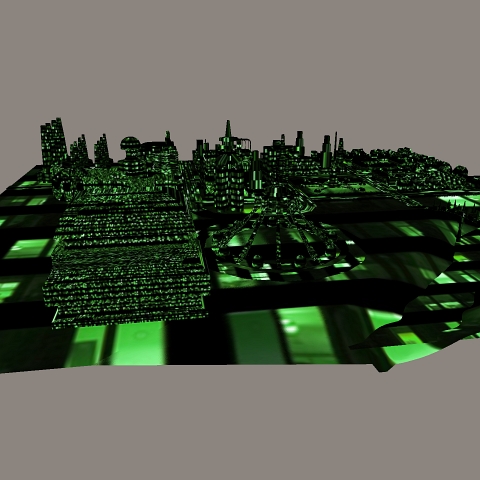
This is the Maptroplis product by IMP, which did not have the Material Room settings to work correctly inside Poser 7. I found a solution to get the textures to work on the buildings by using this "formula":
( see screen capture ).
Eternal Hobbyist
infinity10 posted Mon, 18 February 2008 at 2:57 AM
And of course, please visit JCD's website:
http://site.jacobcharlesdietz.com/downloads/textures/city-at-night-window-mats/
My final comments for now are that I should like to see a PROCEDURAL shader for producing cityscapes inside of Poser. I suspect this would involve some type of displacement setting. But how to get the night-time lit windows texture displayed correctly on the "stretched" parts ?
Would like to hear from folk on this. Thanks.
Eternal Hobbyist

stonemason posted Mon, 18 February 2008 at 3:30 AM
here's an alternative material setting I'm using while making some skyscrapers for Poser:
http://stefan-morrell.com/US2_nightlightmat.jpg

svdl posted Mon, 18 February 2008 at 6:16 AM
It's not about the amount of material zones, it's about the UV mapping of the prop.
3 material zones for a simple cityscape object (ground, plus boxes for skyscrapers) should be enough. 1 material for the ground, 1 material for the roofs, and 1 material for the sides. If mapped correctly, it'll look at least as good as your first image, using the image map you show here.
The pen is mightier than the sword. But if you literally want to have some impact, use a typewriter
infinity10 posted Mon, 18 February 2008 at 6:47 AM
stonemason - your material settings look pretty darn good.
svdl - true, but rather than have all the buildings with say yellow lights, having some buildings with a different material zone assignment, will allow the use of a (small) variety of textures. Or at least tints may be applied to the basic texture, so different buildings appear to have different-coloured lights.
Thanks for posting.
Eternal Hobbyist

JOELGLAINE posted Mon, 18 February 2008 at 3:33 PM
@Stonemason--might that mat be available for download? I'm looking for something like that.
I'm really interested in shared mats for poser and Vue.
As far as matzones problems go--use Accutrans! I'd apply a planar map to that zone and BINGO problem solved. Assigning new matzones is a piece of cake in WIngs3d. Import, click, assign new material, export--you're through! Unless you like glowy roofs! :lol:
I cannot save the world. Only my little piece of it. If we all act
together, we can save the world.--Nelson Mandela
An inconsistent hobgoblin is
the fool of little minds
Taking "Just do it" to a whole new level!
infinity10 posted Mon, 18 February 2008 at 9:19 PM
"Unless you like glowy roofs"
Exactly. heh heh.
Will check out Accutrans, never heard of it.
Eternal Hobbyist
