
cryptojoe opened this issue on Jan 09, 2008 · 13 posts
cryptojoe posted Wed, 09 January 2008 at 10:47 PM
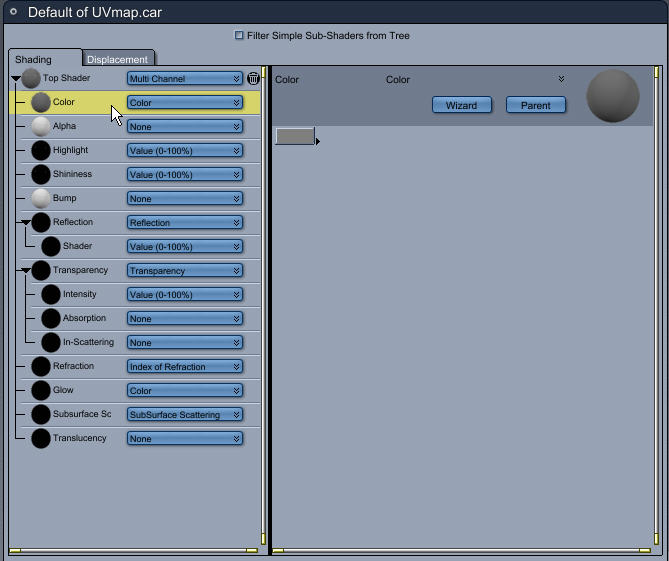
It says that in the Texture Room, I should see a Shader Tree and a preview of the model (a cube). Okay good so far.
Then the instructions say ***"On the left side of the shader tree click on the color channel menu and select texture map. Note the texture map options on the right side of the shader tree. Click once on the first folder icon and browse to the file cubeTexture.tif"
***
I assume they mean the thing that says Color because I don't see anything that says Channel Menu. If so, what do they mean by folder icon when there is no folder icon that I can see in this, what I assume to be, a Dialog Box.
This tutorial was written for C5 so maybe some things have changed??? Any help would be appreciated.
Yank My Doodle, It's a
Dandy!