
AndyCLon opened this issue on Nov 11, 2007 · 4 posts
AndyCLon posted Sun, 11 November 2007 at 4:13 PM
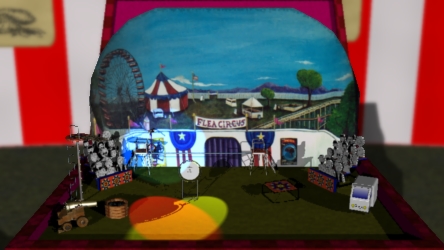
However, when I turned on the depth of field, I got horrible jaggy edges, see attached example.
Is there something I can do to eliminate or avoid this problem, this will eventually be a 5 minute movie with 25 frames per minute so I don't want a manual fix.

Miss Nancy posted Sun, 11 November 2007 at 4:35 PM
it looks promising, but the image is too small on my monitor to discern any jaggies. my method would be to import the layers into a video editor and blur 'em there.

MarkBremmer posted Sun, 11 November 2007 at 7:18 PM
Hi Andy, Ray traced DOF will fix the antialiasing issue. Howver, it takes longer to render. The second option is to use the regular antialiasing but render the file larger and then reduce the image size on final movie export. This takes longer to render too but usually not as long as the Ray Traced DOF. A third option is to render the DOF g-buffer and then use the g-buffer channel to drive a focus parameter in AE, FCP, Motion or Shake. This will create a slightly soft look becasue there will be a little blur creep at edges where the DOF changes significantly. The last option is to render scene layers as separate movies and then composite them and do the DOF in your video editing application. Mark
AndyCLon posted Mon, 12 November 2007 at 1:11 AM

I've only got Adobe Premiere Elements and it's not capable of the compositing effects described as far as I am aware.
Thanks to the comments I did have an alternative idea. If I render the 2 background objects with Depth of Field and then use the resulting image as a background, rendering with those background objects invisible then I should be able to get the best of both worlds.