
Paloth opened this issue on Sep 07, 2007 · 15 posts
Paloth posted Fri, 07 September 2007 at 5:42 AM
If a Poser character has a "line of sight" object to move its eyes, this doesn't immediately work when you import. I can't even rotate the eyeballs manually. Obviously there's some way to do this. It's just not in the default settings. Right?
Download my free stuff here: http://www.renderosity.com/homepage.php?page=2&userid=323368

MarkBremmer posted Fri, 07 September 2007 at 8:40 AM
There is a reported bug with eye rotation that is being fixed. Worked in an earlier version but regressed on the release version.

Miss Nancy posted Fri, 07 September 2007 at 12:28 PM
using "point at camera" with v4.1 causes the eyeballs to roll back up into the head, similar to the way it failed to work in Poser 4 or 5.

Kunshouling posted Wed, 12 September 2007 at 6:06 PM
yeah i got that, looked well zombified! but have managed to manipulate M3, V3 and V4 eyes using the rotate manipulator/input fields, just Apollo im having probs with
Miss Nancy posted Wed, 12 September 2007 at 8:51 PM
apollo's eyes can be rotated in the modeller room, pending release of the next beta patch. v4.1 differs from other models in that it has got the eye sliders under "Morphforms" for the head. there are 3 of those (eyesup-down, eyesside-side, head size).

DocMatter posted Thu, 13 September 2007 at 7:00 PM
Maybe Im doing something wrong while importing, or its just because Im a Carrara newbie, but I cant get any indivdual part of V3 to move or rotate or anything after I import her in. The only way I can make her move at all is to import a pose. I've tried using the icons and direct entry into the fields, but they all reset to their original value and leave her in the imported pose.
Miss Nancy posted Thu, 13 September 2007 at 7:06 PM
"rotate" tool and/or x-y-z-rotate (under motion tab) don't work?
Morgano posted Thu, 13 September 2007 at 7:56 PM
The Rotate tool does work for V3, although not for her eyes.
Going back to an earlier post, using the Motion ==> Rotation fields to manipulate the eyes isn't a very satisfactory solution, because it is turning the entire eye, not the eyeball. That's a bit like getting a carousel to work by revolving the fairground.
DocMatter posted Thu, 13 September 2007 at 9:32 PM
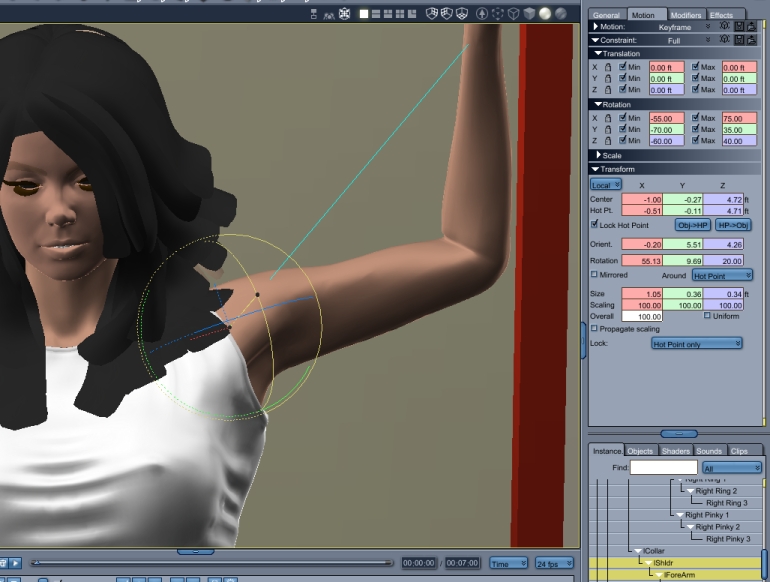
Morgano posted Thu, 13 September 2007 at 10:02 PM
In that example, is that how your V3 was imported from Poser, or was the pose applied in Carrara?
Miss Nancy posted Thu, 13 September 2007 at 10:06 PM
try rotating the head or neck. there should be no IK chain there.
DocMatter posted Thu, 13 September 2007 at 10:15 PM
I applied the pose in Carrara (imported it in).
Also, the head and neck won't move either.
I've tried recreating this scene several times from scratch and get the same results every time.
Harrumph
Miss Nancy posted Thu, 13 September 2007 at 10:20 PM
o.k., this is difficult, as all the joints in v3 rotate for me (excepting eyes). one more thing to try: import your runtime containing v3 to c6pro content tab (i.e. don't use transposer). see if default v3.cr2 allows rotation of body parts.
DocMatter posted Thu, 13 September 2007 at 10:47 PM
Okay... after importing the whole runtime, the default V3 will rotate and move and all that even after posing her. But I tried the same thing with a morphed V3 figure and although she moved okay, when I tried to apply a pose, she twisted up like a pretzel.
I guess I just have to keep trying different things and see what's going on here..or what for the next patch, if that might help.
Miss Nancy posted Thu, 13 September 2007 at 11:42 PM
there may be some problems with morph injections done from 3rd-party inj files, as opposed to morph injections done from daz-supplied inj files.