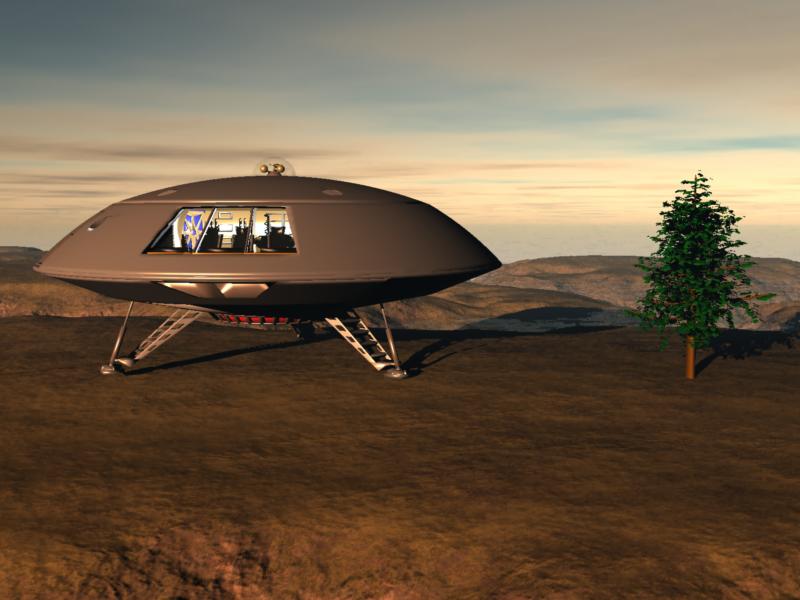
LostinSpaceman opened this issue on Aug 08, 2007 · 9 posts
LostinSpaceman posted Wed, 08 August 2007 at 5:23 PM
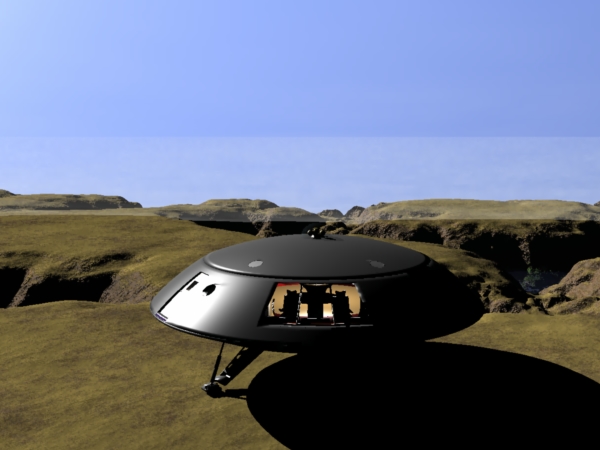

MarkBremmer posted Wed, 08 August 2007 at 5:33 PM
Yep, that's a weird one. :-/ Did you insert a cloud or fog in the scene and stretch it out by chance? Mark
LostinSpaceman posted Wed, 08 August 2007 at 6:27 PM
As a matter of fact I did, but I deleted it when it rendered as a cubed cloud. It was a volumetric cloud but it just showed up as a cube of cloud in the background. I stretched it across the back of the scene and rerendered it but it still looked stupid so I just deleted the cloud and tried rendering without it and got the image above.
LostinSpaceman posted Wed, 08 August 2007 at 6:45 PM
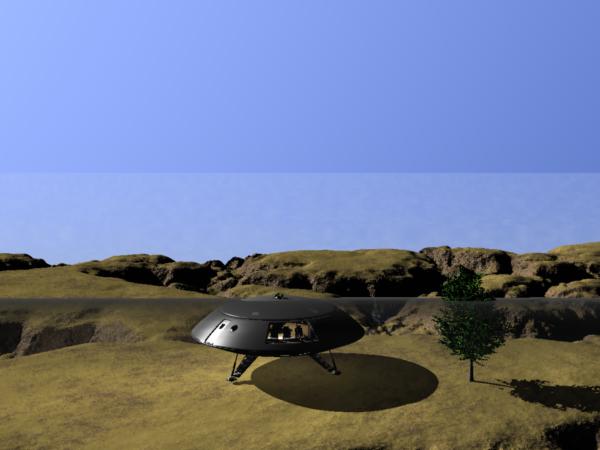
MarkBremmer posted Wed, 08 August 2007 at 8:07 PM
Hmmmmmmm. Kinda funky. What are your atmospheric settings?
LostinSpaceman posted Wed, 08 August 2007 at 10:52 PM
I have no idea. LOL! Today has been the first time I've used the Scenic part of Cararra. I've only ever been in the modeling room before now. Where are the Atmospheric settings located? Better yet? Where's the manual for the downloadable version located? I should RTFM but I don't know where TM is at! :tt2:
MarkBremmer posted Thu, 09 August 2007 at 5:47 AM
:D Are you just randomly clicking buttons? ;) If you go to the Help menu on the top bar of the Carrara interface, you can access it there. The fact that you've gotten this abberition twice means you're doing something consistently - which means it can be avoided. I'm thinkinging that it has somethng to do with your sky/atmosphere/background settings.

hdaggers posted Thu, 09 August 2007 at 8:44 AM
It might be a distance haze/fog that is set to start a certain distance from the camera? Maybe in your sky settings? Just turn off haze as an option in the sky/realistic sky and see if that stops it. Haze has both a start and end distance (not sure that is has a height though... hmmm). Takes some tweeking to get it to fade in gradually and not smoke out your foreground.
holly
LostinSpaceman posted Thu, 09 August 2007 at 11:43 AM