
EddyLoonstijn opened this issue on Jun 27, 2007 · 3 posts
EddyLoonstijn posted Wed, 27 June 2007 at 4:14 PM
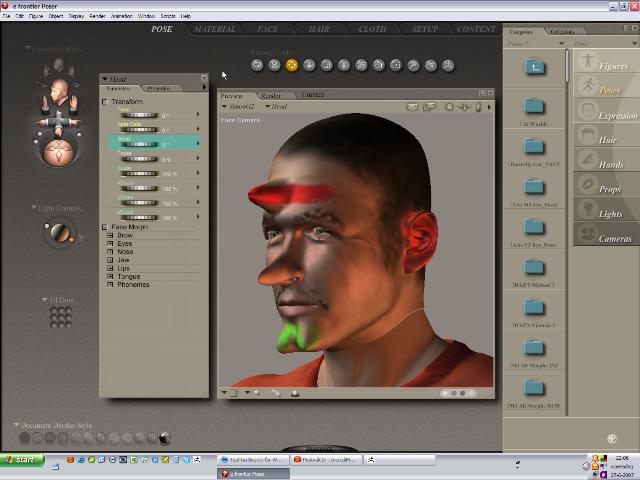
Then I imported the new HeadObj as a prop in Poser (ca 15% of PoserFigure). Carefully placed it on the real (old)HeadBodypart.
Finally, I selected the old Head, Object>ReplaceBodyPartWithProp and Hopla! A beatifully, fully functioning and newly textured replacement of the olg 'ugly' head.
(BTW You will notice in the picture that the texture has some flaws; but that will be fixed in ZB3's service release)
BUT, as you can see the new Head does not fit exactly onto the old Neck. This is because I had to resize and place the imported Headprop by hand.
MY QUESTION: Is there an other, more simple and precise manner to resize and place the imported prop, so I can try this interesting new way to make changes in the look of my Posercharacters in a very straightforward way through the beautiful ZBrush app?