Forum: Carrara


Subject: Possible bug in copy and paste of vector objects with morph targets

AndyCLon opened this issue on May 24, 2007 · 5 posts


AndyCLon posted Thu, 24 May 2007 at 3:07 PM

I think I may have found a bug to do with how the copying and pasting of vector objects with morph targets works in the windows version of Carrara. It appears that when you copy and paste between documents the morph targets are only partially copied across. Am I misunderstanding what should happen or is something going wrong?
  1. Create a vector object
  2. Add a morph target that deforms the shape in a recognisable way
  3. Move time line
  4. Apply morph
  5. Move time line
  6. Reset morph
  7. Move the time line back and forth to confirm that the morph is working
  8. Save as Doc1.car http://www.aceanim.com/Carrara/Doc1.car
  9. Start a new document
  10. Copy the object from the first document using Edit - Copy
  11. Paste into second document using Edit - Paste
  12. Save as Doc2.car http://www.aceanim.com/Carrara/Doc2.car
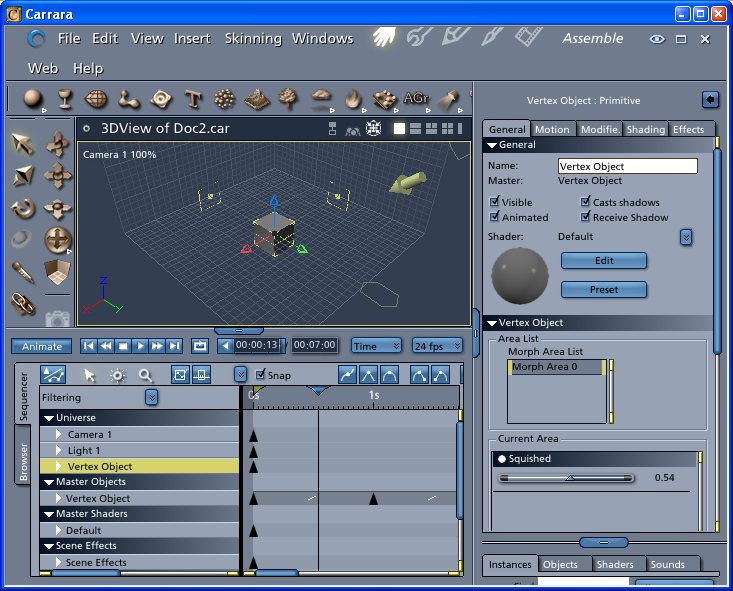
  13. You should get something like the following. You will see that the morphs appear to have copied and when you move the time line the morph values changes. But you will also notice that the object is not deforming.

Resulting Screen - Click to enlarge

The work around for this is to save the object and import it into the second scene.

Looking at the two files in a file comparison tool shows some differences but I don't know enough about the file format to comment.