
AndyCLon opened this issue on May 24, 2007 · 5 posts
AndyCLon posted Thu, 24 May 2007 at 3:07 PM
I think I may have found a bug to do with how the copying and pasting of vector objects with morph targets works in the windows version of Carrara. It appears that when you copy and paste between documents the morph targets are only partially copied across. Am I misunderstanding what should happen or is something going wrong?
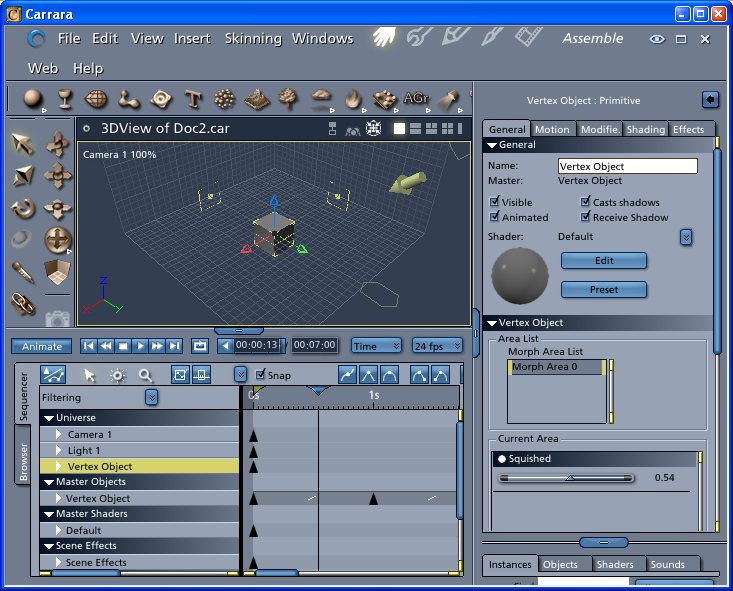
The work around for this is to save the object and import it into the second scene.
Looking at the two files in a file comparison tool shows some differences but I don't know enough about the file format to comment.

MarkBremmer posted Thu, 24 May 2007 at 3:16 PM
I can't speak to the bug but... Copying and pasting is way to clunky for my work flow since I tend to use "good" objects from one scene to another. The best method is to simply drag the item to a custom browser folder. Everything will be saved and available to any document without the requirement to open the original document. Mark
AndyCLon posted Fri, 25 May 2007 at 1:13 AM
I repeated the experiment with your technique and the problem still exists so it's not directly related to copy and paste. The only method that does work is to import the whole of the first file and then delete the cameras and lights.
AndyCLon posted Mon, 28 May 2007 at 1:30 PM
This bug is fixed in the 5.1 download available from the Daz3d site.
MarkBremmer posted Mon, 28 May 2007 at 5:13 PM
Having the latest version is always a good thing. :-D