
stardust opened this issue on May 07, 2007 · 29 posts
stardust posted Mon, 07 May 2007 at 7:43 PM
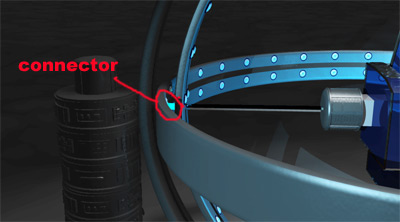
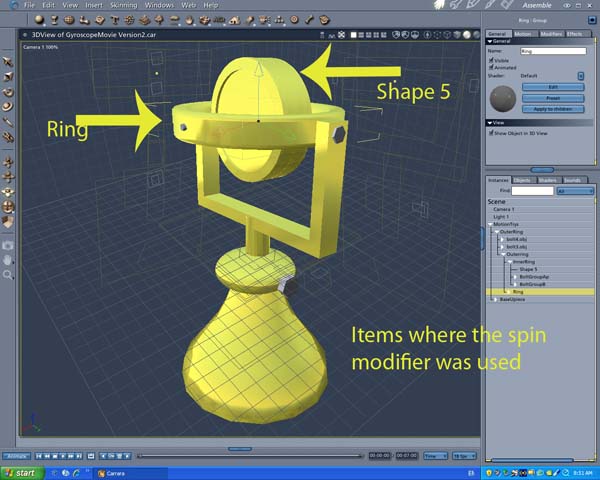
I need to create a gyroscope (pictured above), I've played around with motion and constraints, but have not had much luck.
The outer ring is the support ring with no movement. It is connected to the middle ring, which rotates on a Y axis. The problem comes with the connectors that attach the middle ring to the inner ring rotating on the X axis. I can't get the connectors to follow both rings so they appear attached.
Thanks again for any help!!!

Miss Nancy posted Mon, 07 May 2007 at 8:34 PM
I dunno the answer. maybe gimbal lock is involved. anyway, it would be instructive to see it animated, as it appears the inner ring is rotating in the carrara z-axis.

bwtr posted Mon, 07 May 2007 at 8:41 PM
I guess those more experienced with gyroscopes may understand your problems.
For me , I need more details (sketches) of the workings and the particular problem.
My preliminary response is that none of the parts should be actually connected as such.(Even if they look so) Thus motion settings of one would be not effecting the other--is that not the principle?
bwtr
stardust posted Mon, 07 May 2007 at 9:29 PM
Attached Link: http://www.youtube.com/watch?v=hc8BikZcrDw
bwtr, I did set it up without the parts connected, but I can't get them to move the way I want. Here is an animation, I set the connectors to glow green so you can see them better Miss Nancy.
Miss Nancy posted Mon, 07 May 2007 at 10:28 PM
not bad! I tried to step-frame it in safari, but couldn't do it. however, it's as ya said. the green things hafta move with the outside of the inner ring and the control slot in the middle ring. it might be easy to solve if the connector doesn't hafta slide around the outside of the inner ring. e.g. if the inner ring rotates about its own centre, in addition to its rotation on the carrara x-axis.
bwtr posted Mon, 07 May 2007 at 11:04 PM
The way that vid works does not look correct to me anyway.
See if you can check out a proper/better design to work on may help.
bwtr
stardust posted Mon, 07 May 2007 at 11:23 PM
It would be fine if I could link the supports to interact with both rings, so I may just have to go with a plugin.
Thanks anyway :)
bwtr posted Tue, 08 May 2007 at 12:11 AM
http://www.gyroscope.com/images/lecture/manual.pdf
Have a look/download this.
Perhaps you will see why that vid one did not look right to me.
bwtr
stardust posted Tue, 08 May 2007 at 12:31 AM
ok, I see what you mean :) I guess I shouldn't use the term Gyroscope - my chair in the middle will not be spinning wildly (unless I lose my mind doing this - hehe). I will now call it my "spinning ring contraption". I still haven't figured anything out - Carrara doesn't like it when I combine modifiers.

AndyCLon posted Tue, 08 May 2007 at 1:40 AM

For example, for the unicycle trick mentioned in the last post I used separate groups to allow me to have 2 centres of rotation, one for it in the air and one when it hits the ground, a wobble motion, a slow updown motion linked to the progress along the wire and a motion path for the falling.
Otherwose you might have to resort to a plugin such as the Digital Carvers Guild cognito plugin, again you will need to use groups to have your spinning things rotating in different directions. There's a free download to experiment with.
bwtr posted Tue, 08 May 2007 at 2:30 AM
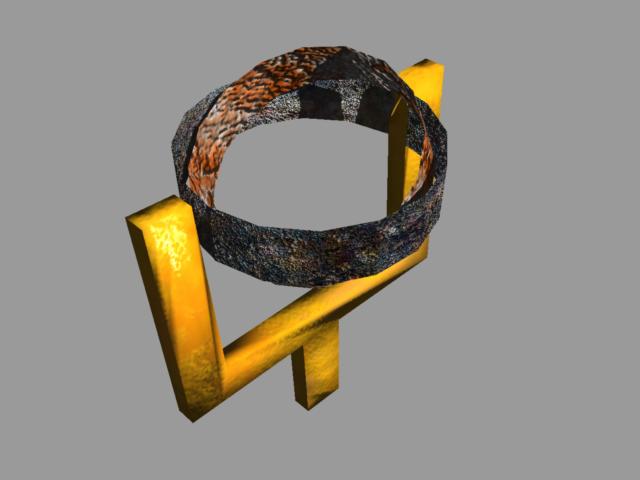
It's extremely simple!
bwtr
stardust posted Tue, 08 May 2007 at 3:09 AM
Do you have a connector from the inner ring to the other ring? I'm not having a problem rotating the rings, just the connectors that are between the rings.
bwtr posted Tue, 08 May 2007 at 3:21 AM
Yes I have. As I said, it's a bit rough. Time needs to be spent in accurate locations/relationships but I think there is enough information to take it further. Hope so anyway.
bwtr
bwtr posted Tue, 08 May 2007 at 3:42 AM
NO! I take it back. I thought I had it .
Back to the drawing board. Sorry!
bwtr
stardust posted Tue, 08 May 2007 at 3:50 AM
I know - it's frustrating - it seems like it would be easy - if I wasn't needing the details, I would just fake it, but this project has to have the details.

MarkBremmer posted Tue, 08 May 2007 at 7:55 AM
Attached Link: Make a gyro with spin modifiers
It is easy. I think you'll find what you need at the link above. Mark
stardust posted Tue, 08 May 2007 at 10:40 AM
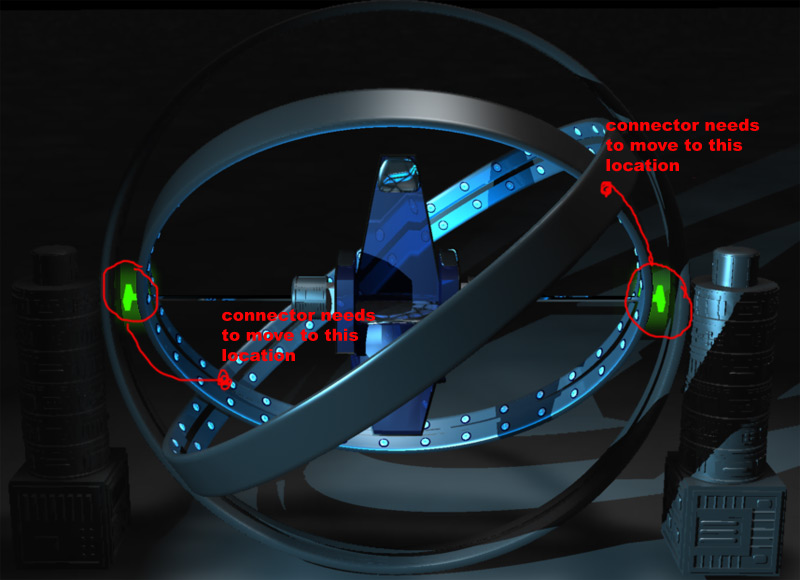
stardust posted Tue, 08 May 2007 at 11:10 AM
I uploaded another video with more light so you can see the machine better.
http://www.youtube.com/watch?v=3R56UBlQ6qs
Watch where the two inner ring connect - the slider on the left would move in a circlular motion just in the back left area, and the right slider would need to move in a circular motion in the front right area.
I'm still trying groupings, but it hasn't worked out yet.
MarkBremmer posted Tue, 08 May 2007 at 11:34 AM
Cool machine. Now I see. I thought you didn't want the connecter to slide but you actually DO want them to slide. I see a way to work this out with spin behaviours but I'm on a deadline right now and can't break. I'll put it together this evening. It does involve a little digital slight-of-hand but is very do-able. Mark
stardust posted Tue, 08 May 2007 at 12:55 PM
Thanks Mark - I appreciate your help :) I did come close with spin behaviors, but I may need to add internal rings for additional tracking purposes. I'll let you know if I come up with anything - here is my "close" attempt.
bwtr posted Tue, 08 May 2007 at 6:31 PM
Mark. That attached link seems to be jambing up my computer???
I wont work on a solution today--look forward to your response.
Brian
bwtr
bwtr posted Wed, 09 May 2007 at 7:34 AM
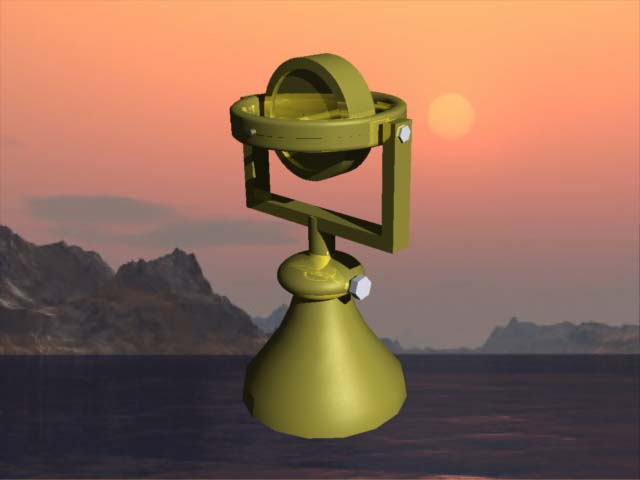
I know this is not the answer to the needs you have but thanks anyway to this point for the learning it has given me.
Look forward to Marks solution
bwtr
stardust posted Wed, 09 May 2007 at 10:22 AM
Nice gyroscope bwtr - I definately have a better grasp on how to group modifiers like AndyClon suggested, and hopefully Mark can dazzle us with his carrara magic :)
MarkBremmer posted Wed, 09 May 2007 at 11:03 AM
There is an easy way to do this but I found a Carrara bug in the process that prevents it from being easy! I'm reporting it. It just about drove me insane last night until I realized it wasn't actually me, it was the program! So, now to play around with a work-around...
stardust posted Wed, 09 May 2007 at 12:09 PM
bwtr posted Wed, 09 May 2007 at 6:30 PM
bwtr
stardust posted Thu, 10 May 2007 at 3:03 AM
Attached Link: http://www.youtube.com/watch?v=mdMCH1rdgaE
Ok, before we all drive ourselves crazy, I decided to make some changes. Since this is an "alien" machine, I decided to make the inner ring stationary, remove the supports to the chair and make it 'float' in the machine. The inner ring will also have tubes running from the ports in the ring to the person in the chair.I figure, if I want to add some other rotations, I'll just make sure the camera isn't in view of the connectors.
I appreciate your efforts Mark, bwtr, and AndyCLon. At least we know there is a bug in Carrara as Mark pointed out.
I'll post a render of the machine once it has been completed and textured. :)
bwtr posted Thu, 10 May 2007 at 5:08 AM
How to plot a motion path? Is that a way that Mark might help with?
If you reduced your frames per second and made it a short movie you could do key frames movements manually maybe.
bwtr
stardust posted Thu, 10 May 2007 at 11:05 AM