
kett opened this issue on Mar 12, 2007 · 6 posts
kett posted Mon, 12 March 2007 at 1:03 PM
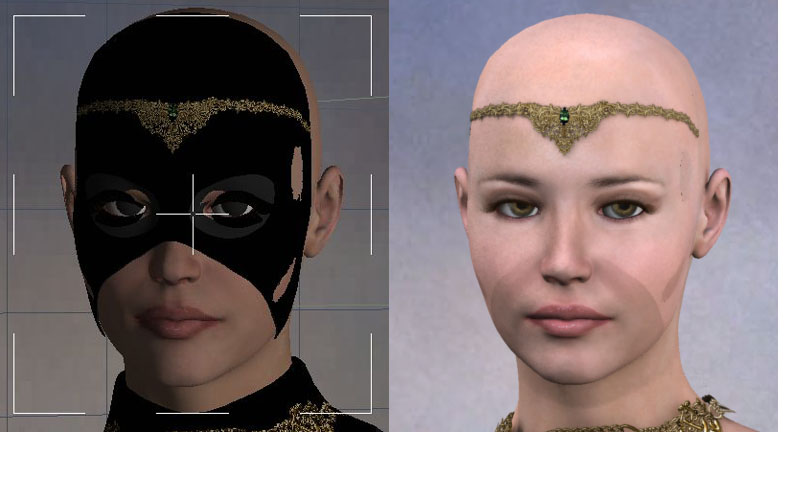
This problem only happens when we use Skylight of Global Illumination.
Light Through Transparency was checked.
The interpolation was unchecked.
How can we fix this problem?
Thank you.

MarkBremmer posted Mon, 12 March 2007 at 1:17 PM
Hello Kett, I don't have a sure-fire way to fix this one. Here is the list of things I go through when I have similar issues. Usually one of them corrects the problem: 1) Enable "Improved Edges" in the Render Room 2) Add a gentle, low power spotlight aimed at the face with Soft Shadows enabled 3) Increase Photon count in small amounts (10,000) 4) Try with different background/HDRI map. (low fidelity maps create all kinds of rendering problems) Hope one of these work. Please post back with your progress. Mark
kett posted Tue, 13 March 2007 at 5:43 PM
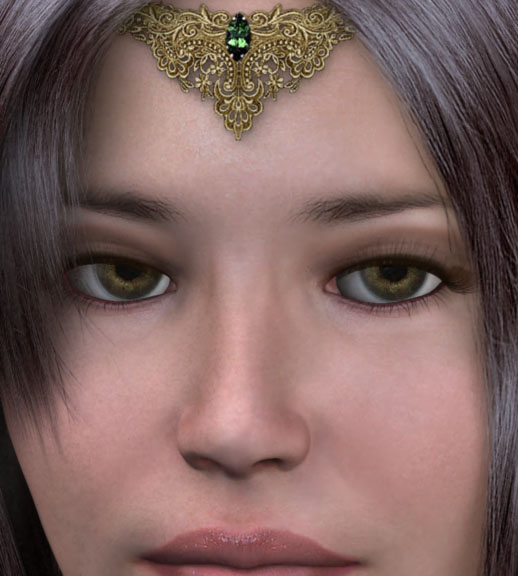
Your suggestions were useful.
I tried some of them.
It seems working now, although I did not fully understand them.
This is the picture I got (low quality rendering).
Thanks again.,
Kett.
MarkBremmer posted Tue, 13 March 2007 at 5:53 PM
I look forward to seeing the final image! :-)
KFG posted Sat, 21 April 2007 at 10:00 AM
Attached Link: http://www.renderosity.com/mod/gallery/index.php?image_id=1426736
Hi Mark,A final result of global illumination rendering is uploaded at Carrara Gallery
I like the global illumination.
KFG a.k.a. Kett
MarkBremmer posted Sat, 21 April 2007 at 7:21 PM
Very nice indeed! Mark