Forum: Carrara


Subject: Alpha Shadow?

chuckerii opened this issue on Feb 22, 2007 · 4 posts


chuckerii posted Thu, 22 February 2007 at 8:00 AM
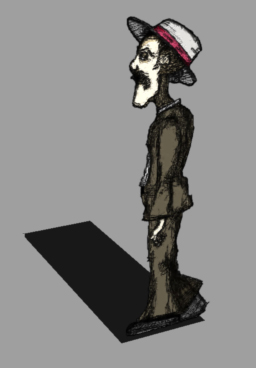
I've got this character mapped to a plane via an alpha channel.  I want the character's shape to cast the shadow, instead of the plane it is mapped to.  Is there a way to do this?  I know years ago I used to do it in Bryce very easily, but I can't seem to figure out how to make it happen in Carrara.  The texture map will be animated, so mapping the image to a shape cut the same as the image will not solve my problem.  Any ideas on how to create the shadow from the mapped image?

Chucker


MarkBremmer posted Thu, 22 February 2007 at 8:19 AM

Check "Light through transparency" in the render room. ;-) Mark


chuckerii posted Thu, 22 February 2007 at 8:24 AM
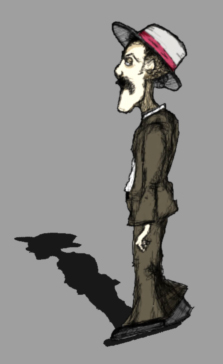
Dang!  You beat me to it!!!  I had just discovered that on my own a few seconds before you posted.  :-)  Working perfectly now... Thanks for the response Mark.

Chucker


AndyCLon posted Thu, 01 March 2007 at 1:52 AM

Nice style there. I did something similar with the audience in my flea film but used spline objects as the figures were not animated. The other significant difference is that I wanted to have some thickness so that they looked like cardboard cutouts.

Cardboard Audience