
pisaacs opened this issue on Feb 07, 2007 · 8 posts
pisaacs posted Wed, 07 February 2007 at 8:26 PM
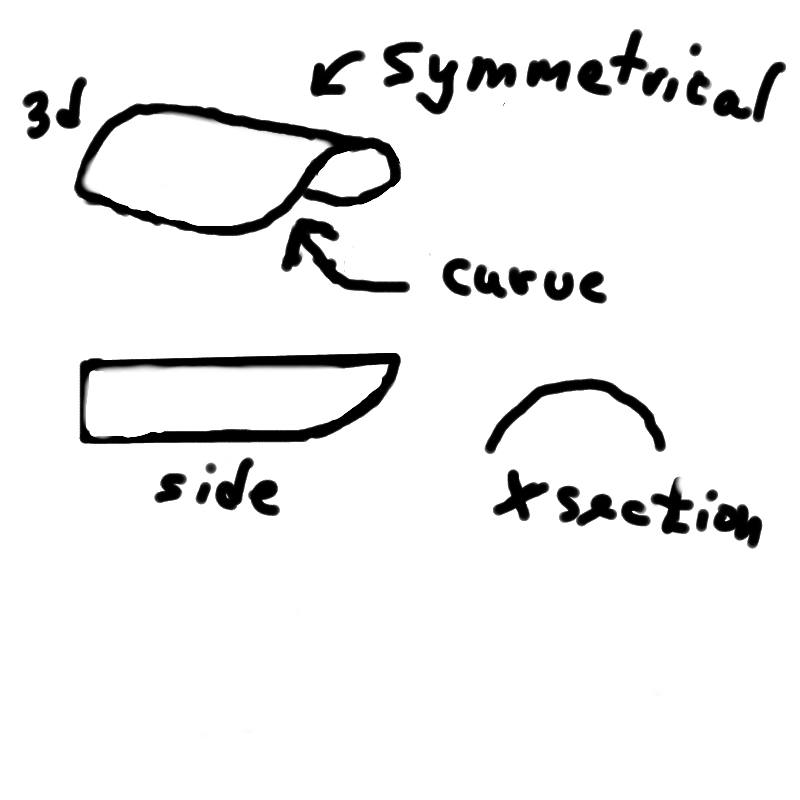

MarkBremmer posted Wed, 07 February 2007 at 9:05 PM
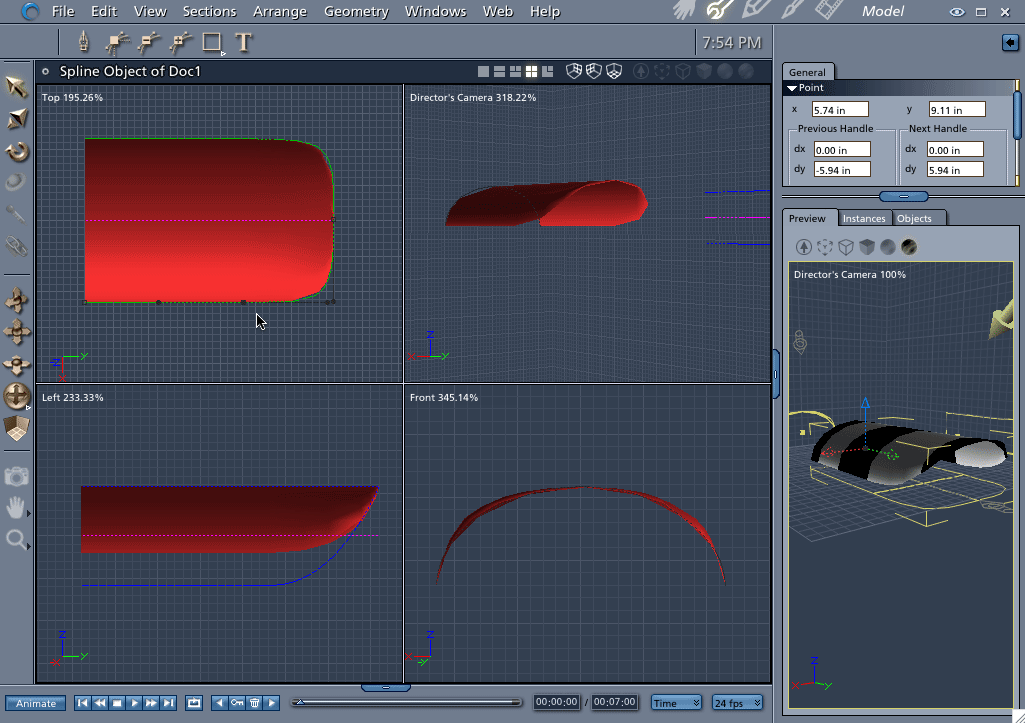

bwtr posted Wed, 07 February 2007 at 11:41 PM
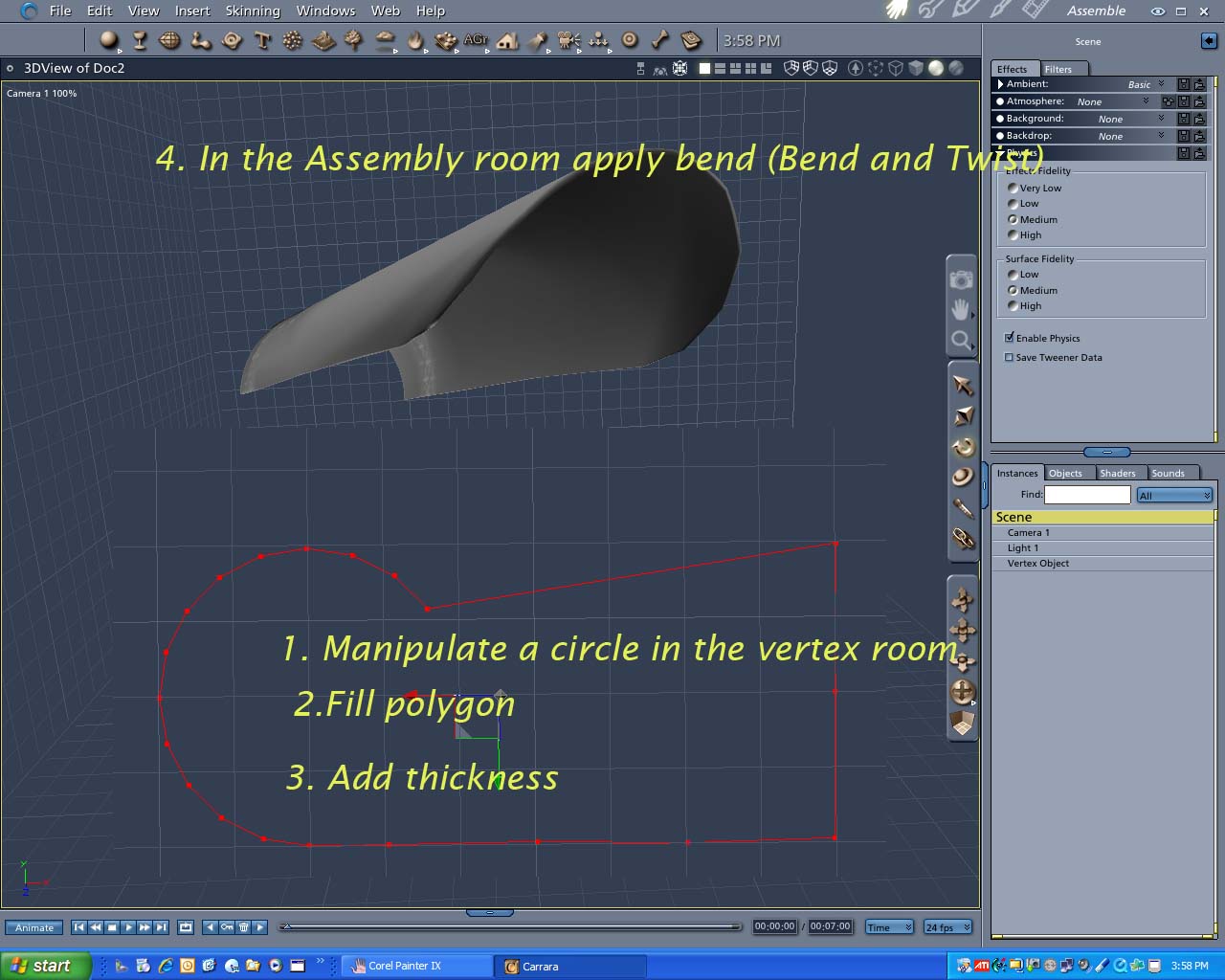
Lets know if it's not clearly explained.
bwtr
pisaacs posted Thu, 08 February 2007 at 5:33 AM
I haven't done Mark's vertex tutorials yet so I'm trying to do this with splines (it's actually for the 'hood' of the light shade for a rr x-ing light signal that I've been modeling using the spline modeler for all the pieces). For the hood I already tried using a combination of the different spline modelers and then tried again after seeing Mark's response, but although closer now apparently I'm just not using the right sequence of points/movements. Will try again tonight after work. Thanks guys.
Paul
pisaacs posted Thu, 08 February 2007 at 7:27 PM
OK, I did it pretty well now. After I finish the x-ing signal with the spline method I'll try it again using the vertex modeler.

sparrownightmare posted Fri, 09 February 2007 at 11:19 AM
Looks good. What I always have problems with are windshields for ground vehicles. They always end up too round and too thin at the top.
MarkBremmer posted Fri, 09 February 2007 at 11:32 AM
Car windows are a perfect use of the Coons mesh creator in the Vertex Room. If you haven't played with it, give it a try. Pretty cool. :)
sparrownightmare posted Fri, 09 February 2007 at 11:36 AM
I hardly ever go into the vertex room except to clean up imported poser content. I have just never been able to get the hang of the tools in there. Almost everything I do is in the spline modeler. I'll give it one last try I guess.