Forum: Carrara


Subject: Tips on getting depth of field to work... at all?

rendererer opened this issue on Dec 20, 2006 · 3 posts


rendererer posted Wed, 20 December 2006 at 9:47 AM

I'm trying to use Carrara 5's raytraced depth of field to make a scene look really tiny. It's nearly impossible. The preview often doesn't update when I click the render button in the DoF dialog. When it does update, it's incredibly slow. When it's done, there's often no depth of field at all. When I render the scene, there is some DoF, but even with a lens size of 100% the DoF is pretty subtle. I want massive blurring and blown-out highlights in the out-of-focus parts.

Is there some secret to this?

Thanks,


MarkBremmer posted Wed, 20 December 2006 at 12:10 PM
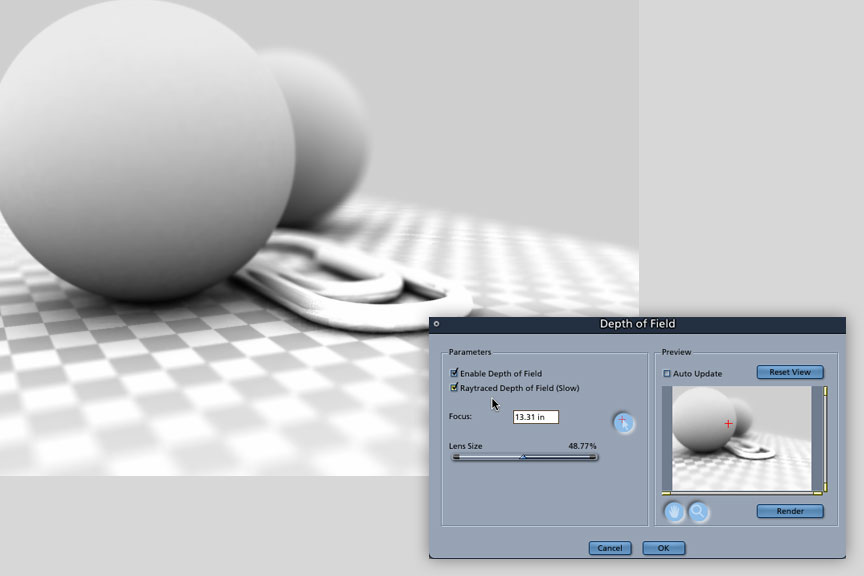
Hi Joe, (click on the image to see it larger) I usually set up my DOF with the regular DOF and then change it to the Raytraced as a last step. The preview window doesn't accurately show the Ray traced version unless you close it and then open it again. (also, make sure that you are using the little red plus sign to "aim" the focus - you probably already know that...) The above image was a quickie that I set up with the standard tool and then converted to Raytraced. Raytraced DOF is processor intensive since it will calculate for reflected and transparent objects. If you have a slower computer or transparent/reflective objects, you will see a significant increase in render time since Carrara calculates the "inherited" light rays from other objects and does the math. The end results are superior to the regular DOF but you pay for it in time. Mark


rendererer posted Wed, 20 December 2006 at 9:03 PM

Thanks, Mark. The tip about closing and re-opening the DOF dialog is helpful - at least I know I'm not crazy to think  it's not working right.