Forum: Rhino 3D
Subject: Can't find the ABCarter gem cutting tutorial. So, here's a redux.,,
Stegy opened this issue on May 11, 2006 · 22 posts
Stegy posted Thu, 11 May 2006 at 12:26 PM
I searched a few days ago for ABCarter's gem cutting tutorial which used to be hosted here at Renderosity as:
http://market.renderosity.com/~rhino/abcarter/gemtut/facettutorial.htm
It looks like it is no longer around. However, I was able to see a Google cached version in a text only version. That was enough to get me going. I thought I would attempt to recreate it here.
The "Brilliant Cut" is what we will try to achieve. Other cuts use different angles and facet counts. The whole process is quite easy.
Everything is done with Boolean operations between primitives. Only two shapes are used; a cylinder which will be "cut" into a diamond, and a cube as the cutting tool.
Stegy posted Thu, 11 May 2006 at 12:27 PM
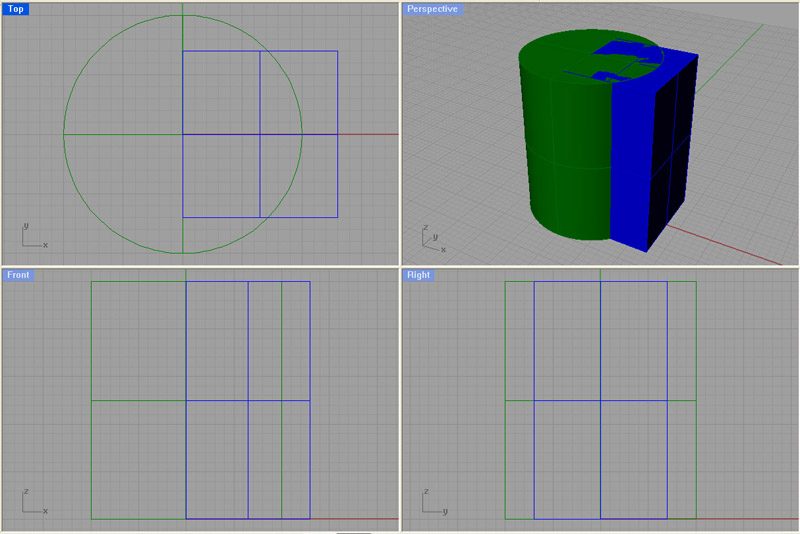
1. Start with a cylinder and a cube as shown. The exact dimensions are not critical, but should be close to what is pictured.
Stegy posted Thu, 11 May 2006 at 12:28 PM
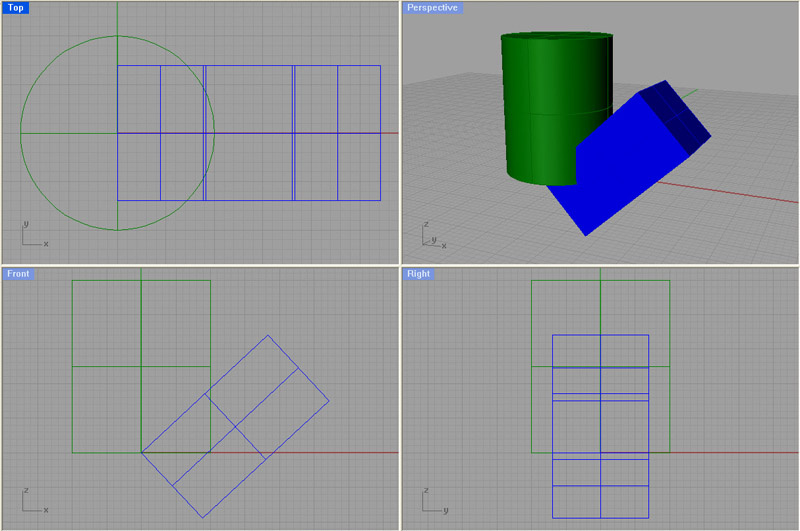
2. From the top view, use Rotate 3-D to rotate the cube 47 degrees along the y-axis.
Stegy posted Thu, 11 May 2006 at 12:31 PM
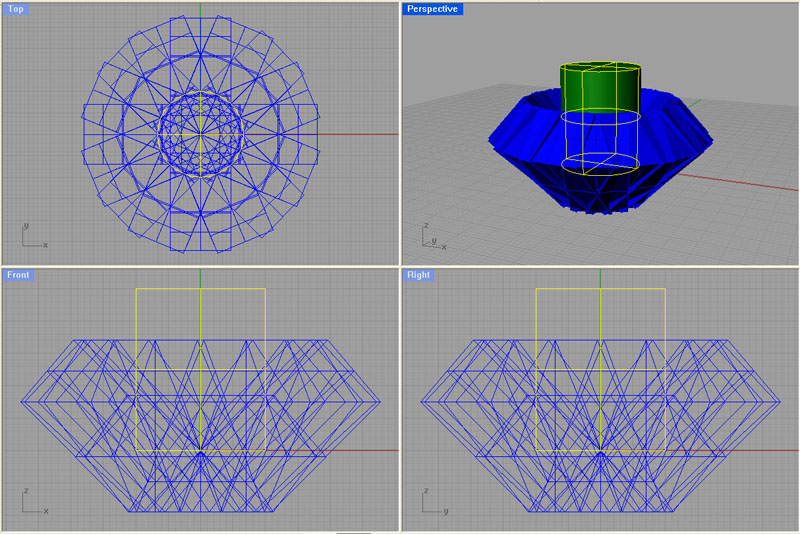
3. From the top view select the cube and use the ArrayPolar command to create 16 cubes duplicates around the cylinder. Be sure to select the exact center (snap on) of the cylinder as the center of the polar array.
Stegy posted Thu, 11 May 2006 at 12:33 PM
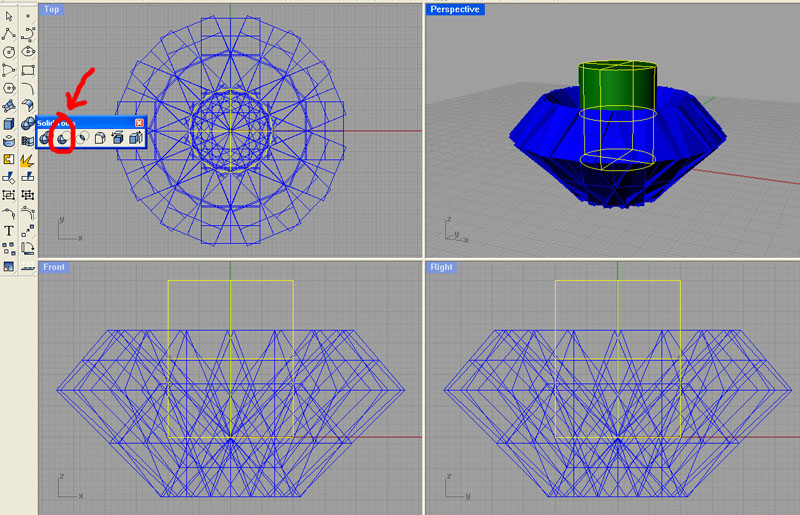
4. The first cut will be made now. Select the cylinder. Right-click on the Solid Tools icon and select Boolean difference. You will be prompted for the second set of polysurfaces. Select around half of the cubes. You can try selecting all of the cubes, however I found that I would sometimes get a "Boolean Difference Failed" message when using all 16 cubes.
Stegy posted Thu, 11 May 2006 at 12:40 PM
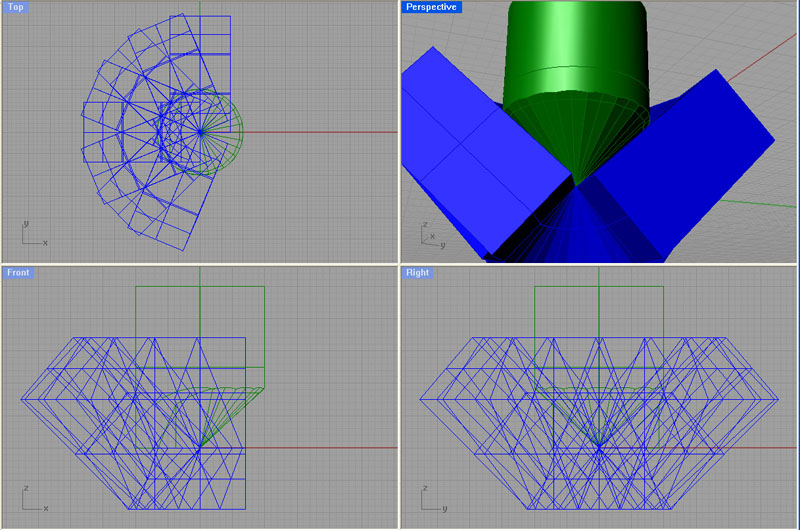
5. Shot showing the first Boolean difference using 8 of the cubes.
Stegy posted Thu, 11 May 2006 at 12:40 PM
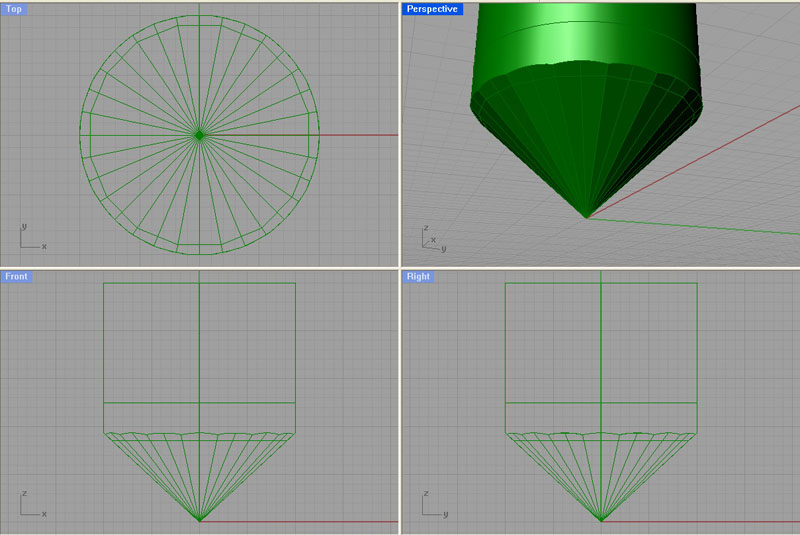
6. Repeat step 4 using the remaining cutting cubes. Screen shot shows the final shape with 16 new facets.
Stegy posted Thu, 11 May 2006 at 12:41 PM
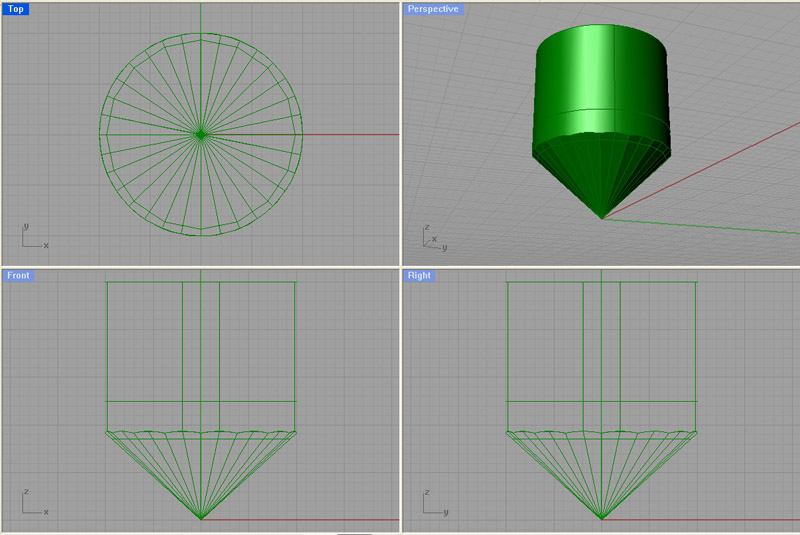
7. Using the front view, rotate the cut cylinder by 11.25 degrees along the z-axis with the Rotate 3-D command.
Stegy posted Thu, 11 May 2006 at 12:42 PM
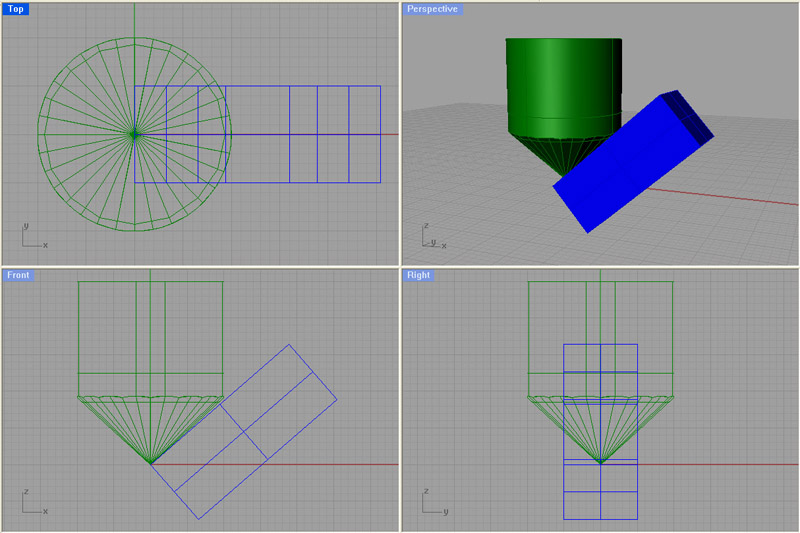
8. To finish the bottom facets, 8 more cuts need to be made. Plop down another cube as was done in step 1 and rotate the cube along the y-axis by 49 degrees.
Stegy posted Thu, 11 May 2006 at 12:43 PM
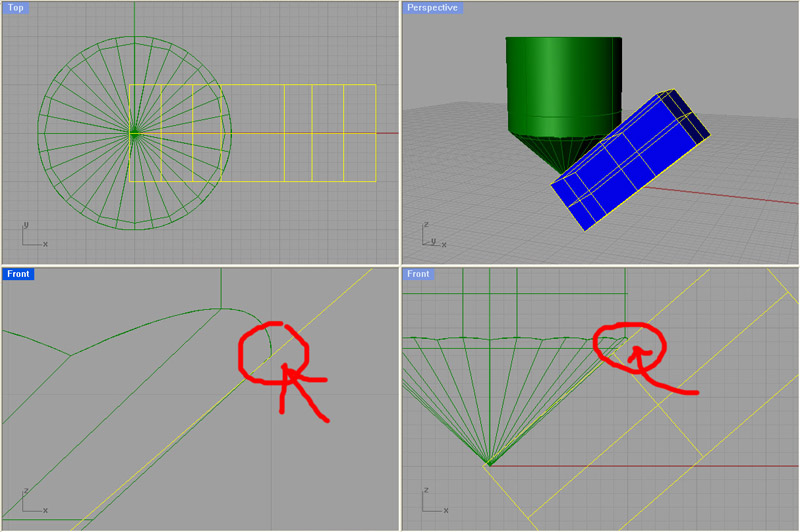
9. The position of the cutting will take some fine adjusting. Turn off snap and move cube in toward the center of the cut cylinder until it just intersects the top of the facet.
Stegy posted Thu, 11 May 2006 at 12:44 PM
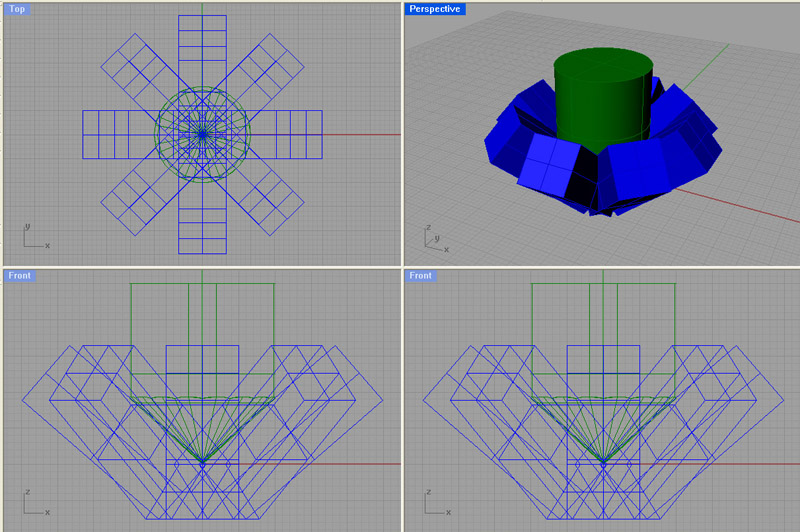
10. Use ArrayPolar to create 8 duplicates of the cutting cube around the exact center of the cylinder.
Stegy posted Thu, 11 May 2006 at 12:52 PM
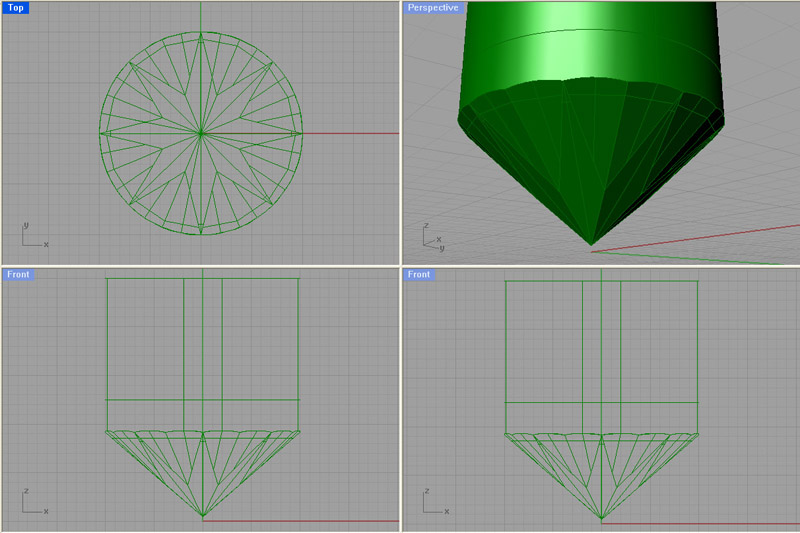
11. Use the Boolean Differnce command to cut the cylinder with the cubes. The final cut shape is shown in the screen shot.
Stegy posted Thu, 11 May 2006 at 12:53 PM
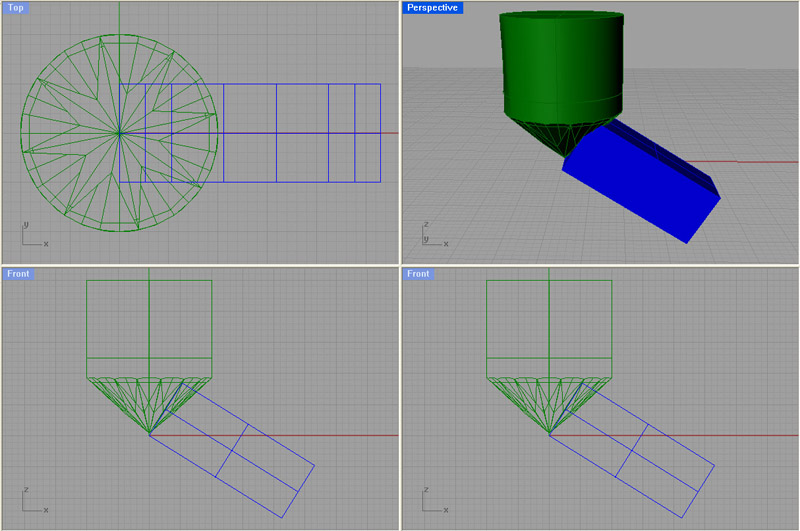
12. Time to cut the upper facets. This will be very similar to cutting the bottom facets. First, rotate the cylinder by -11.25 degrees along the z-axis. This will put it back to its original orientation. Add another cube as was done in step 1. Rotate the cube along the y-asis by 58 degrees.
Stegy posted Thu, 11 May 2006 at 12:54 PM
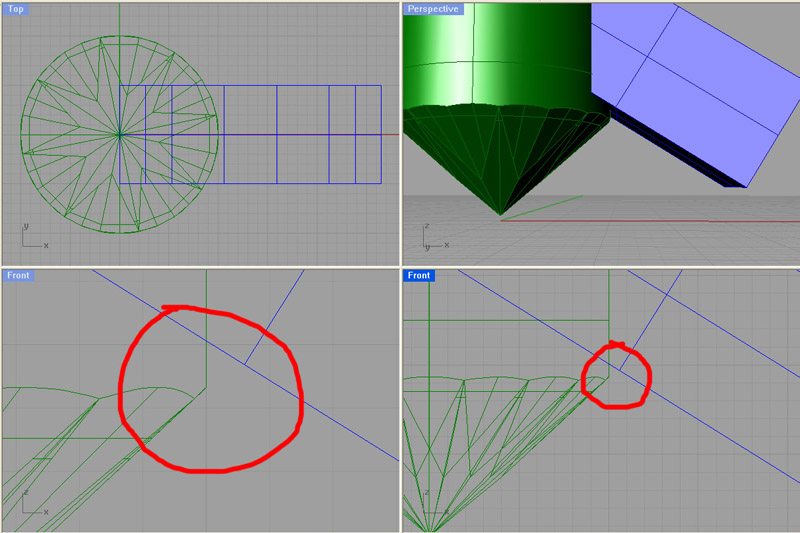
13. Turn off snap and raise the cube upward until it is above the lower facets and leaves a little bit of a girdle between the lower facets and where the upper facets will eventually be.
Stegy posted Thu, 11 May 2006 at 12:55 PM
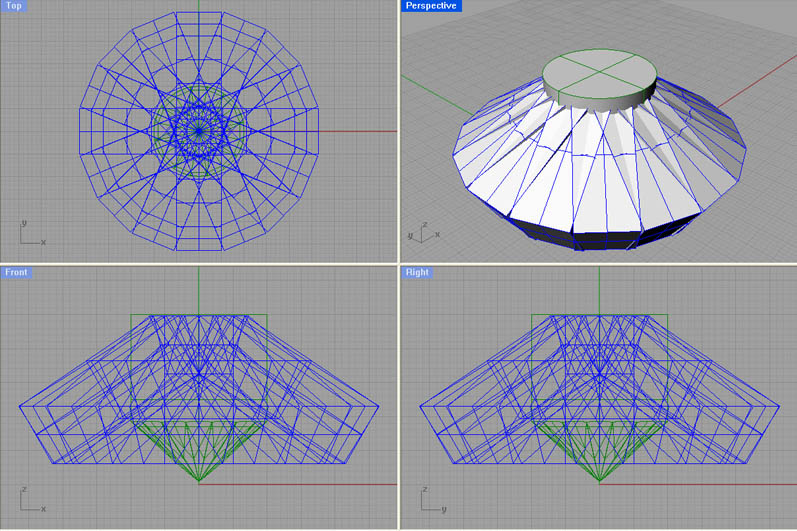
14. Use ArrayPolar to create 16 cube duplicates around the exact center of the cylinder.
Stegy posted Thu, 11 May 2006 at 12:56 PM
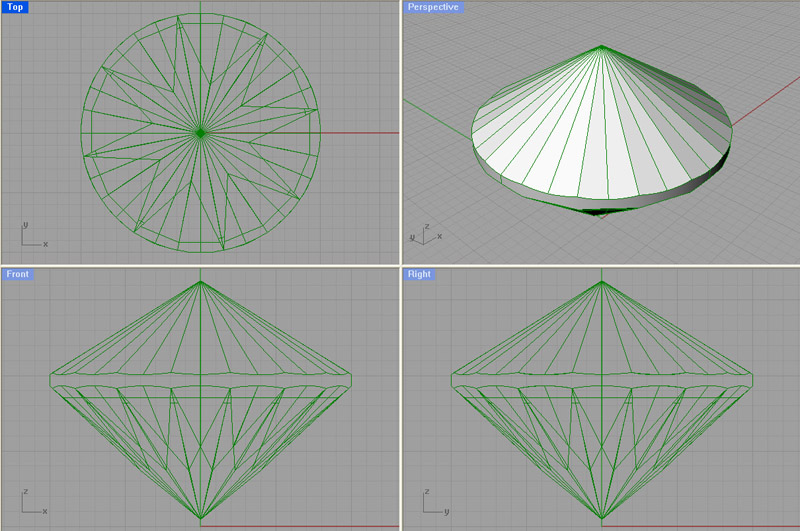
15. Do a Boolean difference between the cylinder and the cutting cubes. You might have to delete any bits of the cylinder which hover above the cut cylinder.
Stegy posted Thu, 11 May 2006 at 12:57 PM
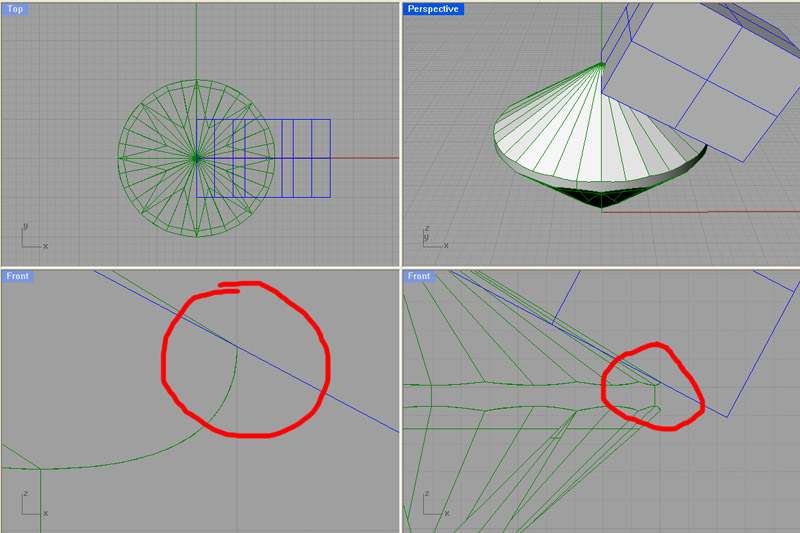
16. Rotate the cylinder by 11.25 degrees along the z-axis. Add another cutting cube and rotate it by 62 degrees along the y-axis. Finally, turn off snap and move the cube until it just intersects the last set of facets which were cut on the top.
Stegy posted Thu, 11 May 2006 at 12:58 PM
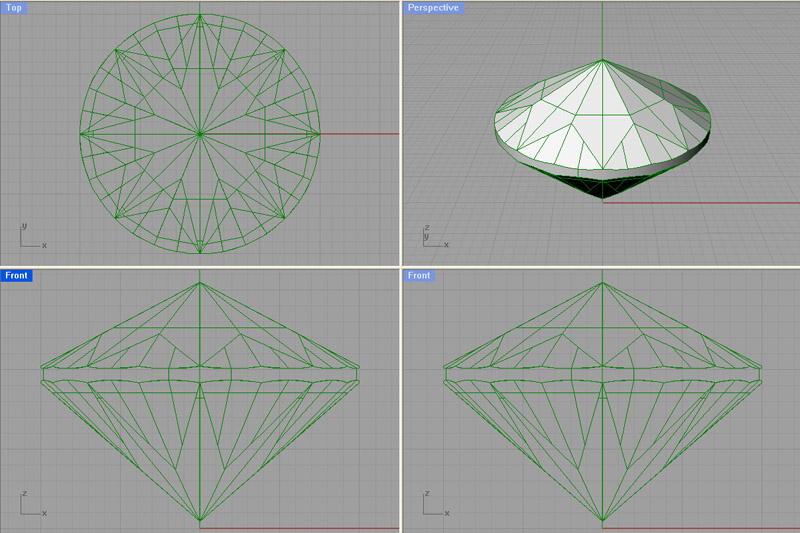
17. Use ArrayPolar to create 8 duplicates of the cutting cube. Use Boolean Difference to cut the cylinder with the cubes.
Stegy posted Thu, 11 May 2006 at 12:59 PM
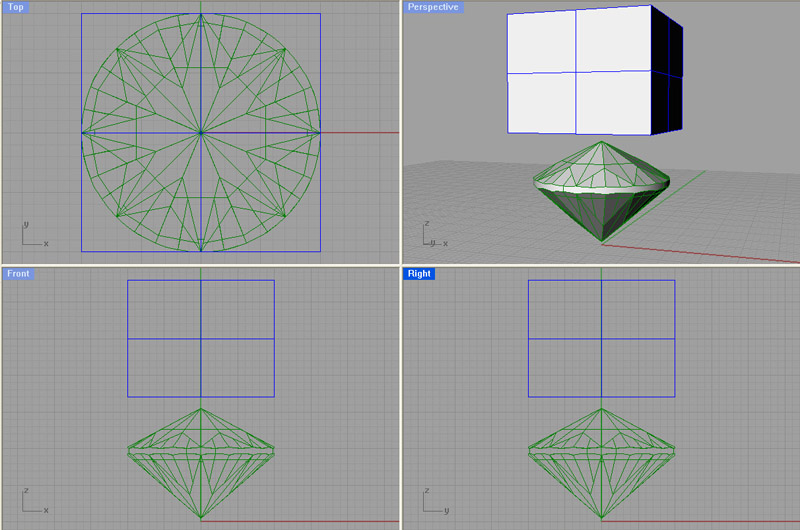
18. The last and simplest step is to cut the top of the gem. Plop down a cube whose center aligns with the center of the cylinder along the z-axis.
Stegy posted Thu, 11 May 2006 at 12:59 PM
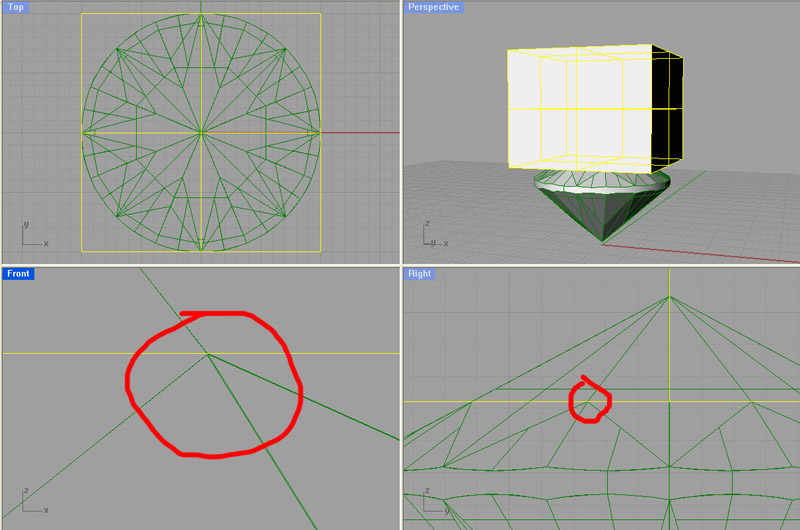
19. Move the cube along the z-axis until it just rests on the intersection of the top facets.
Stegy posted Thu, 11 May 2006 at 1:01 PM
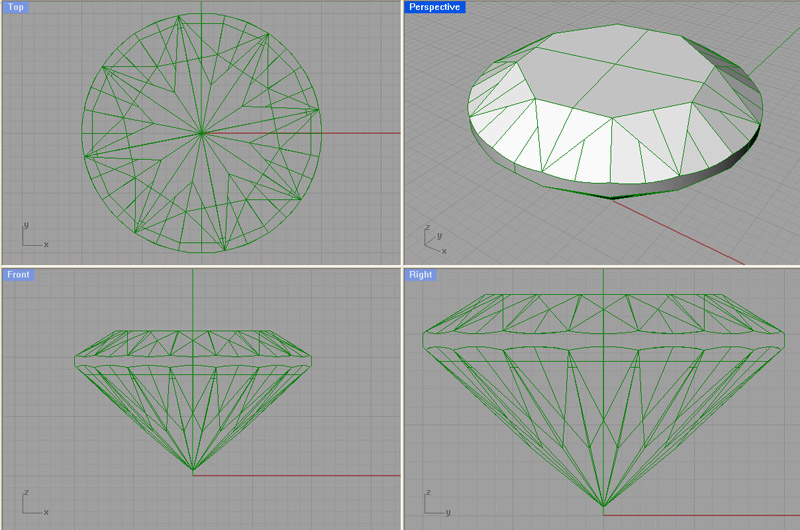
20. Do a Boolean Difference between the cylinder and the cube. - Finished! - Again, the majority of the credit goes to ABCarter for the original tutorial. I'm just filling in the missing screen shots!
Stegy posted Thu, 11 May 2006 at 1:02 PM
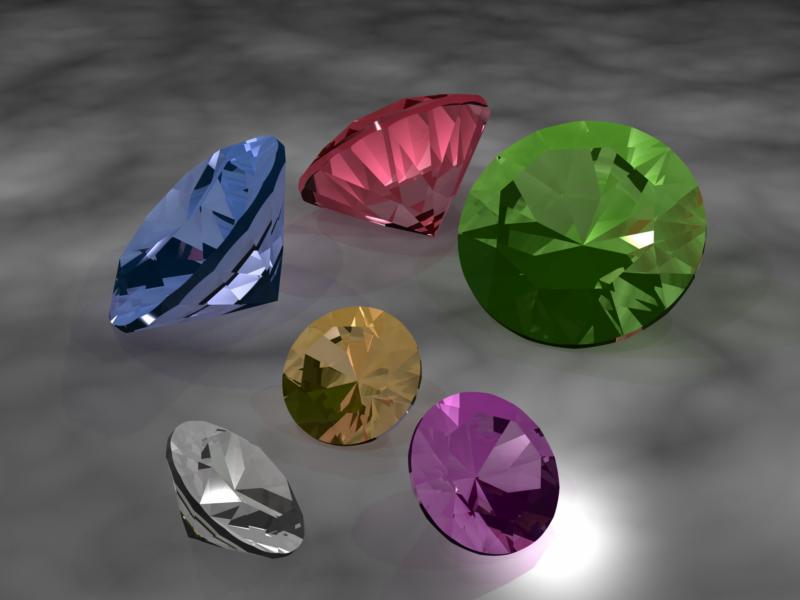
Finished quicky Render using Carrara 5.
Comments and Questions Thread is here:
http://market.renderosity.com/mod/forumpro/showthread.php?thread_id=2647527
