
ominousplay opened this issue on Dec 23, 2005 · 7 posts
ominousplay posted Fri, 23 December 2005 at 8:21 PM
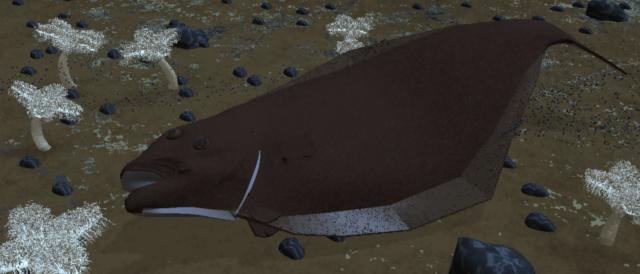
Never Give Up!

ren_mem posted Fri, 23 December 2005 at 9:14 PM
Looks like it needs some smoothing. I would highly recommend some good photographs as reference for lighting and texturing. National Geographics can be good for this.
No need to think outside the box....
Just make it
invisible.
ominousplay posted Sat, 24 December 2005 at 2:15 AM
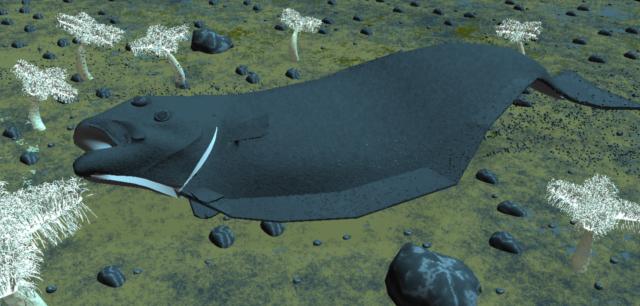
Never Give Up!

hdaggers posted Sat, 24 December 2005 at 9:56 AM
Sunken pirate treasure and mermaids??? lol. Seriously tho, those pebbles are showing the same texture and they are very uniform in size. If you are in C5 try varying the scale in the surface replicator. For the textures maybe some turbulence or global noise so the stripes are shifted for each object... Flounders are freaky. Are the eyes always on the same side? cheers! holly
ominousplay posted Sat, 24 December 2005 at 11:50 AM
Thanks for a fun year everyone. I'm leaving home for the holiday and I'll post again after the new year. Merry Christmas and Happy 2006. Halibut's have eyes that migrate from one on each side to both on top. Very strange, but yummy and fun to catch!! Think I'll save my mermaids for another scene, but maybe include other above sea artifacts. Take care everyone Robert
Never Give Up!
ren_mem posted Sat, 24 December 2005 at 5:04 PM
Yeah flounders are wild. I think the terrain does need alot more variation w/ rocks and creatures. Also some good photos of flounder skin because I suspect there might be some iridescence to the scales as well as some more scale texture. SS shaders has a fake iridescence. Fish deposit their waste under the skin which creates this.
No need to think outside the box....
Just make it
invisible.

staigermanus posted Sat, 07 January 2006 at 11:00 AM
Attached Link: http://www.thebest3d.com/dogwaffle/art/animations/jackwhitney/index.html
if you want to make it look more realistic with postwork: - lights in dark-green blueish tint - lots of ambient % light and soft shadows or GI and indirect lighting since there's not much direct light down there - if on PC, use Dogwaffle to add 'bubbles' - also with Dogwaffle, add light rays from above (mystic vision, kind of light diffusion + zoom blur) - add light diffusion filter - add wave distortion especially if there's bubbles and lots of rising water turbulence. samples of such postwork over Carrara anims: http://www.thebest3d.com/dogwaffle/art/animations/jackwhitney/index.html