
ominousplay opened this issue on Nov 19, 2005 · 6 posts
ominousplay posted Sat, 19 November 2005 at 3:56 PM
Never Give Up!

ewinemiller posted Sat, 19 November 2005 at 8:46 PM
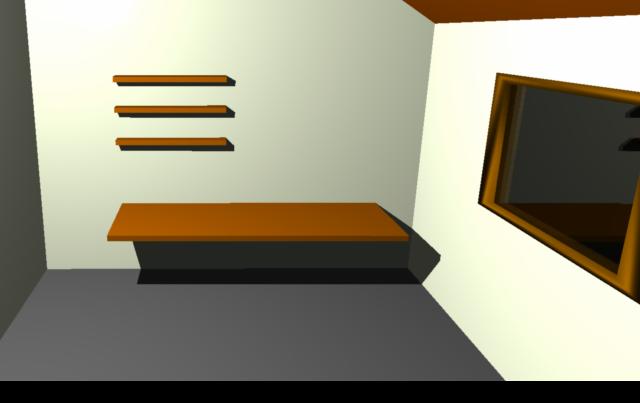
Try turning on the Full Raytracing option and see if that helps.
Regards,
Eric Winemiller
Digital Carvers Guild
Plug-ins for Carrara
http://digitalcarversguild.com
Eric Winemiller
Digital Carvers Guild
Carrara and LightWave
plug-ins
ominousplay posted Sun, 20 November 2005 at 12:44 AM
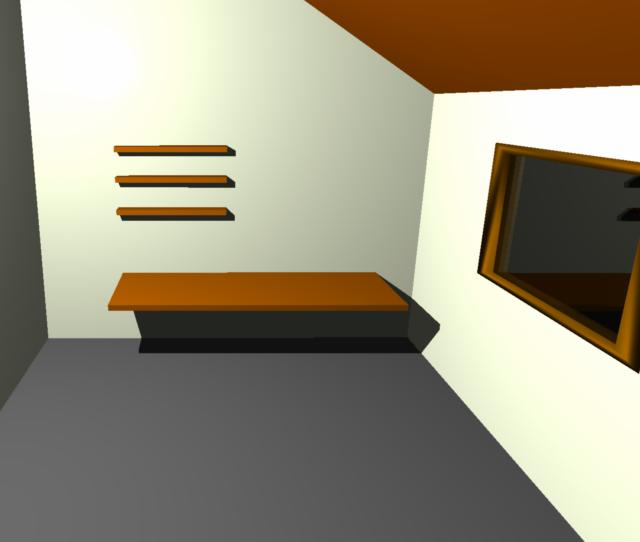
That did it... why? Even in preview mode it doesn't show the black zone. When I unchecked the Full Raytracing, it went back to showing the black zone. Thank you. R
Never Give Up!
ominousplay posted Sun, 20 November 2005 at 12:46 AM
Never Give Up!
ewinemiller posted Sun, 20 November 2005 at 6:11 AM
Not sure why, I just remember Julien mentioned one time that Architools meshes sometimes have have issues with the z-buffer renderer.
Regards,
Eric Winemiller
Digital Carvers Guild
Plug-ins for Carrara
http://digitalcarversguild.com
Eric Winemiller
Digital Carvers Guild
Carrara and LightWave
plug-ins

sfdex posted Tue, 22 November 2005 at 12:44 PM
I've also had troubles with the full ray tracing versus the hybrid in models built inside Carrara -- it just gets a little funky sometimes when a polygon gets too close to the camera. Full Raytraced doesn't seem to take much longer to render in my experience, anyway, so I tend to do everything with it on.