
mpal76 opened this issue on Jun 07, 2005 · 8 posts
mpal76 posted Tue, 07 June 2005 at 3:41 PM
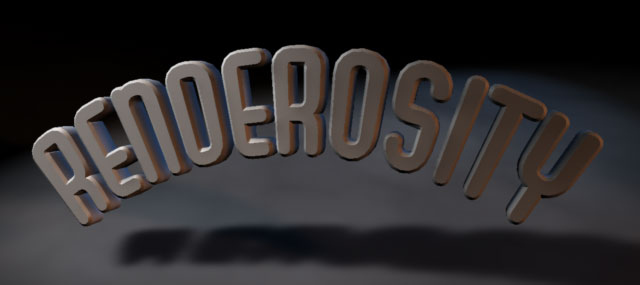
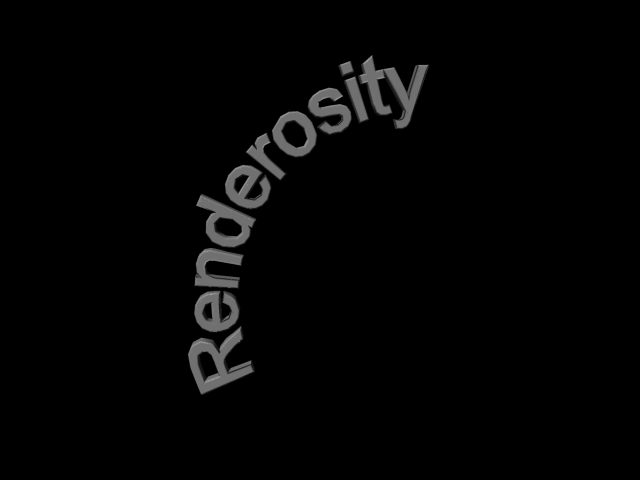
Hi, I was wondering if there is a way to arch text in Carrara. For example, Photoshop has the feature where you can use different effects for the type tool. Is there a way to do the same thing in Carrara? MPAL76

Hoofdcommissaris posted Tue, 07 June 2005 at 3:48 PM
You can use all deformers there are for the regular, eh, deformations. Bend and twist would be the logical choice in this case. You can choose them in the Deformation tab on the right in the Assembly Room. Good luck!
mpal76 posted Wed, 08 June 2005 at 7:53 AM

Hoofdcommissaris posted Wed, 08 June 2005 at 9:27 AM
mpal76 posted Wed, 08 June 2005 at 11:24 AM
Wow! I've been racking my brain trying to do this! Thank you so much! I love this site. MPAL76
mpal76 posted Wed, 08 June 2005 at 10:00 PM
Hoofdcommissaris posted Thu, 09 June 2005 at 12:54 AM
If you now rotate the whole 45degrees to the right it will look kind of like that, I think. I tried it with my head tilted and it worked, sort of :-)
mpal76 posted Thu, 09 June 2005 at 8:03 AM
Cool! Thanks. Also, I was fiddling around with it and I found that there were "handles" that allow you to arch the text in each view. Very cool! Thanks again for the help. MPAL76