
DocPhoton opened this issue on Jul 30, 2026 · 10 posts
Frequency3D posted Sat, 01 August 2026 at 11:12 AM Site Admin
I had an idea... This is what that token field looks like on a fully functioning DAZ Product:
As you can see, it is editable. Very likely this corresponds to the DAZ 3D product ID. You might be able to just fetch the product ID from DAZ and then edit it manually. Worth a try.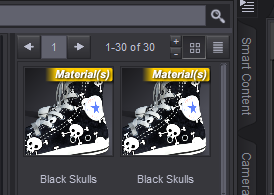
You will need to click the little menu there in the very top right corner of this image (with the product selected under Products (A-Z) under your Content Library tab.
Then select Content DB Editor and you will get the window popup from my first image.
Also, if you click DAZ 3D in the 'Store' dropdown on the left, you wil l see that the only other option there is indeed LOCAL USER.
This is basically a default store/user DS uses when no store has been specified.
I know DAZ 3D have a page on how to create a script for creating your own store options - but it is how to create a script, not something you can use right away. Otherwise I would have already created a Renderosity option there. I just use the LOCAL USER store and clean out all my file references from the LOCAL USER Product which can get really clogged up.
It is important here to know that every file/thumbnail you see when you select a Product under your Content Library tab is a reference/link to a file, not the actual file.
References tend to be created in your LOCAL USER Product for every asset and scene you create yourself on your computer. At least they seem to be created when you Caetgorize anything. The ones generated when you create assets yourself can then be Copied or Cut and move into another Product you create.
The ones from the DAZ store seem to be copyable, but can't always be cut. Sometimes, sometimes not. Another mystery. ;)