
Anim8dtoon opened this issue on Jun 08, 2026 · 4 posts
bwldrd posted Mon, 08 June 2026 at 9:51 PM
in the material room, after you've assigned your textures .. Open the library window go to the material tab,
1 Click a folder you want to save the material to, then click the + button.
It will give a popup that asks single material, or collection.
Give a name in the Set Name box.
2 Select collection and click the choose materials button
It will pop up a window to select the materials.
3 Select the materials you want to save.
4 Click OK.
5 Click Ok (again).
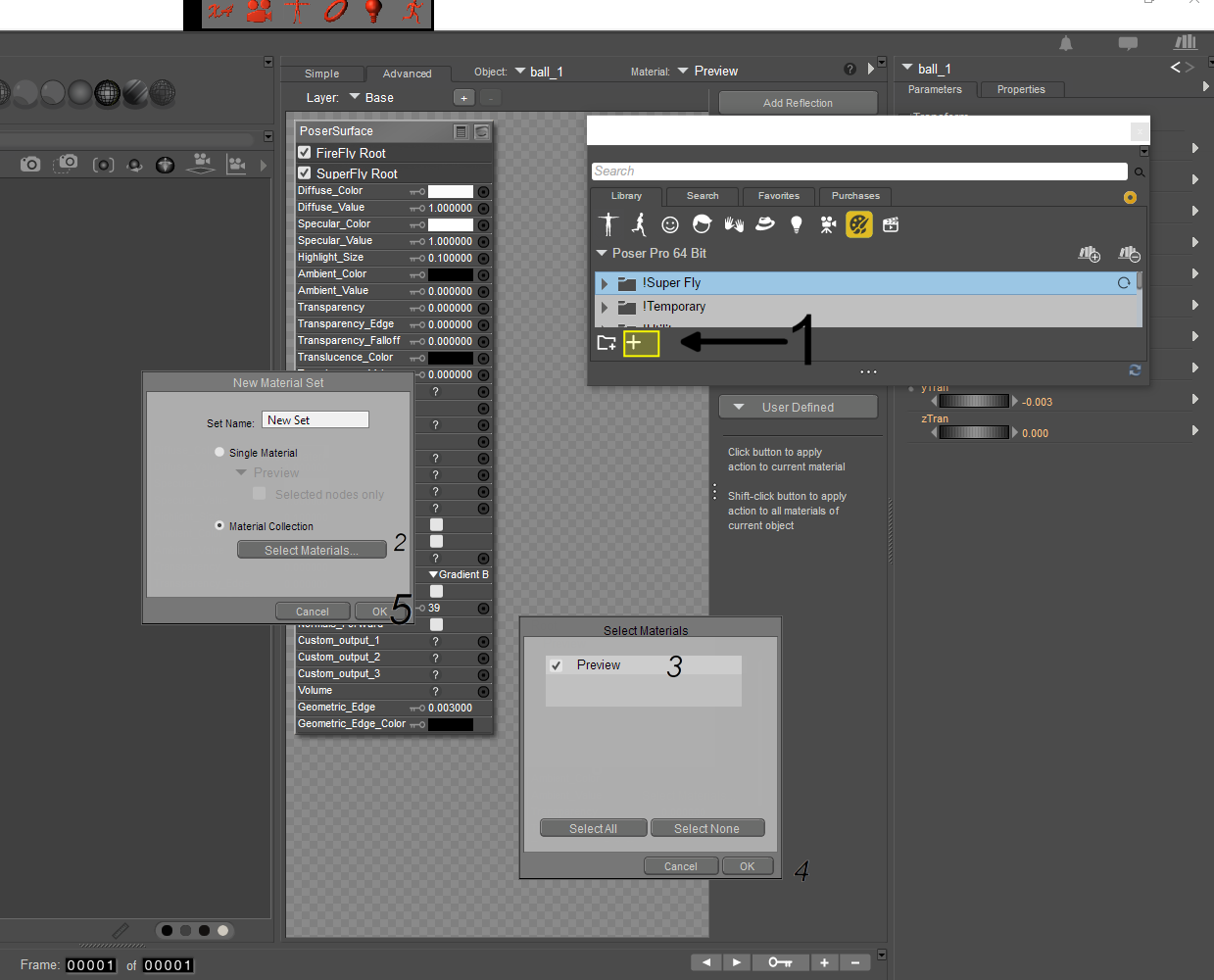
If you have file compression turned on in your preferences, it will save as (name).mcz otherwise it will be (name).mc6
--------------------------------------------------------------------------------
Consider me insane if you wish, but is your reality any better?