
RedPhantom opened this issue on May 28, 2026 · 12 posts
ChromeStar posted Fri, 29 May 2026 at 2:13 PM
If the anisotropy value is low and there's no rotation, I don't know that it should have much effect.
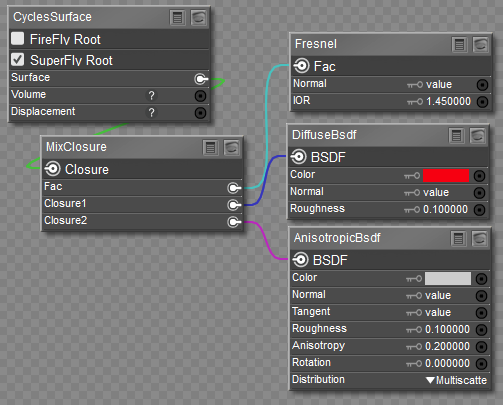
Here's a very similar test in Poser 14. I have an infinite light to ensure the lighting angle is the same for all six toruses (with two levels of subdivision), and just vary some settings on the AnisotropicBsdf node as described below. Compare the highlights.
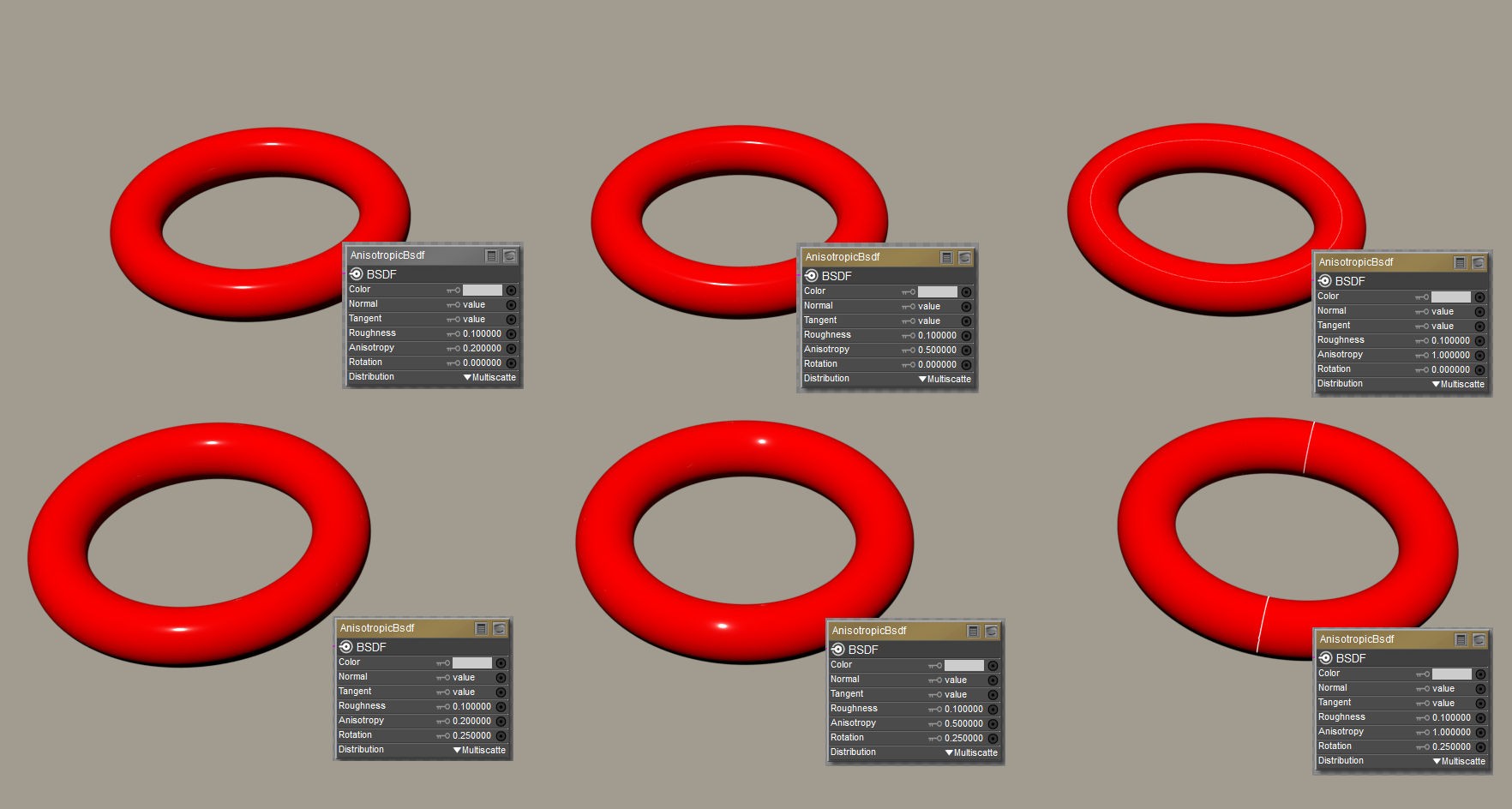
Going across varies the anisotropy value, 0.2 on the left, 0.5 center, and 1 right.
What the Blender manual says this does is: Amount of anisotropy in the reflection; 0.0 gives a round highlight. Higher values give elongated highlights orthogonal to the tangent direction; negative values give highlights shaped along the tangent direction.
That appears to be correct. The reflect is narrowest on the left, and on the right (1.0) it's a circle that goes all the way around the torus (but also reduced intensity because it is spread out).
The second row changes the rotation value. 0 in the top row, 0.25 in the bottom row (which = 90 degrees).
Blender manual says: Rotation of the anisotropic tangent direction. Value 0.0 equals 0° rotation, 0.25 equals 90° and 1.0 equals 360° = 0°. This can be used to texture the tangent direction.
This also appears true. The shape alteration of the highlight has turned 90 degrees. For the case with anisotropy = 1, the highlight is completely different.
https://docs.blender.org/manual/en/3.6/render/shader_nodes/shader/anisotropic.html