
Cage opened this issue on Jan 28, 2026 · 88 posts
Cage posted Fri, 15 May 2026 at 12:45 PM
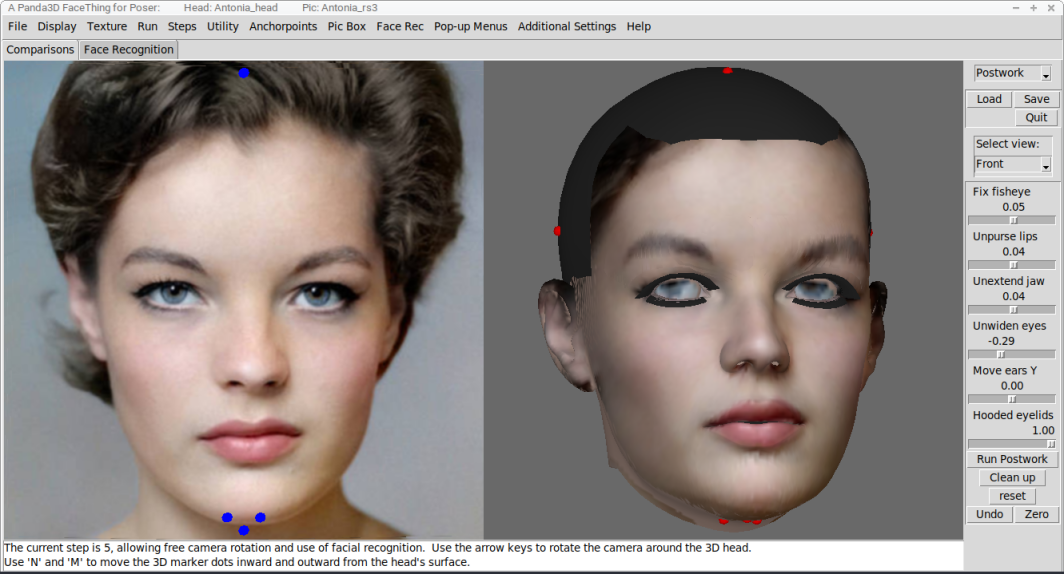
I've been distracted from the distribution aspect by another wave of debugging and the addition of some new tools. I moved the 'fix fisheye' tool to a new section Postwork with a few similarly-conceived functions.
And while I've still been too chicken to fully set up anything at Github, I do have some compiled testing files for Mac, in my Rosity file locker. If you are running Mac OSX 10_13... whatever '10_13' means, here... you are welcome to try these files. There is no guarantee that they will work. I've used the same Panda3D featureset that successfully compiled the Windows version I mentioned earlier, but that's no guarantee that it will work, apparently. Still, theyt might, and you can try them, if you're so inclined. If you wanted to go further and tell me about what happens when you try them, that's helpful for debugging and development.
https://www.renderosity.com/filelocker/57475/download?key=4050
These are required support files.
https://www.renderosity.com/filelocker/57473/download?key=9497
Note that the files needed to compile Dlib for Mac are not available -- Mac users who want Dlib need to compile it on their own target devices -- but I've set this up to work without Dlib. Some basic instructions:
Once you've unzipped everything, the three folders provided should be placed together with the app, in the same directory. You should place the whole thing in some location on your computer where you have write access, because this script will try to write temp files to one of those three folders.
If the app runs for you, perhaps the best thing is to go into the "Face Recognition" tab and the "File" menu, then "load files according to tab", near the bottom. Then browse for a "pic" ini and a "head " ini and load them, Once you have those in place, you can futz about with the tools and examine how things work. Your head should probably be the Antonia Head ini, as the Posette, V1, and Pauline example head files will require you to browse for an obj. Keep it simple, at the start.
Without Dlib, the complications will come with the process of setting up a new head obj or pic-set. Not too-too 'complicated', but with fewer time-saving conveniences. I guess that comes later, if you're still interested, and assuming the whole thing is working for you.
Finally, I've also placed in my Filelocker a zip with a Wings3D file that will allow you to examine some results exported directly from the script. The four Antonia-1.2 heads shown here are in the file, so any of you who have been curious about the quality of its morphs can take a look.
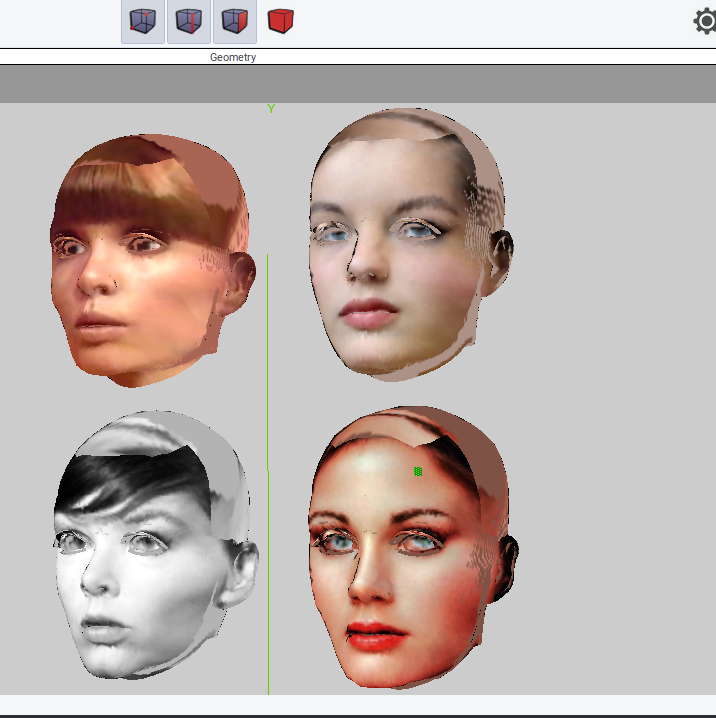
https://www.renderosity.com/filelocker/57480/download?key=1451
Bandwidth is limited, but I figure the five of us who are still hanging around here at the forums can't possibly use it all. Right?
Anyway, I'm going to finish up this debugging pass and get back to working out how to do this with Github.
===========================sigline======================================================
Cage can be an opinionated jerk who posts without thinking. He apologizes for this. He's honestly not trying to be a turkeyhead.
Cage had some freebies, compatible with Poser 11 and below. His Python scripts were saved at archive.org, along with the rest of the Morphography site, where they were hosted.