
Anim8dtoon opened this issue on Mar 09, 2026 · 24 posts
Y-Phil posted Mon, 16 March 2026 at 4:33 PM
Another trick I'd like to repeat here, especially because at first I was a bit hesitant to use it...
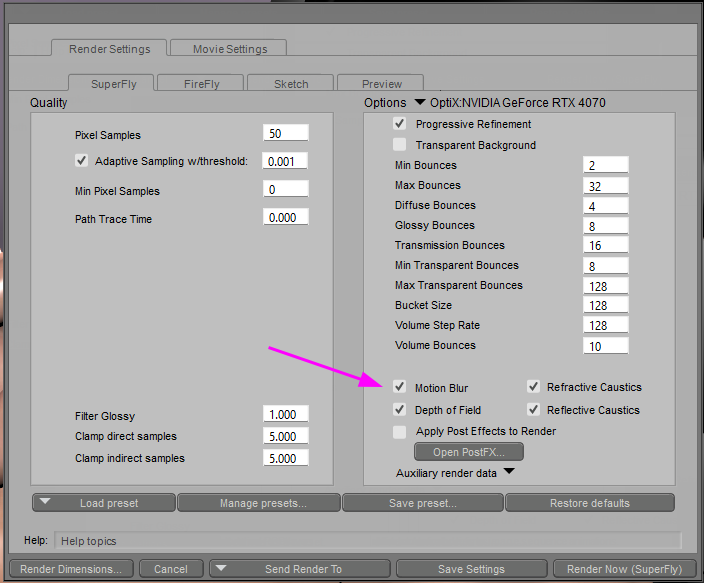
When rendering a close-up with trans-mapped hairs: they sometimes are not very good at their ends. Using Poser's "Motion Blur" can help:
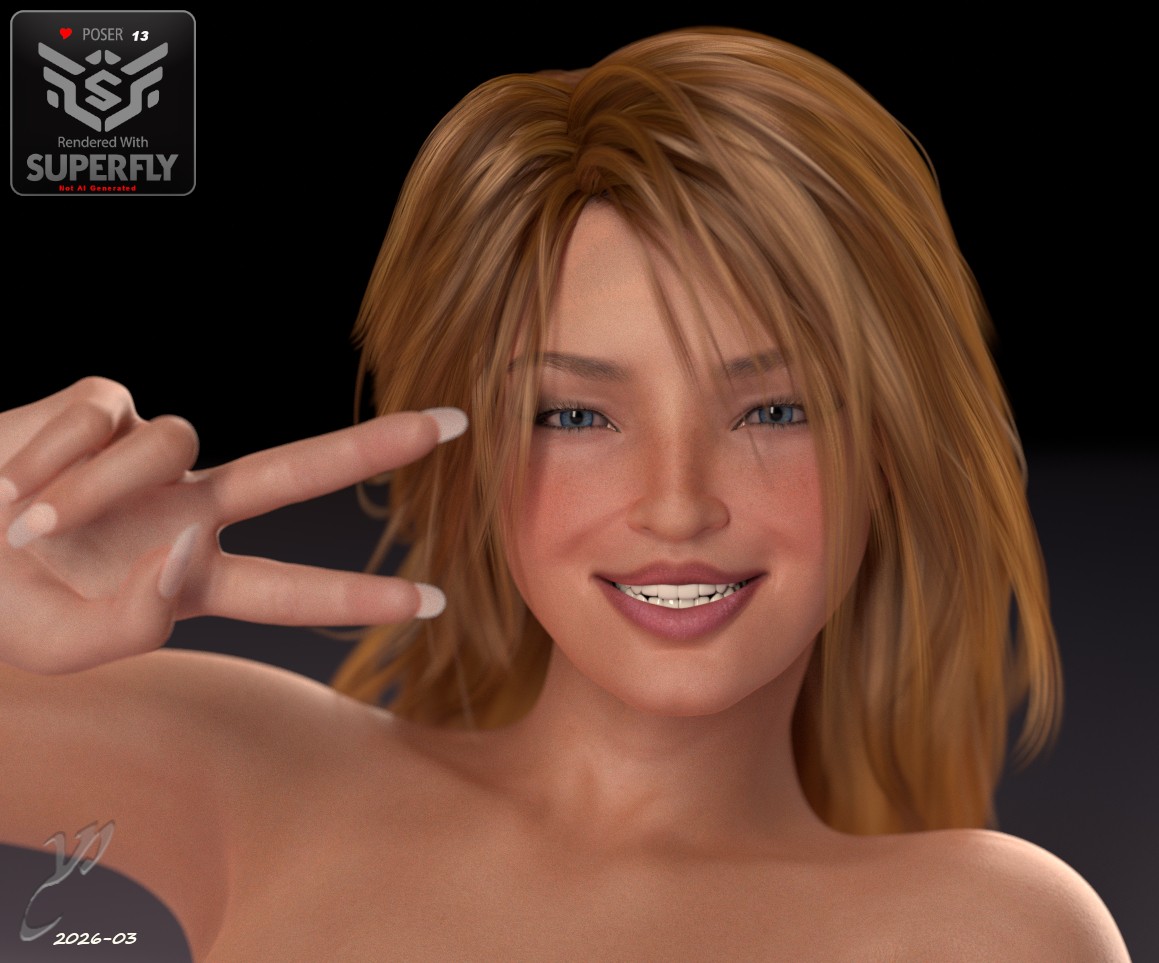
That plus a smaller focus distance associated to the correct Focal can give interesting result, such as:
The trick is to play with the frames:
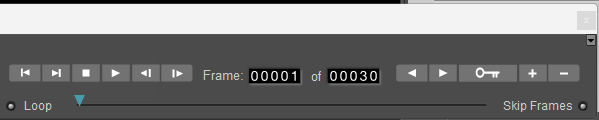
This will work properly regardless of the current frame number.
1. select your character/props
2. add a key frame (the "+" on the frames controls)
3. move one step forward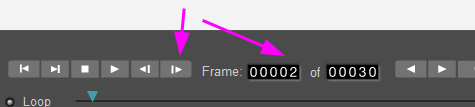
4, move slightly the hair extremities, even with the morphing tool in case there's no morphs
5. step back one frame
6. in the render settings: activate the "Motion Blur" and.. voilà
One can even control the effect by checking these values on the camera's properties:
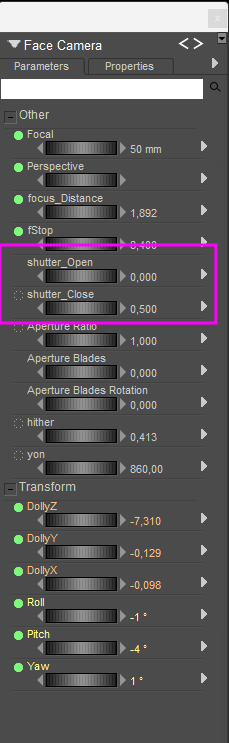
Poser will compute the strength of the effect (shutter_close minus shutter_open) and where to start (shutter_open)
Note that these values let Poser mimic a real cam with the mechanical stuff to let the light enter or not.
𝒫𝒽𝓎𝓁
(っ◔◡◔)っ
👿 Win11 on i9-13900K@5GHz, 64GB, RoG Strix B760F Gaming, Asus Tuf Gaming RTX 4070 OC Edition, 1+2 TB SSD's, 6+4TB HD
👿 Mac Mini M2, Tahoe 26.5, 16GB, 500GB SSD
👿 Nas 10TB
👿 Poser 13 and 14 ❤️