
anupaum opened this issue on Jan 30, 2026 · 198 posts
Richard60 posted Mon, 02 March 2026 at 10:12 PM
Here are some pictures of the effects of weight mapping and adjustment of the Animated Constraint dial. This the Valentine Day dress for La Femme 2 and I put in weight maps for the 3 tiers and an edge trim map for a total of 6 maps. I then added in a 7th map that follows the ridge of each of the curved tiers of the dress and the painted value is .0500. The pictures then have a value of .0000, .080 and .240 for the animated constraint.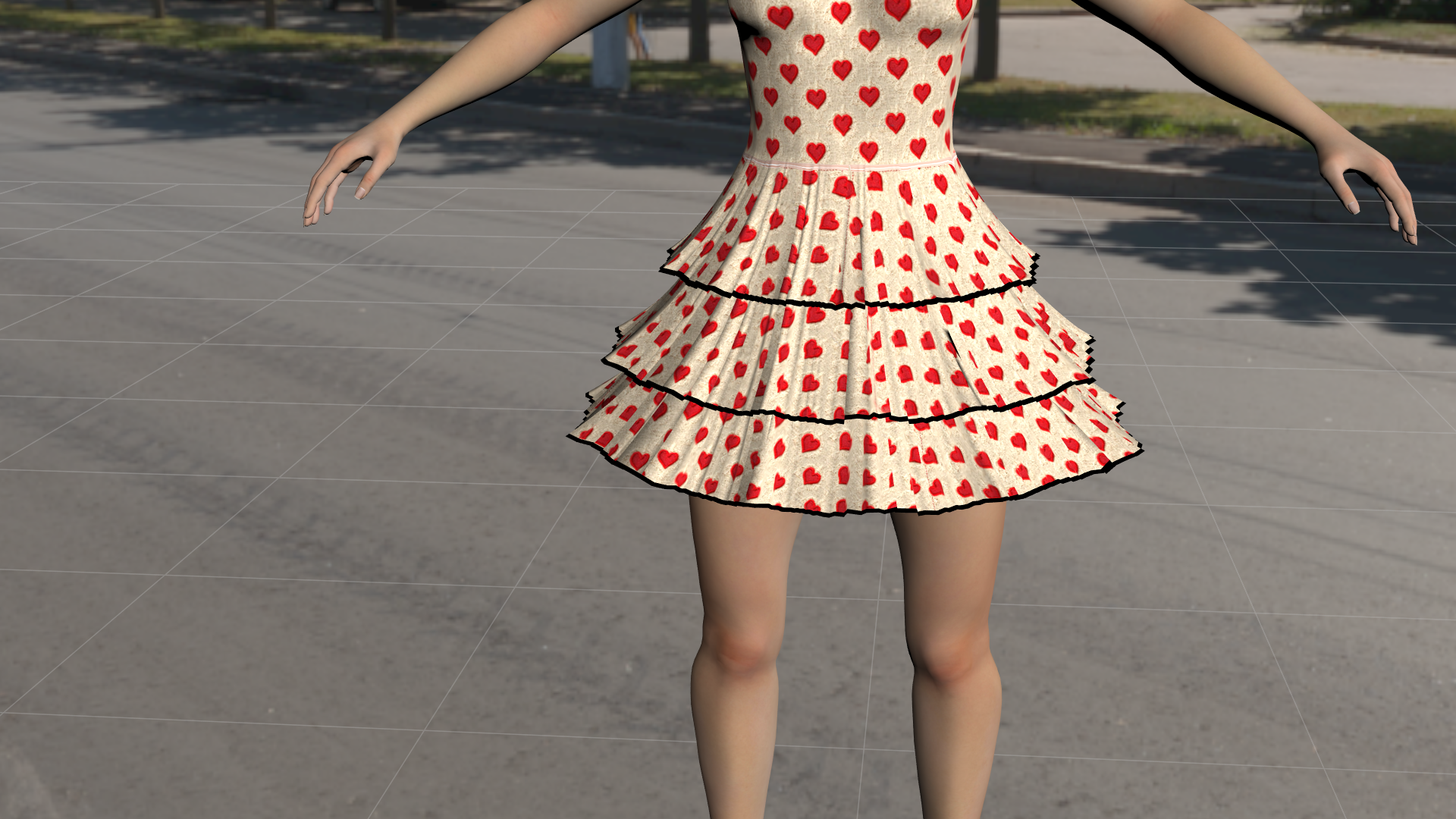
Above is at Animated Constraint of .000. It has some ripples.
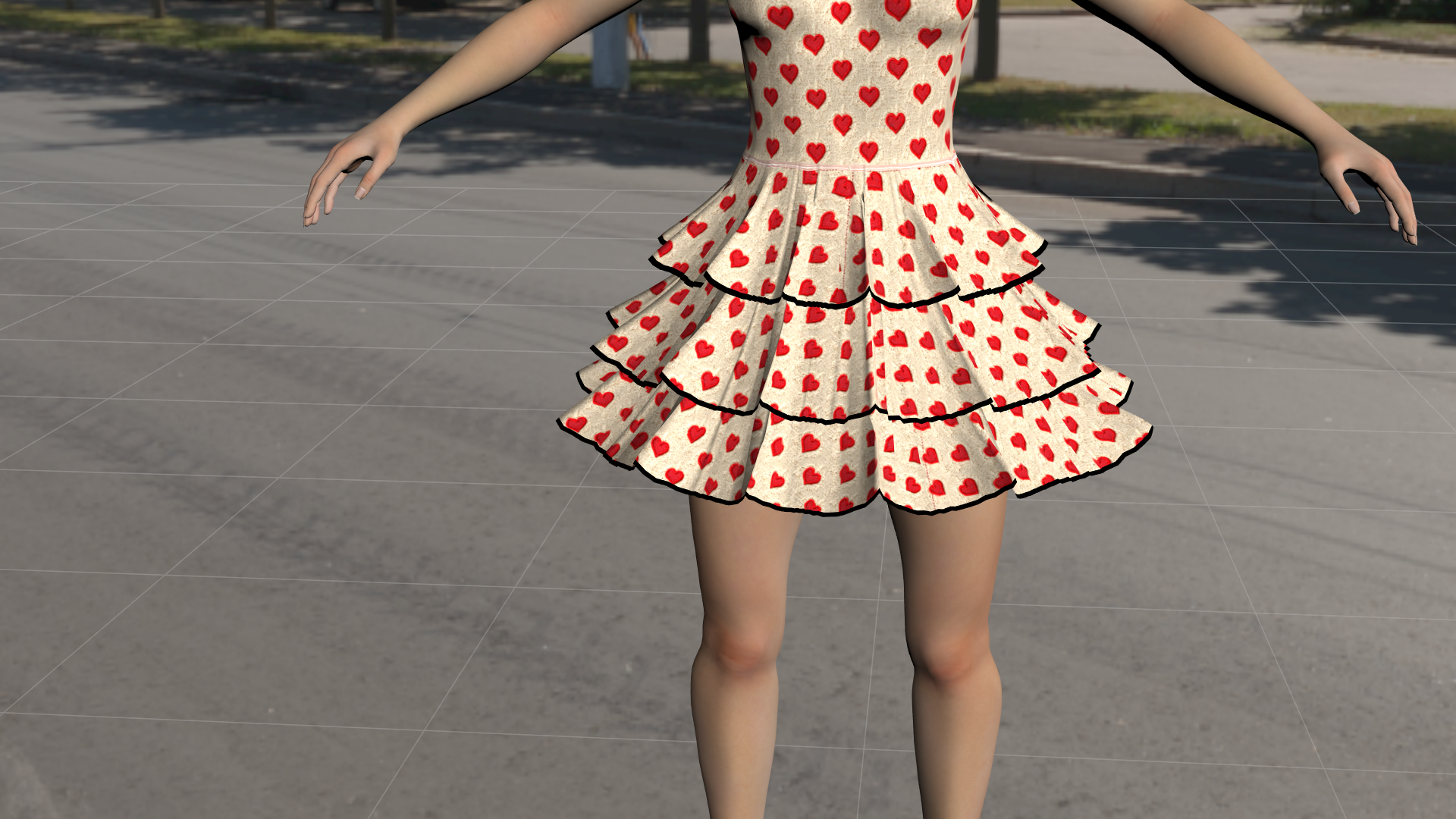
Above at .080 now has defined curves
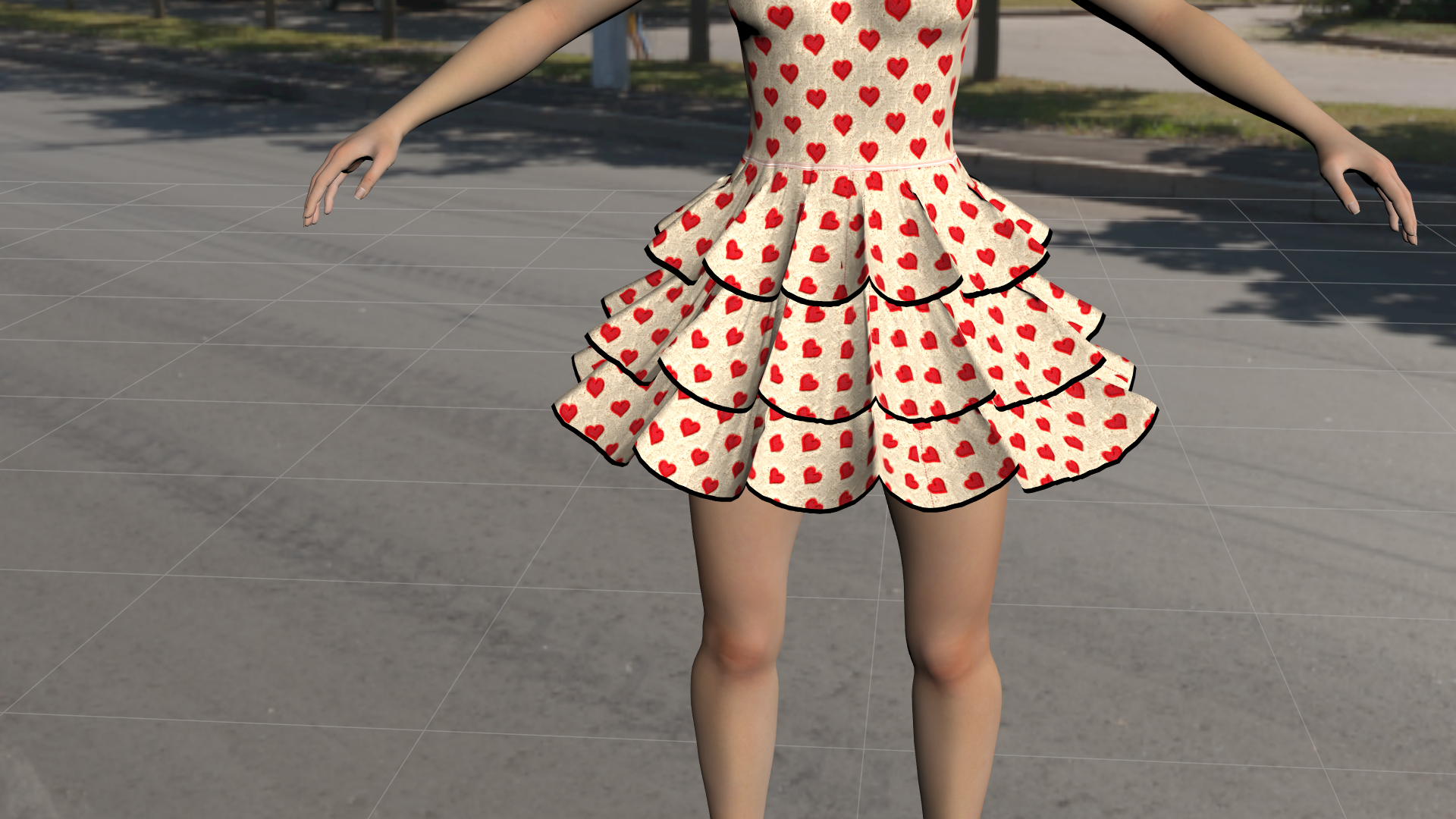
And finally animated constraint at .240. At this point you can really see the curves.
In my gallery I have the dress above being put to some stress tests and compare it to Poser 13. The Poser 14 versions simulate the 500 frames in 2 minutes and 6 seconds or close to. The Poser 13 version took 38 minutes. Just to be clear the above are a fast test and could use more work to improve them if that was required. And as I said the peek of the layers is a single line of vertexes painted with a value of .0500 and all three layers took about 30 minutes to complete.
Poser 5, 6, 7, 8, Poser Pro 9 (2012), 10 (2014), 11, 12, 13, 14