
davo opened this issue on Feb 22, 2026 · 5 posts
nerd posted Mon, 23 February 2026 at 3:11 PM Forum Moderator
First off don't even try this unless you reeeeeely know how a CR2 works. I been doing this since 1997 and I probably wouldn't attempt this except as an act of complete desperation. And then, probably only to salvage body parts from the busted CR2.
The easy way is to just fix it in the setup room. Delete the bone. Select the new parent and recreate it as a child of the new parent. Sanity saved.
If you've lost your last particle of common sense or want to experience a psychotic episode read on.
Really don't ... the the chances of creating a broken CR2 are near 100%
NOTE: I'm showing these screen shots from NotePad++ and I'm using a Poser language file so I highlights and can collapse curly brace pairs.
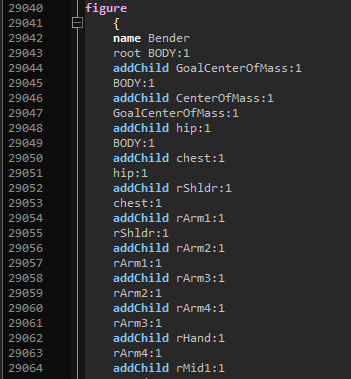
There's a LOT more to changing an actor's parent. After editing the parent line in the part you'll also need to re-arrange the addchild lines in the figure section.
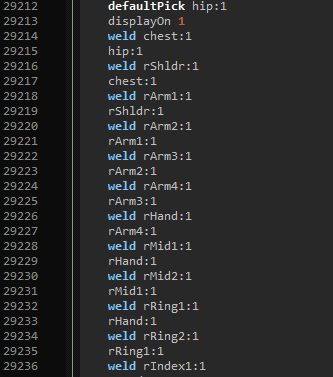
You'll need to change the weld lines as well to match the new hierarchy too. Weld lines actually glue the vertexes between body parts back together.
That was the easy stuff.
Every actor's parent actor has a set of channels that are the actual "bends" for the joint between the parent and the child. Poser keeps that stuff in the parent actors channels because that more confusing /s. You either have to create these new channels or move them from the parent to the child. That includes all related weight maps.
Find the twist, bend and smoothScale channels for the transplanted body part in the original parent's channels need to be moved to the new parent.
In this example I've highlighted the rShldr in the chest. I've also collapsed the elements so this can fit on a display less than a few thousand lines tall. Note the skips in the line numbers.
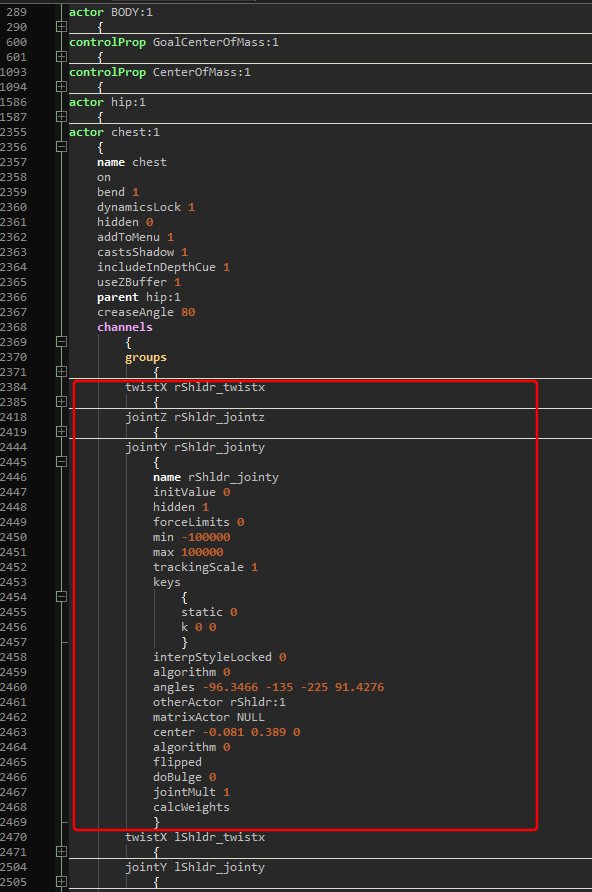
All this needs to move to the new parent. The smoothScale (XYZ) needs to move too.
Now for the weight maps ... They can't be transplanted without vertex explosions. But, they need to exist so they can be fixed in app.
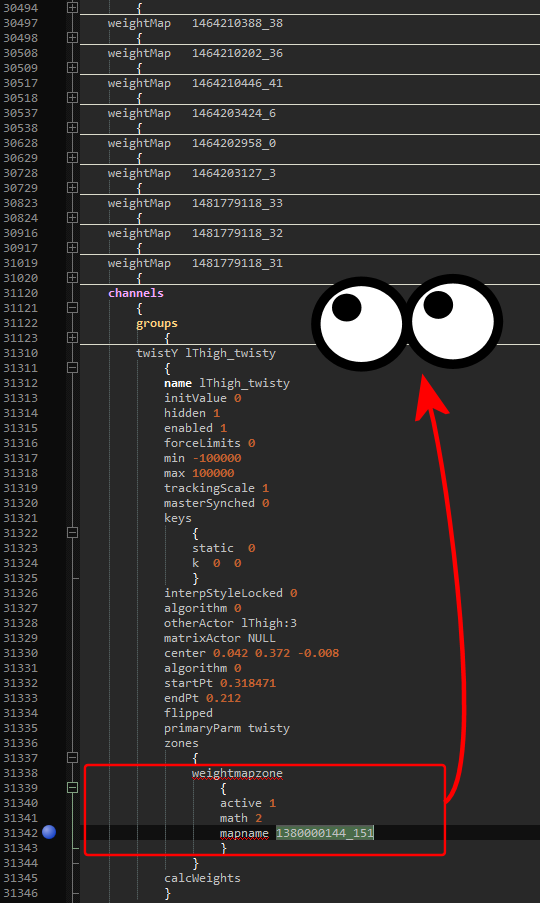
Look in the mapname for each involved map. Move it to the new parent's maps. Again this will almost certainly cause the weights in the affected actors to explode. You will need to fix the weight maps in app.
See, it's easier to just fix it in the Setup Room.