
Anim8dtoon opened this issue on Sep 27, 2025 · 300 posts
FVerbaas posted Thu, 09 October 2025 at 8:04 AM Forum Coordinator
I felt sympathy for Tuyuko, having only work clothing so I made 'on the fly' some garb for her in CLO's Jinny.
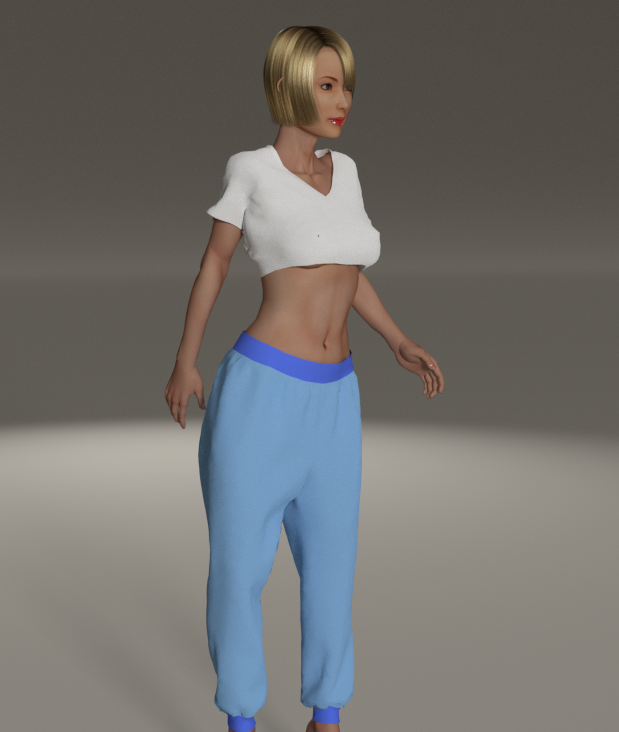
For those who ask: The process is as follows:
1 - Export .obj in Poser Native scale. Zero pose.
Preparation of this model: Tuyuko has pubic hair built as facets, part of the hip. This will mess up the fit later. Just select hip, open gropup tool, select pubic hair material and delete facets.
2 - In Jinny open the .obj 'as avatar' , and say it is feet units and need to be loaded at 860% scale. Jinny then recognizes the human shape and adds an (invisible) 'fitting suit'.
3 - In Jinny, go to 'Designer mode' and load, drape and modify as you see fit. I used the default templates: The baggy pants as they are and the t-shirt I cropped and lowered the neckline.
4 - In Jinny hide the avatar and go to 'studio mode'. There check 'export FBX' box (bottom right) and export. This will put a .fbx in your downloads folder and also open CLOI's Closet. There you can delete your upload if you want.
5 - load the .fbx in Poser. Check fit, use morph brush if needed, and apply fitting room, cloth room, or setup room to proceed as usual. IIRC the setup room needs a .obj of the garment so you need to export and load first.