McGrandpa opened this issue on Sep 06, 2020 · 91 posts
sschneew posted Sun, 20 September 2020 at 11:50 AM
I had Friday off and I spent the weekend playing around with 1) DAZ, 2) Thomas Larson's DAZ to Blender importer, then 3) Blender armature, posing, materials, and rendering. I really don't like DAZ - but this appears to be a preference. I came across more than one forum where they trash Poser and praise DAZ. I think I could get used to DAZ, but it seems limited in comparison to Poser. ( This opinion is probably biased. ) Blender on the other hand is pretty incredible - but sooo complex. I spent hours watching videos explaining how to use the DAZ and Blender interfaces. I spent at least the same amount of time fighting with DAZ's stupid content manager (for all of Poser's library issues, DAZ makes them seem quite tolerable). I still haven't spent enough time to figure out how to use Blender's library/linking method of sharing characters, props, and materials. I didn't waste any time with DAZ renders, but spent a ton of time converting transported materials to Blender's cycles engine, then fine tuning.
The DAZ converter is pretty incredible and robust on its own. That Thomas Larson wrote and donated this freeware is quite remarkable. It allows you to export a DAZ scene (character or props), then import them into Blender along with the rig/armature. Then there are tons of additional import options for morphs, etc. It sounds great, but the complexity of converting them to the "Blender way" is very difficult. In doing this, I had to recognize the Herculean efforts of the Poser or DAZ programmers to make things work between the two software packages. It's not just getting bone and morph weights ported correctly. A simple smile is a combination of facial morphs and bone movements, which all have to be tied together - which is highly custom to the software you are using. I haven't explored Thomas' work enough to see if he has also ported that complexity. For my experiment I only used simple facial morphs. I couldn't get Blender's armature/bones to effectively morph my character consistently (just ignorance of how it works/its complexity). In addition, (I believe that) Blender has no concept of conforming clothes. You could manually rig all the clothes' bones to be constrained by the figure's bones, but I think it is expected that you bake down your clothes into a single character (Like what they did in Poser Pro Game Dev Version). Thomas has built in options for this and has a blog on mesh simplification, so he is probably thinking along these lines and targeting efficiencies for his final output.
I love the filmic color management of Blenders cycles engine. It is very realistic lighting with high dynamic range. (Watch this video from Blender Guru for an explanation.) So I explored porting directly from Poser to Blender to use the cycles engine there. This is possible, but with a lot of work. The alembic format ports meshes efficiently, but you need a way to apply sets of blender materials once you pull them up in Blender. This solves some things, using Poser for its strengths in posing and managing complex morphs and rigs, but presents problems with setting up some python scripts to manage materials efficiently. And you still are limited by characters available in Poser.
So, I'm waiting for a month to see what the Poser guys do with the latest cycles engine. If they include Filmic-log color management, it would certainly eliminate any current need for me to use Blender. On the other hand, if I could learn this much Blender in a weekend perhaps its worth the effort to go all-in. Moving content would be a pain, and would certainly be a gradual effort. However, there is a thriving Blender community (more than thriving) and way more content out there to have fun with.
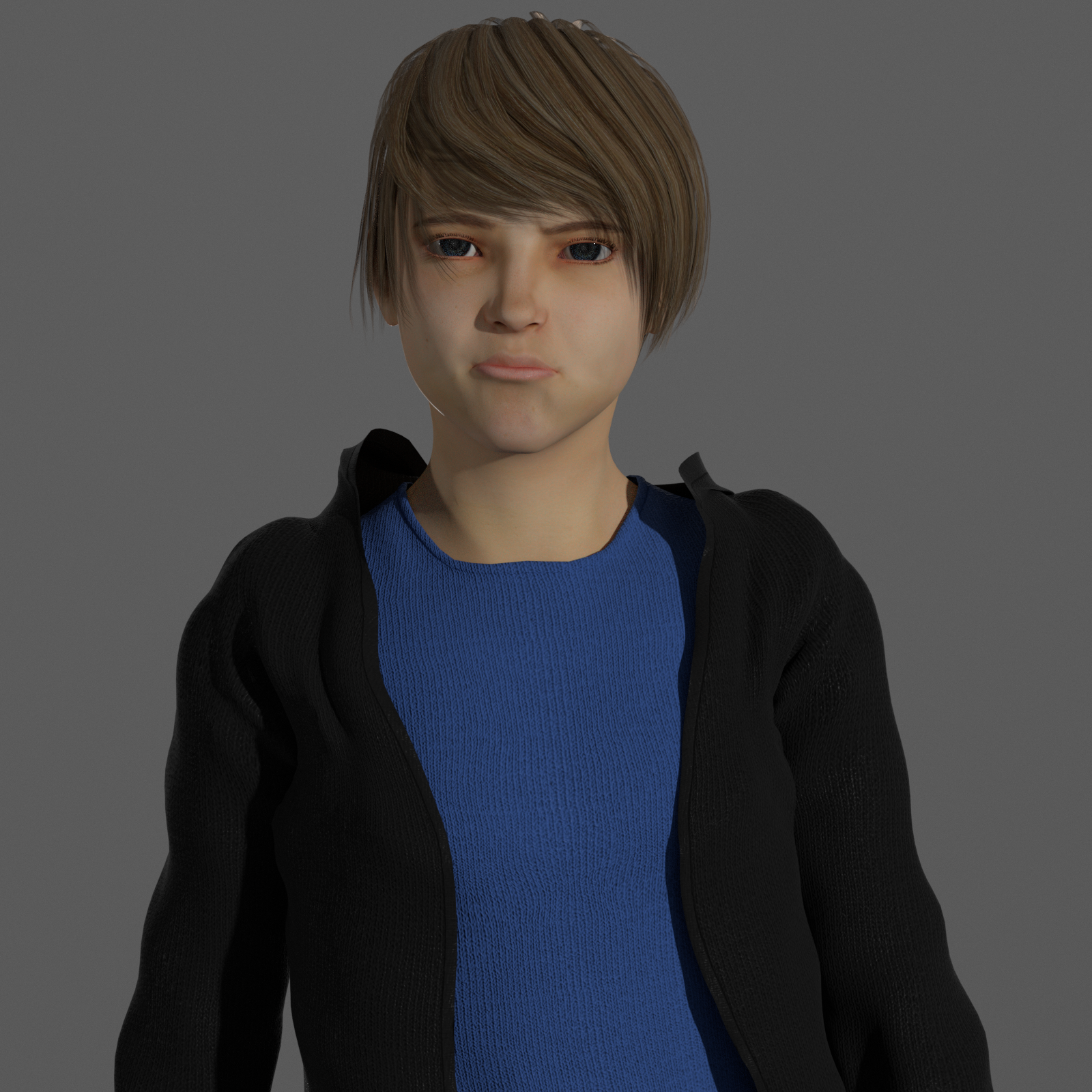
Justin-based character from Genesis series sample attached. Very simple Blender lighting, and a quick run through to tune materials, and a few ported facial morphs.