speculoos opened this issue on May 17, 2020 · 14 posts
speculoos posted Sun, 17 May 2020 at 11:36 AM
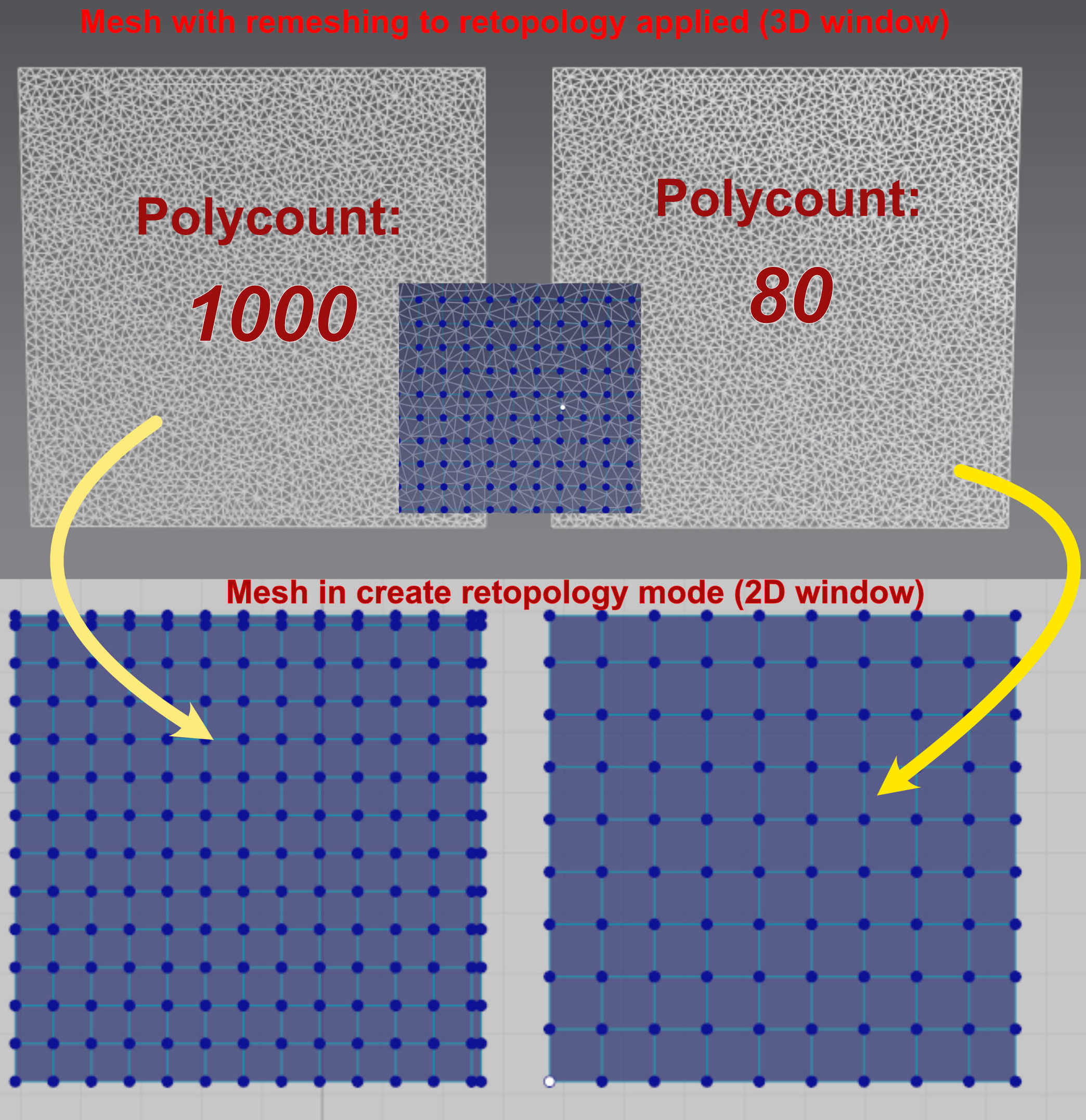
I have already tried to quadrangulate the mesh before applying the but nothing happens when I proceed to the remeshing to retopology. The mesh is just quadrangulated instead of being triangulated. I believe there is a problem with something on my PC but I don't know what it is. What is weird is that I can see a quadrangulated mesh when I select the create retopology tool after having applied the remesh to retopology. It is visible on the screenshots below. The mesh once it is exportes is triangulated and not quadrangulated. The smaller screenshot below in the middle of the 3D view is a closeup of the mesh as it looks in the 3D view when the create retopology tool is selected. The two squares are the same mesh with a different polycount number applied. It is a mystery!