
Cyberdene opened this issue on Aug 17, 2017 · 27 posts
Boni posted Thu, 17 August 2017 at 3:21 PM
From what I understand from what you've written, you may have 2 issues.
The higher strength of SSS is better for close-ups but seems to cause issues with full body and further scenes. The fake SSS is an issue in all cases. (I never cared for it even when used in earlier versions of Poser).
The general way to fix this, and easiest, is to use EZskin or EZskin3 (if you have P11/PP11) First you have EZskin redo the figure with just the maps, then apply superfly/firefly. IF the settings are too high at this point it is easier to tweak. This means rejecting the vendor's mat settings. If you like the settings otherwise you need to go to the mat room and adjust the SSS settings manually.
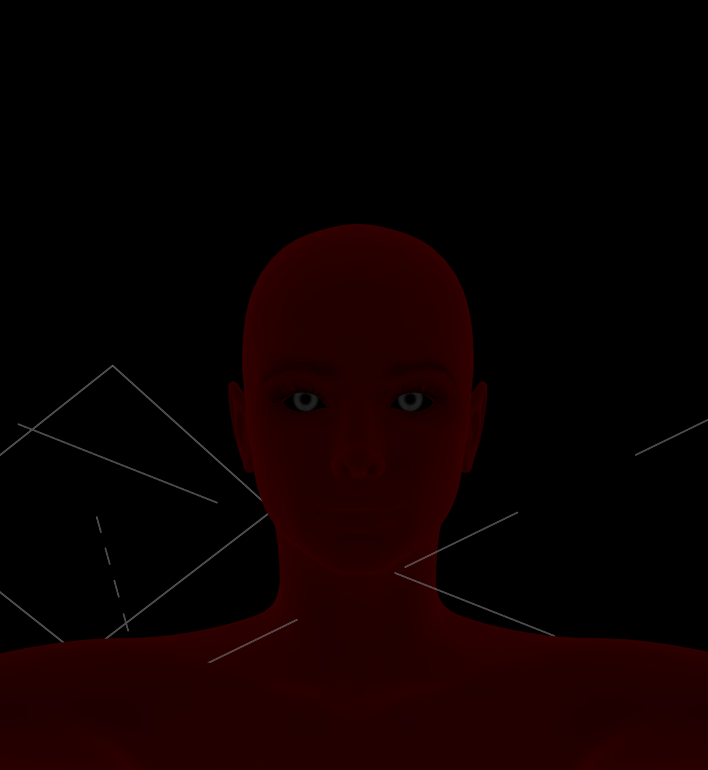
This vendor uses ambience to fake SSS, you can tell by turning off all the lights and still seeing a slight "glow" Here is the settings.
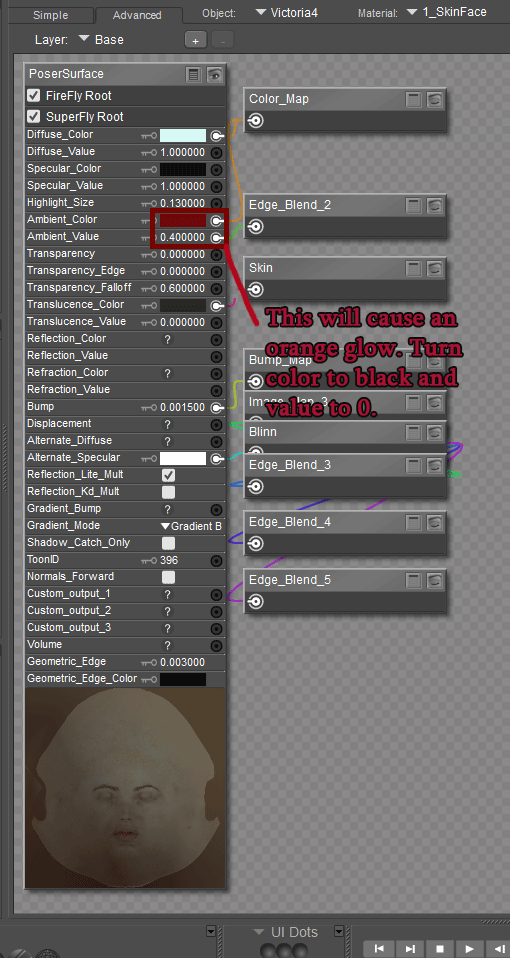
As for the SSS settings:
I can't find a vendor's character that does the SSS too high, I have searched my runtimes. If you could give some examples, I can show you how to tweak them in the meantime here are 2 adjustable SSS nodes (nodes>lighting>special) that can help you get the settings you want.
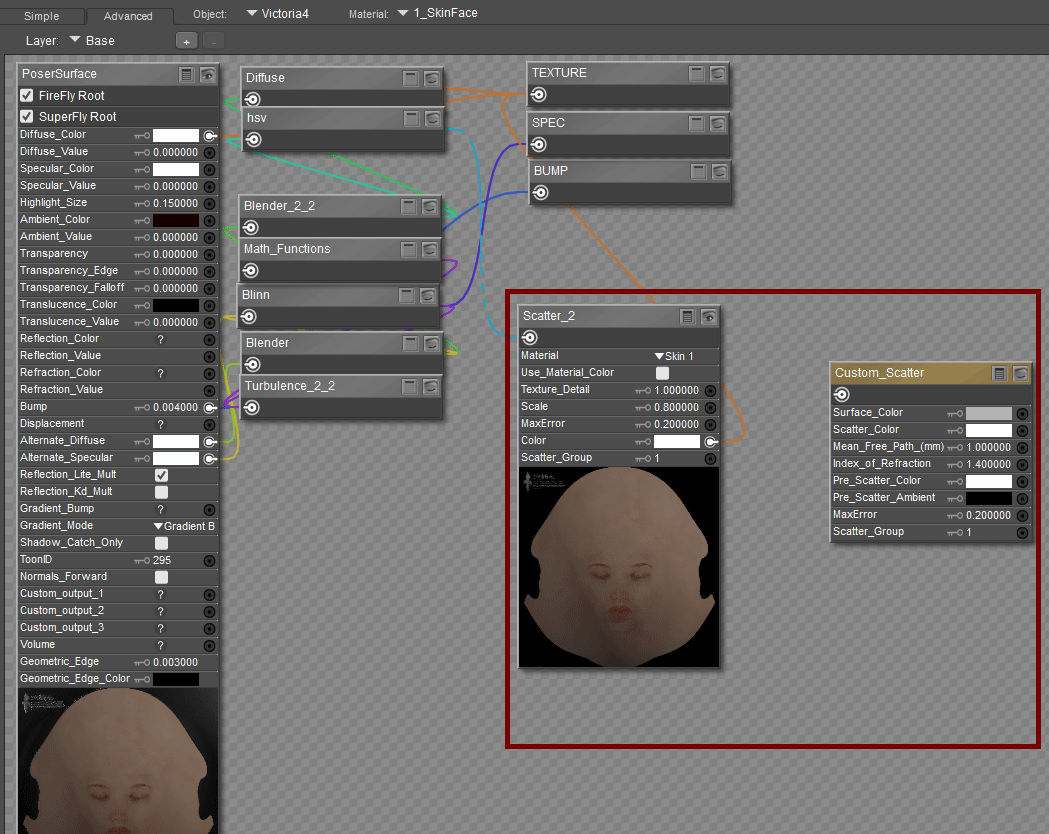
Keep in mind another setting that might effect (although I doubt it) is the gamma correction.
Boni
"Be Hero to Yourself" -- Peter Tork