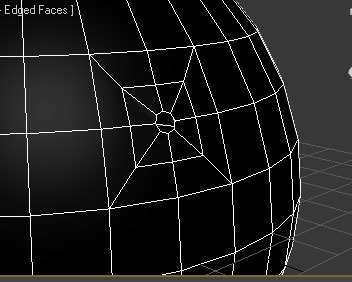
Also, if you want to make a really small hole in a surface, often times the best result will indeed come from a double inset first. Make two consecutive insets first, then create your circle after removing the inner-most faces, and using the command in Loop Tools. This way, you have a supporting edge in there before the circle, and this will result in a cleaner topology when you subdivide. Yeah, the Smooth 30 is really handy to Autosmooth the object quickly. It comes in handy after doing certain operations, like the Circle command, or even extusions or bevels, etc. It automatically smooths the surface to 30 degrees, which makes it more convenient to see the smoothed normals as they should be viewed, or to see bad areas of topology, etc.
______________________________________
My Store
My Free Models
My Video Tutorials
My CG Animations
Instagram: @luxxeon3d
Facebook: https://www.facebook.com/luxxeon
