
Michaelab opened this issue on May 26, 2012 · 20 posts
seachnasaigh posted Sun, 27 May 2012 at 5:26 PM
Well, the materials need to be set up so as to nudge Firefly a bit.
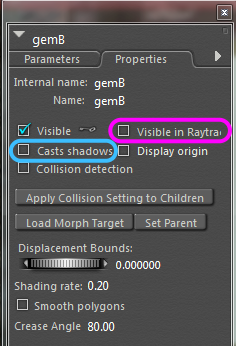
First, I need to correct an omission. For P8 and PP2010, both the gem and the aura need to also have the visible in raytracing box un-ticked, as well as having the casts shadows box un-ticked. This is critical for the gem, or the gem will block the emitter's light.
 .
.
A serious shortcoming of P8/PP2010 (as compared to P9/PP2012) is this need to disable raytracing for the gem; the consequences are that any reflections which should show the gem will instead only show the searing-white emitter underneath. Likewise, if the gem is viewed through a refractive surface, the gem and the emitter may appear displaced side-by-side. P9 and PP2012 have fixed this issue, plus the IDL precalc runs faster.
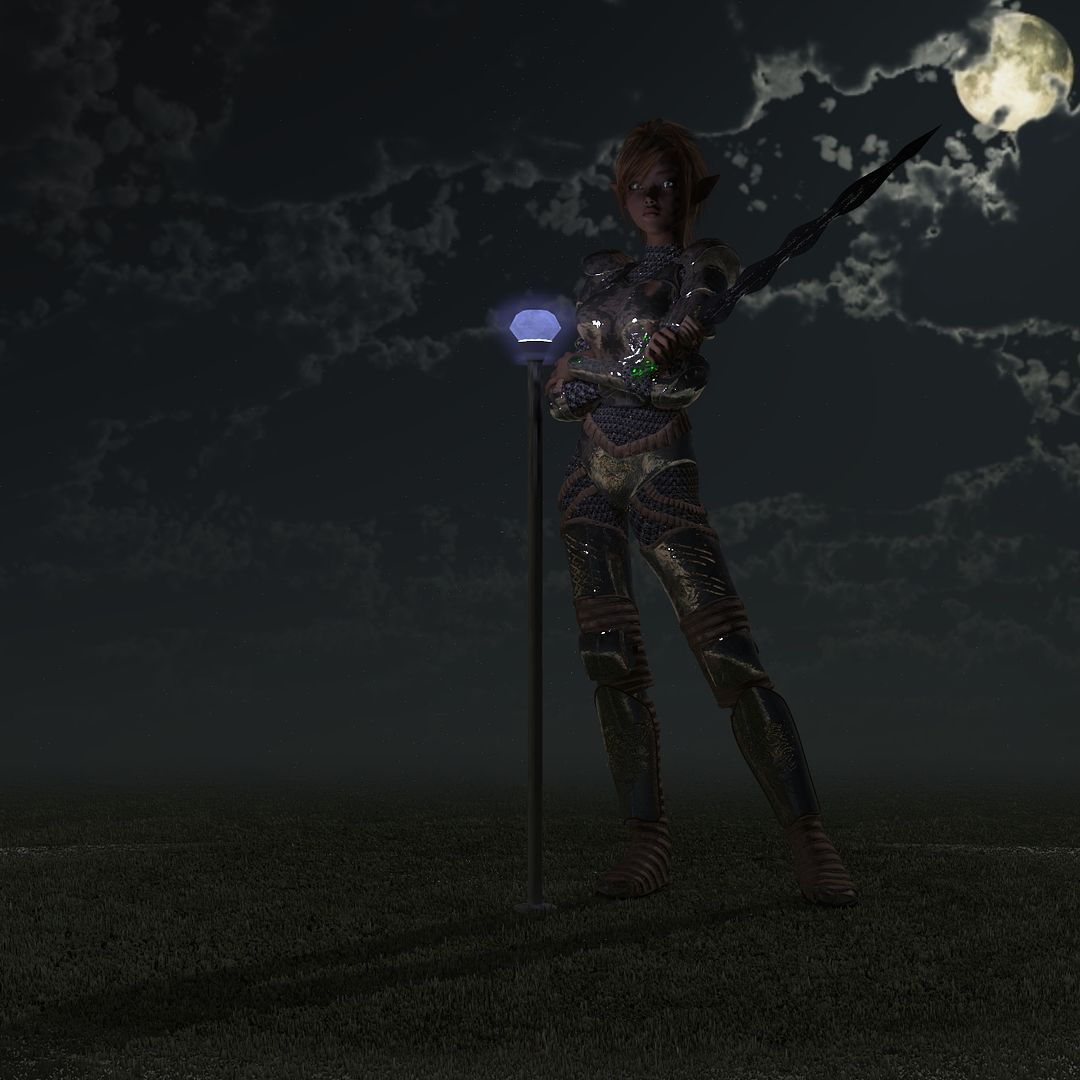
My demo render shows this shortcoming.
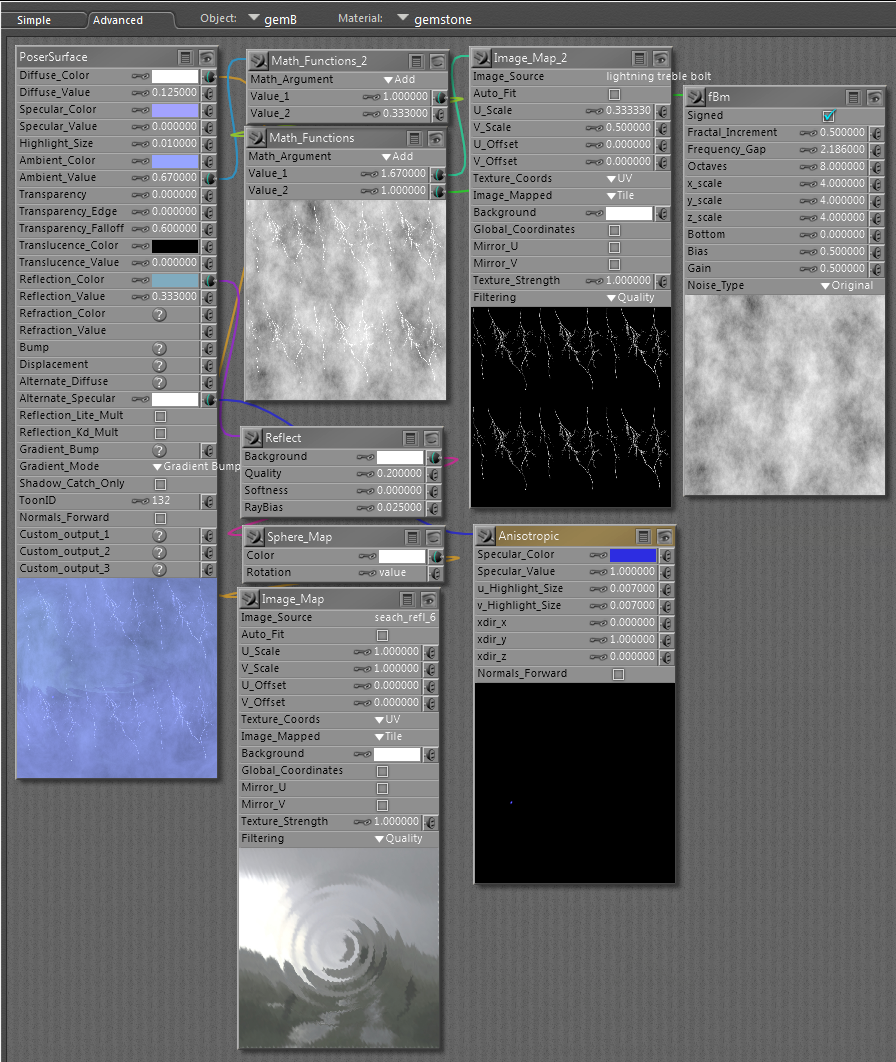
Materials: Use any spiffy material for the gem you like, except that in P8/PP2010, you can't use transparency for the gem; the gem must be opaque so as to hide the emitter inside. You can use anything in P9/PP2012. Give the gem a gentle ambient value. I used ambient=0.67 for the gem in my demo.
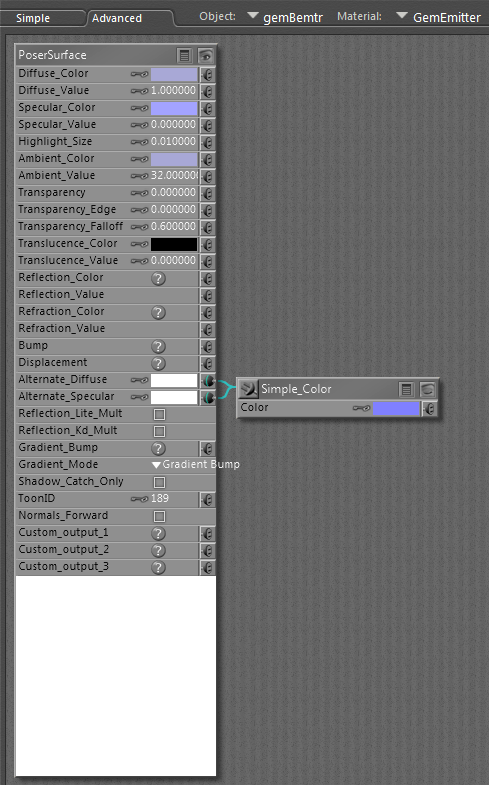
The emitter can be a simple color, but crank the ambient until it screams. I set it at 32, which is about the max that Poser will acknowledge, because the emitter is not very big. Desaturate the color; this will help the emitter cast more light. Ignore the simple color node plugged into the alternate diffuse and alternate specular; they're forgotten leftovers from earlier diagnostic work.
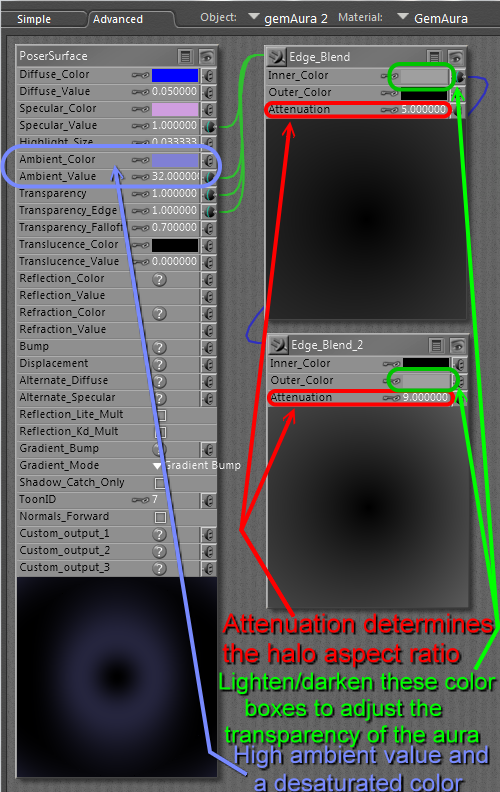
The aura's material screenshot is annotated to help explain it. The double edge blend node setup leaves the center transparent -so that the gem is visible through the aura- and fades away at the outer edges so as to hide the shape of the aura's geometry. This method works well on smoothly curved shapes; your egg will work very nicely. On boxy, angular shapes, a plain transparency -perhaps masked- will be better.
 .
.  .
.  .
.
Now, you need to understand why I add a separate emitter, and why that emitter is concealed.
If you give the gem a gentle ambient value, so that it has a pleasing soft brightness, you'll find that it doesn't cast hardly any light. On the other hand, if you crank up the ambient value enough to cast light, the gem would blow out to a white silhouette. Thus, I use the gem for the visible gentle glow, and use a hidden emitter to cast the light.
In this demo scene, light 1 is oriented to appear to be coming from the moon. It is set at 16% strength. Light 3 is coming from the left and is at 3% strength. Light 2 is off. IDL does the rest. I should have given the emitter color a little more saturation so that the light cast would be noticeably bluer.
 .
.
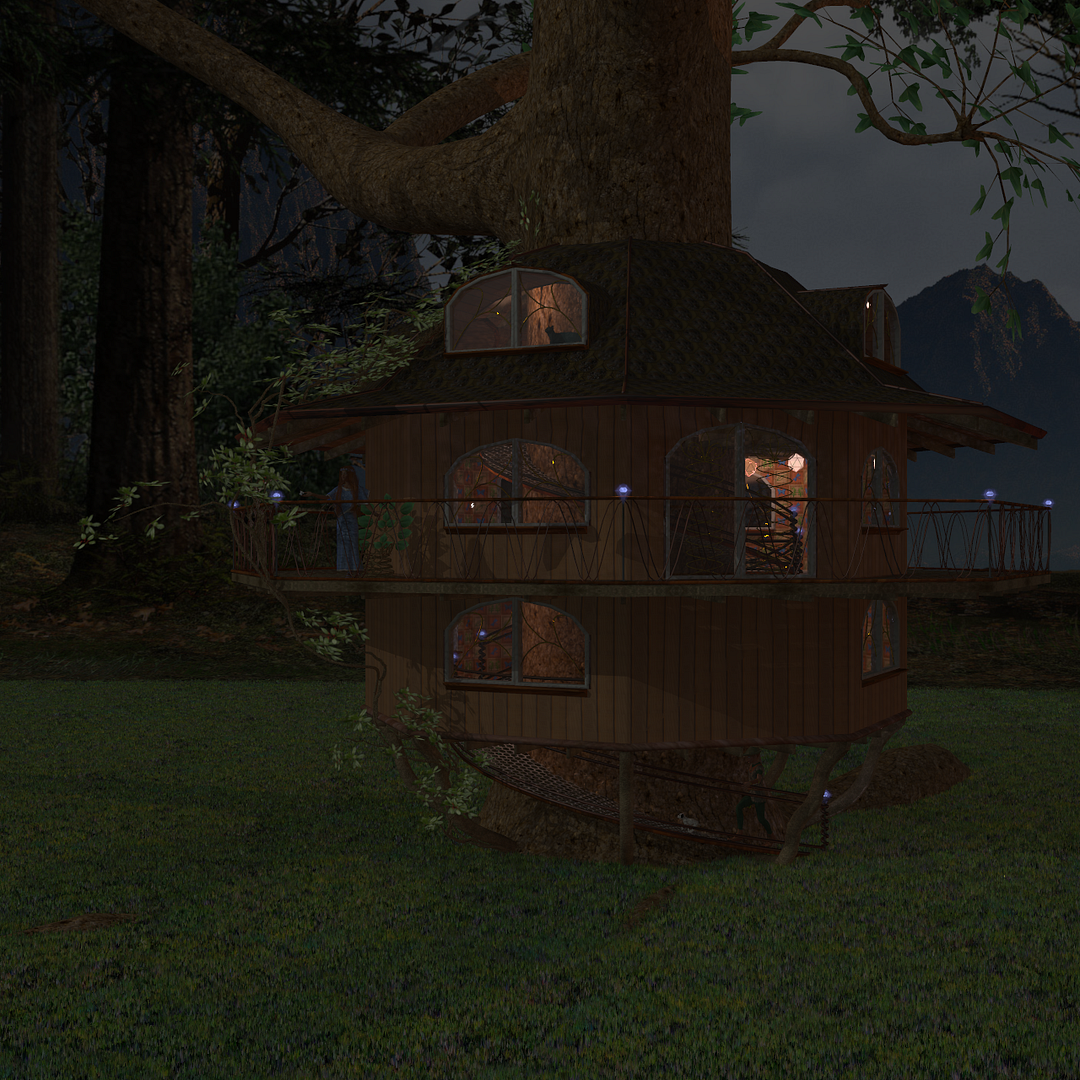
This P8 render of Miri's treehouse shows the displaced lamp/emitter artifact. Look through the french doors at the cream-colored lantern. The double-sided glass of the doors has refraction, and the raytrace-active emitter is displaced from the raytrace-disabled lantern; they appear to be about three feet apart, when in fact the emitter is inside the lantern. This error does not happen with P9 and Poser Pro 2012.
 .
.
Poser 12, Poser 13, Poser 14, in feet.
OSes: Win7Prox64, Win7Ultx64, Win11
Silo Pro 2.5.6 64bit, Silo 2025.1, Vue Infinite 2014.7, Genetica 4.0 Studio, UV Mapper Pro, UV Layout Pro, PhotoImpact X3, GIF Animator 5