
Kixum opened this issue on Sep 21, 2010 · 4 posts
MarkBremmer posted Tue, 21 September 2010 at 9:54 AM
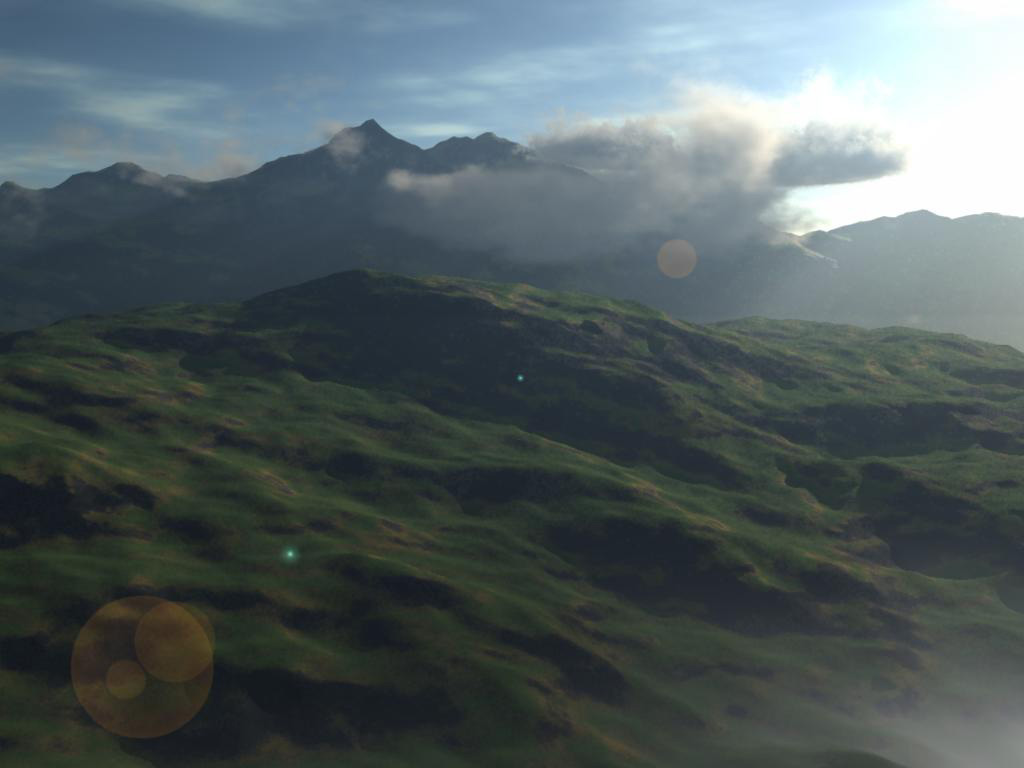
Every 3d package I use that has atmospherics has a sweet spot where the effects work better than others. In Carrara, the realistic sky presets are most effective at Large scene scales. And even then I amend the scene ratio from 1=1 to 1=5.
The attached image has no special tricks or extra lights. The light rays are enabled in the Realistic Sky settings and there is only one light in the scene - a distant light that has been designated as Sunlight. So, both the mountains and clouds are casting shadows through the atmosphere. Fog and Haze have been enabled.
The spot light trick (to replace the sun and cast light rays through vegitation) is one I only use at smaller scene scales because it takes a little fussing to get it right.
Carra does have the cool ability to amend the realistic sky by adding a gradient to the Background function in the scene settings. This is done to create a better horizon/sky transition. However, one fo the best uses for this trick is adding a HDRI map to pop reflections. Carrara uses an additive process with the Background so function so it' super easy to add some photo realistic elements to the scene while maintaining some customizable features of the Sky editor too.