
Cage opened this issue on Feb 24, 2010 · 592 posts
Cage posted Sat, 27 March 2010 at 5:53 PM
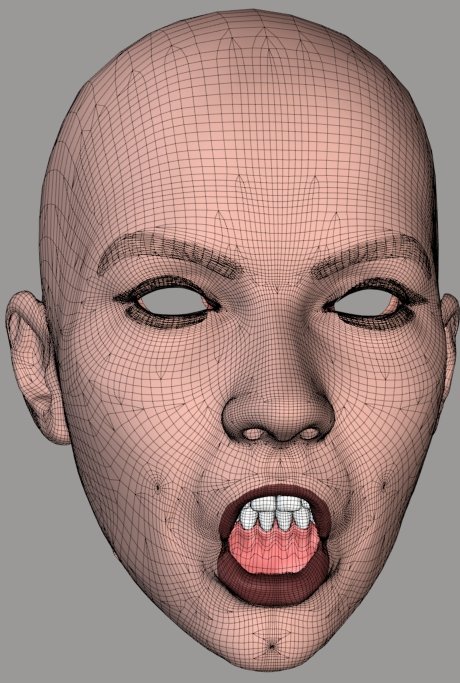
A very long way, particularly when you consider the very start. :lol:
Restore Detail can clean up the results well enough, in any case. I'm having trouble finding the best settings. The script was developed with Vicky 1 and I've largely been using it on V1 and Antonia. Because it works with distances between vertices, the Threshold value needs to change depending on mesh density. I haven't yet found the optimal settings for V3. I think I may grab the average distance for the mesh and insert that as the default for any case. Hmm.
But, yes. RD helps, it can clean up any mess we're creating. The only trouble is if and when problems show up in the morph transfers as well as the shape transfers. Unfortunately, that one bad vertex below the mouth, in the image a few posts up, is showing up in the morph.
We could use a Restore Detail script for the .vmf weights, to try to clean them up. I can't imagine how that could possibly work, though. :lol:
The attached image shows one of the messy transfers I've been mentioning, after cleanup with RD. It's just as good as the other and, in this case, there's no bad vertex in the morph.
===========================sigline======================================================
Cage can be an opinionated jerk who posts without thinking. He apologizes for this. He's honestly not trying to be a turkeyhead.
Cage had some freebies, compatible with Poser 11 and below. His Python scripts were saved at archive.org, along with the rest of the Morphography site, where they were hosted.