
RAMWorks opened this issue on Aug 03, 2009 · 15 posts
fivecat posted Wed, 05 August 2009 at 1:09 PM
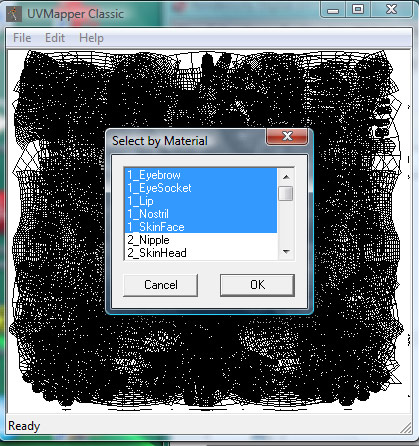
Go to Edit-->Select-->by Material and select all the materials that are on one texture map. For Victoria 4 they made this easy, as each set of materials is preceded by a number. You can see in the attached image that I have selected all the materials on the head texture map (all materials have the 1- prefix).
With the materials selected, go to Edit-->Assign-->to Group. Type in a name for a new group such as FaceMap and Click okay. Do this for all the material groups.
When you are finished, Save Model with a new name -- Don't overwrite your original object file!
You can now bring this object into zBrush, and the groups will be the Material groups you created.