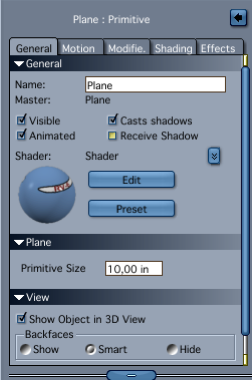
Select the plane and uncheck 'receive shadows' in the assembly room. But you can also use the clouds as a backdrop, if you select the 'Scene' in the assembly room. This prevents any interaction between objects and the background. If you want to make the clouds brighter, and do not have access to Photoshop or the likes, then it is nice to have the texture on a plane as you do have now. Then you can see what happens in the shader room when you use the texture in combination with operators like 'add' or multiply. Or maybe put a bright light on it, that you tell only to light the plane.
