
Acadia opened this issue on Aug 23, 2007 · 6 posts
SYNTRIFID posted Thu, 23 August 2007 at 1:57 PM
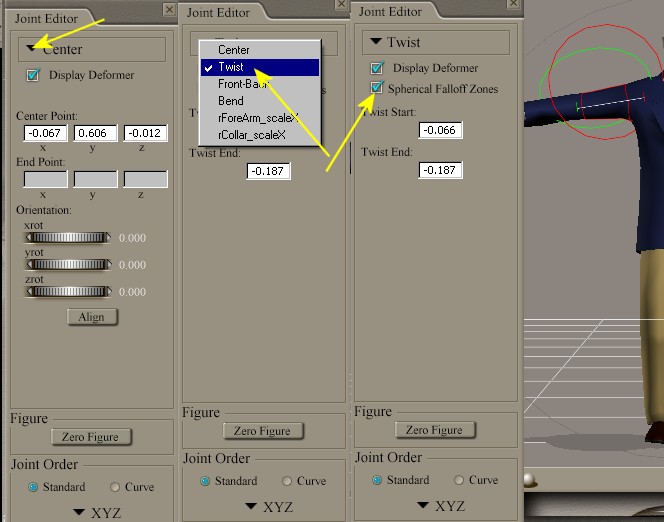
You can click the dropdown box where it says "Center" and choose the rotation values, like Bend, Side to side, Twist. (whatever the dial is named), tick the "spherical Falloff Zones" box to show them, Green is Inner Sphere, (everything inside this area will be affected) - Red is outer Sphere, (this will be the falloff area.)
When the Zones are visible, you can select them as you would any ordinary prop and move, scale, rotate them using the normal methods.
Hey! His nose is dry! ... Someone should lick it, just in case. - Diego