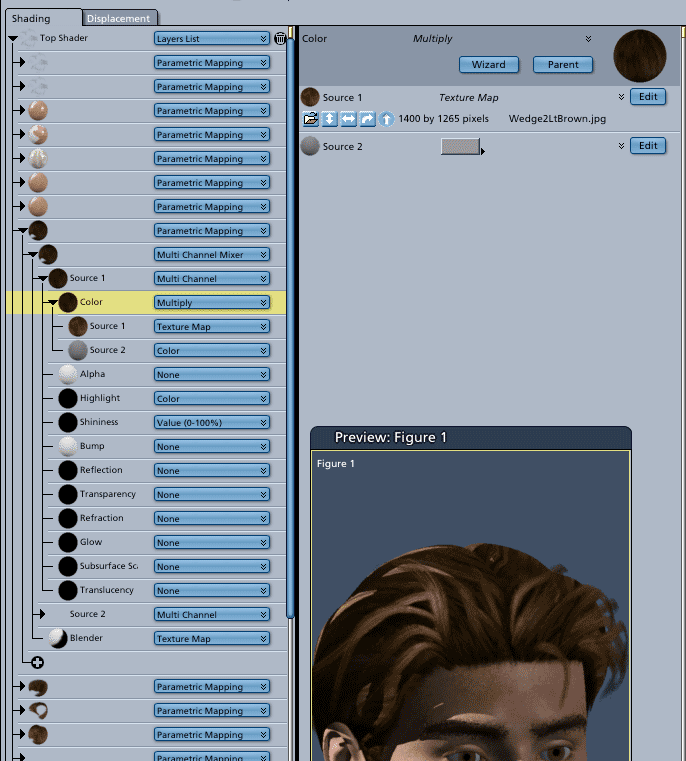
Hi Rorsdors, As Nomuse stated, you edit the color in the color room. Click on the image above to see it larger. This shader tree is from the M3 character imported into Carrara with Transposer. The hair is the DAZ wedgecut. Most hair from poser Mat files contain texture maps (.jpg, .tif etc.), so their color is not really changable in Carrara because it's a picture/texture. You can't edit it unless you throw out the texture and insert a color or, instead, use a hue adjustment tool plug-in like the kind that come from DigitalCarversGuild.com and change the color of the texture map from within Carrara **Important - With the figure selected, the Shader Tree in Carrara will show all of the shading domains/layers with the correct names. If you select the shader without first selecting the figure, the Domain names in the Shader room will be blank. Hope that helps a little. Mark
