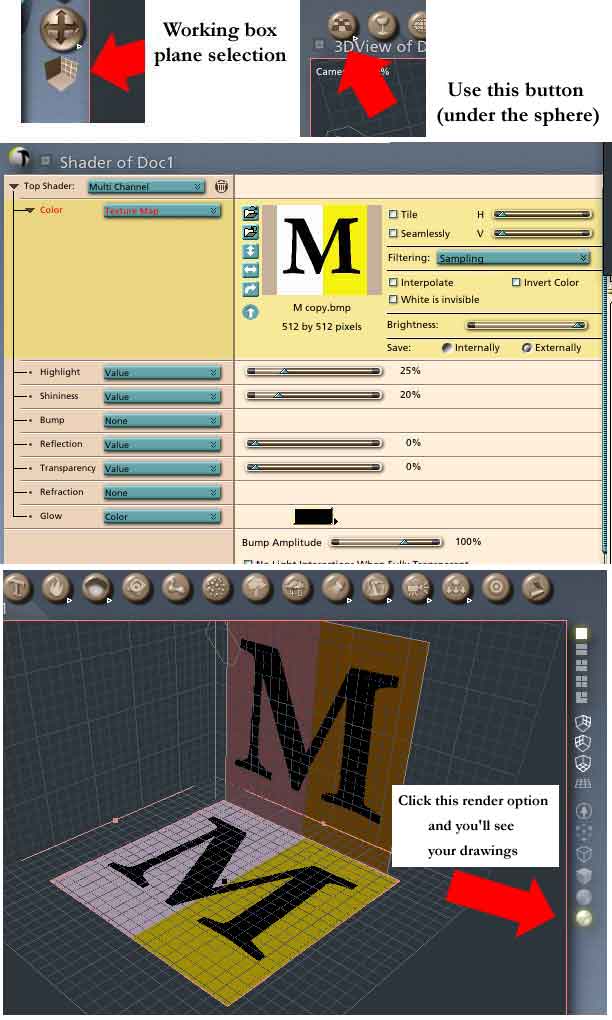
Just to add a little to what's already been said: If you select one of the other working planes in the working box by clicking the icon (arrowed red in my picture) and then insert a plane using the button from the sphere drop down (rather than the Insert menu) then it will by orientated as you wish. An Infinite plane is just that, in a render it will go to the horizon. What you want is a simple plane. It's probably best if you change the proportions (in the Properties tray) to match the picture that you want to attach to it. To attach the picture, select the plane and switch to the texture room. Then apply the pic as texture map. Back in the Assembly Room, if you click the button for Textured interactive rendering you'll be able to see your plans. HTH Mark
